1
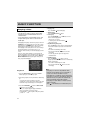
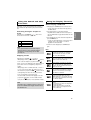
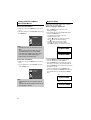
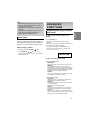
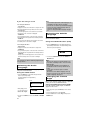
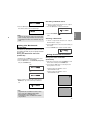
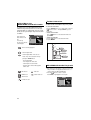
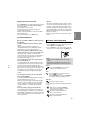
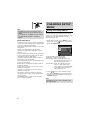
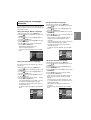
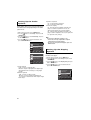
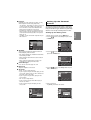
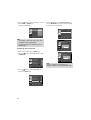
Setting Up the Audio Options Audio Options allows you to setup the audio device and sound status settings depending on the audio system in use. 1. With the unit in Stop mode, press the MENU button. buttons to select Setup, then press the 2. Press the / or ENTER button. buttons to select Audio Setup, then press 3. Press the / the or ENTER button. buttons to select the desired item, then 4. Press the / press the or ENTER button. Language Setup Audio Setup Display Setup Parental Setup : Enter Return Menu AUDIO SETUP Dolby Digital Out :PCM MPEG-2 Digital Out :PCM Dynamic Compression :On PCM Down Sampling Enter Return :On Menu ❶ Dolby Digital Out - PCM : Converts to PCM(2CH) audio. - Bitstream : Outputs Dolby Digital via the digital output. Select Bitstream when connecting to a Dolby Digital Decoder.. ❷ MPEG-2 Digital Out - PCM : Converts to PCM(2CH) audio. - Bitstream : Converts to MPEG-2 Digital Bitstream (5.1CHor 8CH). Select Bitstream when using the Digital Audio Output. 22 ❸ Dynamic Compression - On : To select dynamic compression. - Off : To select the standard range. ❹ PCM Down Sampling - On : Select this when the Amplifier connected to the player is not 96KHz compatible. In this case, the 96KHz signals will be down converted to 48KHZ. - Off : Select this when the Amplifier connected to the player is 96KHz compatible. In this case, all signals will be output without any changes. Note Even when PCM Down sampling is Off • Some discs will only output down sampled audio through the digital outputs. • To make the Setup menu disappear, press the MENU button. Setting Up the Display Options Display options enable you to set various video functions of the player. 1. With the unit in Stop mode, press the MENU button. buttons to select Setup, then press the 2. Press the / or ENTER button. buttons to select Display Setup, then press 3. Press the / the or ENTER button. buttons to select the desired item, then 4. Press the / press the or ENTER button. Language Setup Audio Setup Display Setup Parental Setup : Enter Return Menu