1
CONNECTING AND PREPARING YOUR TV
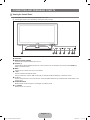
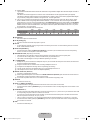
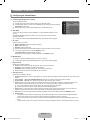
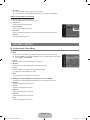
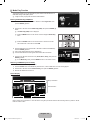
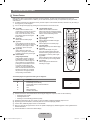
¦ Viewing the Control Panel
N The product colour and shape may vary depending on the model.
N The front panel buttons can be activated by touching them with your finger.
1
23
4 5
6 78
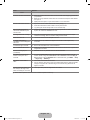
1 SPEAKERS
2 REMOTE CONTROL SENSOR
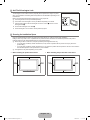
Aim the remote control towards this spot on the TV.
3 SOURCEE
Toggles between all the available input sources. In the on-screen menu, use this button as you would use the ENTERE
button on the remote control.
4 MENU
Press to see an on-screen menu of your TV’s features.
5 – VOL +
Press to increase or decrease the volume.
In the on-screen menu, use the – VOL + buttons as you would use the ◄ and ► buttons on the remote control.
6 > CH <
Press to change channels. In the on-screen menu, use the > CH < buttons as you would use the ▼ and ▲ buttons on the
remote control.
7 POWER INDICATOR
Blinks and turns off when the power is on and lights up in stand-by mode.
8 P (POWER)
Press to turn the TV on and off.
English - [550_Aus]BN68-01895D-02Eng.indb 2
2009-09-16 �� 11:12:39