1
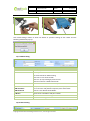
File Name: Project: Sub Project: Revision: MEITRACK Parameter Editor GT30i/GT60 VT300/VT310/VT400 Parameter Editor User Guide V2.02 Creator: Creation Date: Update: Page: Confidential: Cavana Cheung 2010-10-28 2011-108-01 3 of 9 External Documentation 1. Introduction This guide will show you how to configure MEITRACK’S GPS Tracker GT30i, GT60, VT300, VT310 and VT400 using MEITRACK Parameter Editor. 2. Hardware and Software Required A personal computer or laptop with Windows XP, Windows Vista, or Windows 7; One USB Data Cable; Driver for USB Data Cable; MEITRACK Parameter Editor. 3. Installation and Connection Run ‘PL2303_Prolific_DriverInstaller’ to install the driver for the USB data cable. Note: PL2303_Prolific_DriverInstaller is in the folder ‘USB-232 Driver’ in the CD. Connect the USB data cable with your computer. Open Device Manager (Device Manager is under Control Panel\System and Security\System). You can then find ‘Prolific USB-to-Serial Comm Port’ as the following picture shows. Copyright © 2010 Shenzhen Meiligao Electronics Co., Ltd. All rights reserved.