1
Installation and user’s guide
H-1000-5008-03-B
TP20 system
© 1998 - 2007 Renishaw plc. All rights reserved.
This document may not be copied or reproduced in whole or in part, or
transferred to any other media or language, by any means, without the
prior written permission of Renishaw.
The publication of material within this document does not imply freedom
from the patent rights of Renishaw plc.
Disclaimer
Considerable effort has been made to ensure that the contents of this
document are free from inaccuracies and omissions. However, Renishaw
makes no warranties with respect to the contents of this document and
specifically disclaims any implied warranties. Renishaw reserves the right
to make changes to this document and to the product described herein
without obligation to notify any person of such changes.
Trademarks
RENISHAW® and the probe emblem used in the RENISHAW logo are
registered trademarks of Renishaw plc in the UK and other countries.
apply innovation is a trademark of Renishaw plc.
All other brand names and product names used in this document are
trade names, service marks, trademarks, or registered trademarks of their
respective owners.
Renishaw part no: H-1000-5008-03-B
Issued: 03 2007
1
TP20 system
installation and user’s guide
2
GB
This guide is also available in electronic format on the
mini-CD in the pocket inside the back cover. To view this
guide, insert the mini-CD into the CD drive of your PC
and follow the on-screen instructions. This file can also
be printed if required.
FR
Ce guide est aussi disponible en français en format
électronique sur mini-CD dans la pochette à l’intérieur
de la couverture verso. Pour voir le guide en français,
insérez le mini-disque dans le lecteur CD de votre PC et
suivez les directives à l’écran. Vous pouvez également
imprimer ce fichier.
DE
Dieses Handbuch ist ebenfalls in deutscher Sprache in
elektronischem Format auf der Mini-CD in der Tasche
im Rückumschlag erhältlich. Legen Sie zur Ansicht
des deutschen Handbuchs die Mini-CD in das CDLaufwerk Ihres PCs und folgen Sie der Anleitung auf
dem Bildschirm. Diese Datei kann bei Bedarf ebenfalls
gedruckt werden.
IT
Il presente manuale è disponibile in lingua italiana
anche in formato elettronico, contenuto nel mini CD
contenuto nell’apposita tasca della retrocopertina. Per
visionare il manuale in lingua italiana, inserire il mini
CD nel drive del vostro PC e seguire le istruzioni che
appaiono sullo schermo. Questo file potrà anche essere
stampato se necessario.
3
ES
Esta guía está también disponible en español, en
formato electrónico, dentro del mini-CD en el bolsillo
del interior de la cubierta posterior. Para ver la guía
en español, inserte el mini-CD en la unidad de CD
correspondiente de su PC y siga las instrucciones de la
pantalla. Este archivo se puede también imprimir, si es
necesario.
PT
Este guia só se encontra disponível em Português em
formato electrónico no mini-CD que se encontra no
bolso interior da capa traseira. Para poder ver o guia em
Português, introduza o mini-CD na unidade CD do seu
PC e siga as instruções no ecrã. Se for necessário, esta
pasta também pode ser imprimida.
JP
CD
CD
CD
Adobe and Acrobat are either registered trademarks or trademarks
of Adobe Systems Incorporated in the United States and/or other
countries.
Care of equipment
4
Care of equipment
Renishaw probes and associated systems are precision tools used for
obtaining precise measurements and must therefore be treated with
care.
Changes to equipment
Renishaw reserves the right to improve, change or modify its hardware
or software without incurring any obligations to make changes to
Renishaw equipment previously sold.
Warranty
Renishaw plc warrants its equipment provided that it is installed
exactly as defined in associated Renishaw documentation.
Prior consent must be obtained from Renishaw if non-Renishaw
equipment (e.g. interfaces and/or cabling) is to be used or substituted
for Renishaw equipment. Failure to comply with this will invalidate the
Renishaw warranty.
Claims under warranty must be made from authorised service
centres only, which may be advised by the supplier or distributor.
Patents
Aspects of the TP20 probing system and aspects of similar systems
are the subject of the following patents and patent applications.
EP
EP
EP
EP
EP
548328
750171
501710
826136
566719
JP
JP
JP
JP
3294269
JP 3279317
2,510,804
505,622/1999
US
US
US
US
US
US
US
5,323,540
5,505,005
5,327,657
5,404,649
5,339,535
5,918,378
6012230
Limitations of use
!
5
CAUTION: One option of the TP20 probe system uses a
magnetically-actuated inhibit system. It is important to apply
the following limitations when using the inhibit version TP20.
Neglecting to do so may result in failure of the probe to trigger.
1.
The inhibit TP20 may not be armed at a distance of up to 100 mm
from the front of the MCR20 probe module change rack.
2.
Do not use the inhibit TP20 to gauge magnetised parts or parts
held in magnetic fixtures.
3.
Do not use the Renishaw PE series extension bars with the
inhibit TP20 unless they have been fully de-magnetised.
In all these instances the use of the non-inhibit TP20 probe body will
ensure that the probe system operates fully.
!
CAUTION: The TP20 non-inhibit probe can only be used for
automatic stylus changing using the MCR20 probe module
change rack when the probe inhibit is controlled by the CMM.
In the case of any uncertainty, do not attempt to perform
automatic stylus changing with a TP20 non-inhibit probe and
an MCR20 until the CMM supplier has checked the CMM for
compliance to this requirement.
6
This page intentionally left blank
Contents
7
Contents
1
2
Introduction ................................................................................... 9
Product description ..................................................................... 11
2.1
3
2.1.1
The probe body ..................................................... 11
2.1.2
The probe modules................................................ 13
2.2
The MCR20 probe module changing rack kit ..................... 16
2.3
The MSR1 module storage rack kit .................................... 19
Product installation ...................................................................... 20
3.1
Fitting the TP20 probe onto a probe head.......................... 20
3.2
Fitting a stylus onto the probe module ............................... 20
3.3
Fitting the probe module and stylus onto the
probe body ......................................................................... 22
3.4
Mounting the MCR20 onto the CMM .................................. 23
3.5
3.6
4
The TP20 touch-trigger probe kit........................................ 11
Datuming the MCR20 ......................................................... 25
3.5.1
Aligning the MCR20 to the CMM axes .................. 26
3.5.2
Establishing the docking depth (Y) ........................ 26
3.5.3
Establishing the docking height (Z) ....................... 27
3.5.4
Establishing the docking centre for port 1 ............. 28
3.5.5
Establishing the docking centre for ports 2 to 6..... 29
3.5.6
Establishing the docking target co-ordinates ......... 29
Mounting the MSR1 onto the CMM .................................... 30
3.6.1
Mounting the MSR1 onto a CMM table ................. 30
3.6.2
Mounting the MSR1 onto a wall............................. 32
Product operation ........................................................................ 33
4.1
Storing and changing probe modules ................................ 33
4.1.1
Calculating the safe clearance position ................. 34
Contents
8
5
4.1.4
Summary of probe module changing procedure ... 37
4.1.5
Using the MSR1 module storage rack ................... 37
Measuring performance ..................................................... 38
5.1.1
Probing forces and overtravel limits....................... 39
5.1.2
Probe module changing repeatability .................... 39
5.1.3
Technical specification ........................................... 40
Technical specification ....................................................... 41
Technical data - MSR1 module storage rack............................... 42
7.1
8
Picking up a stored probe module ......................... 36
Technical data - MCR20 probe module change rack .................. 41
6.1
7
Storing a probe module ......................................... 34
4.1.3
Technical data - TP20 probe module changing
touch-trigger probe ...................................................................... 38
5.1
6
4.1.2
Technical specification ....................................................... 42
Applications guide ....................................................................... 43
8.1
Probe module selection ...................................................... 43
8.1.1
8.2
The standard force probe modules........................ 44
8.1.3
The medium force probe module........................... 44
8.1.4
The extended force probe module ......................... 44
8.1.5
The 6-way probe module ....................................... 44
Stylus selection .................................................................. 45
8.2.1
9
The low force probe module .................................. 44
8.1.2
Recommended stylus limits ................................... 47
Product maintenance .................................................................. 52
Introduction
1
9
Introduction
This installation and user’s guide supports the following Renishaw
products (see figure 1):
•
The TP20 probe module changing touch-trigger probe (inhibit and
non inhibit versions)
•
The MCR20 probe module change rack (automatic operation)
•
The MSR1 module storage rack (manual operation)
The Renishaw TP20 probe module changing touch-trigger probe
is a 5-way or 6-way kinematic probe with the facility to change
stylus configurations without the need for re-qualification. A direct
replacement for the industry-proven Renishaw TP2, the TP20 can be
easily retrofitted into existing TP2 applications to bring this additional
facility to both manual and DCC co-ordinate measuring machines
(CMMs).
The TP20 comprises a two-piece design – a probe body (with or
without magnetic actuation device) and detachable probe module(s).
TP20 probe modules can be stored in the MSR1 for manually
exchanging the probe modules, or in the MCR20 where automatic
changing of the probe module(s) is possible under measurement
program control.
Forming part of Renishaw’s comprehensive CMM touch-trigger
probe range, the TP20 is fully compatible with all Renishaw M8 probe
heads, including those fitted with the Renishaw autojoint incorporating
Renishaw’s PAA range of adaptors and extension bars. Wherever
necessary, probe reach may be increased in M8 applications by use of
the Renishaw PEL range of extension bars.
10
Introduction
Further information on these products may be obtained by reading
the probing systems for co-ordinate measuring machines technical
specifications (Renishaw part number H 1000 5050), available from
your supplier or from Renishaw’s website, www.renishaw.com.
MCR20 probe
module change rack
TP20 probe module
changing touchtrigger probe
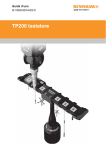
Figure 1 - The TP20 probe module changing probe system
Product description
2
Product description
2.1
The TP20 touch-trigger probe kit
11
The standard Renishaw TP20 touch-trigger probe kit (see figure 2)
comprises the following primary components:
•
One TP20 probe body
•
One or two TP20 probe modules (see page 10 for available
combinations)
•
Probe and stylus tools
2.1.1
The probe body
The probe body incorporates a standard Renishaw M8 × 1.25 screw
connector mount and is designed to house the mating half of the
probe module’s kinematic coupling.
The TP20 inhibit probe body
This contains the magnetic proximity switch necessary to inhibit
triggering of the probe during automatic changing of the probe
modules.
The TP20 non-inhibit probe body
This probe body does not include the magnetic proximity switch and
so can be used for any application, including those where strong
magnetic fields are present.
Product description
12
SF/LF/MF/EF
6W
EM1 STD
EM2 STD
M8 × 1.25
13.2
mm
38
mm
42
mm
88
mm
TP20 non inhibit
probe module
changing touchtrigger probe
113
mm
‘C’ spanner
locations
Alignment marks
Probe body
Probe module
Probe module
change rack
location groove
M2 stylus (supplied
with MCR20 rack kit)
Magnetically-held
kinematic coupling
Front ring
Colour-coded cap
Low force - green
Standard force - black
Medium force - grey
Extended force - brown
6-way - blue
Figure 2 - The TP20 probe module changing touch-trigger probe
Product description
2.1.2
13
The probe modules
Each probe module, which houses the kinematic switching touch
sensor mechanism, carries the stylus assembly and provides
overtravel in the X, Y and +Z axes (–Z is offered when using the TP20
6-way probe module). Incorporating an M2 stylus mounting, each
probe module is compatible with Renishaw’s comprehensive range of
M2 styli.
Designed to minimise the possibility of probe module misalignment
generating a probe ‘seated’ signal, the probe module is held in position
by a magnetically retained, highly repeatable kinematic coupling.
Electrical contact pins conduct the probe sense voltage through the
coupling.
Trigger force options
The standard force probe module is suitable for most applications
(when used with the recommended stylus range), but sometimes the
effects of stylus length and mass, combined with machine acceleration
and vibration, can cause the probe to false trigger (these are referred
to as ‘spurious triggers’).
To allow the TP20 to be used on co-ordinate measuring machines
where acceleration forces or vibration would otherwise result in
spurious touches, a choice of higher force probe modules is available.
A low force probe module is also available for measurement of delicate
materials. Refer to the applications guide later in this document
for information on how to select the correct probe module for your
application.
14
Product description
The type of probe modules supplied with your probe will be clearly
marked on each probe module’s front ring. The probe modules also
carry a colour-coded front cap as follows:
•
Low force (LF) probe module (green cap)
•
Standard force (SF) probe module (black cap)
•
Medium force (MF) probe module (grey cap)
•
Extended force (EF) probe module (brown cap)
•
6-way (6W) probe module (blue cap)
•
Extension module 1 standard force (EM1 STD) (black cap)
•
Extension module 2 standard force (EM2 STD) (black cap)
Product description
15
The following TP20 probe kits are available from your supplier:
Part number
Inhibit probe
body
A-1371-0290
A-1371-0291
A-1371-0292
A-1371-0293
A-1371-0294
A-1371-0295
A-1371-0428
A-1371-0429
A-1371-0370
A-1371-0371
A-1371-0372
A-1371-0390
Non-inhibit
probe body
A-1371-0640
A-1371-0641
A-1371-0642
A-1371-0643
A-1371-0644
A-1371-0645
A-1371-0603
A-1371-0604
A-1371-0656
A-1371-0657
A-1371-0658
A-1371-0602
Probe body PLUS the following
probe modules
LF
SF
MF
2
1
1
1
EF
1
2
1
1
1
1
2
1
1
1
1
1
1
All probe kits contain:
•
Probe body - inhibit or non-inhibit as selected from the table
•
Number and type of probe modules as given in the table
•
TP20 system installation and user’s guide (H-1000-5008)
•
S1 ‘C’ spanner
•
S9 double-ended ‘C’ spanner
•
S7 stylus tools (× 2)
•
CK200 cleaning material
•
Test certificates
16
Product description
The following TP20 probe module kits are available from your supplier:
TP20 probe module kit
(probe module only)
Low force probe module
Standard force probe module
Medium force probe module
Extended force probe module
6-way probe module
EM1 STD probe module
EM2 STD probe module
EM1 STD and EM2 STD probe modules
2.2
Part number
A-1371-0392
A-1371-0270
A-1371-0271
A-1371-0272
A-1371-0419
A-1371-0430
A-1371-0431
A-1371-0432
The MCR20 probe module changing rack kit
NOTE: Renishaw supplies eight types of MCR20 probe module
changing rack kit, each kit providing a different combination of probe
modules. See page 14 for the range of kits offered.
The MCR20 probe module changing rack kit (see figure 3) comprises
the following primary components:
•
One Renishaw MCR20 probe module changing rack
•
One Renishaw SCR200 mounting kit
•
One location piece
•
One Renishaw PS2R stylus
•
Two Renishaw TP20 probe modules (probe module combination
supplied will depend on part number of kit)
Product description
17
The MCR20 probe module changing rack, which can be easily
mounted onto a CMM using the Renishaw SCR200 mounting kit and
location piece, is designed to securely hold stored probe modules
for automatic changing, and to protect these stored probe modules
from airborne contaminants that may be present within the working
environment. Only seven datum points are needed to set the MCR20
rack alignment and probe module changing co-ordinates.
200 mm
15 mm
60 mm
145 mm
55 mm
Figure 3 - The MCR20 probe module change rack
When using the rack, the inhibit version of the TP20 probe must be
used. By generating a magnetic field about the front of each docking
port lid, the MCR20 effectively ‘closes’ the probe’s inhibit switch during
a probe module changing cycle. Rack function is completely passive
and no electrical input is required.
Product description
18
During automatic changing of probe modules, limited crash protection
is provided by hinged overtravel mechanisms incorporated within both
the base and the docking port assembly of the MCR20. Provided any
collision occurs in the direction of overtravel, the hinged overtravel
mechanisms can be manually reset and it should not normally be
necessary to re-datum the rack.
MCR20 probe module changing rack kits are available with the
following combinations of probe modules and may be ordered from
your supplier:
MCR20 kit
number
1
2
3
4
5
6
7
8
LF
1
1
Probe modules in kit
SF
MF
EF
2
1
1
1
1
2
1
1
2
1
1
Part number
A-1371-0261
A-1371-0262
A-1371-0263
A-1371-0264
A-1371-0265
A-1371-0266
A-1371-0267
A-1371-0268
Product description
2.3
19
The MSR1 module storage rack kit
The optional MSR1 module storage rack kit, shown in figure 4, is not
supplied with any TP20 probe modules. It is available in two different
mounting options (please refer to the installation section for details).
The two different versions can be ordered from your supplier under the
following part numbers:
Mounting option
CMM table mounted
Wall mounted
Part number
A-1371-0347
A-1371-0330
Figure 4 - The MSR1 module storage rack - CMM table mounted
(modules and styli not supplied)
20
Product installation
3
Product installation
3.1
Fitting the TP20 probe onto a probe head
To fit the TP20 probe onto a probe head, carry out the following
procedure (see figure 5):
1.
By hand, screw the threaded end of the probe body into the M8
bush of the probe head and hand-tighten to secure.
2.
Fit the S1 ‘C’ spanner (supplied) onto the probe body as shown in
Figure 5.
3.
Using the S1 ‘C’ spanner, fully hand-tighten the probe body into
the M8 bush (0.3 Nm – 0.5 Nm).
3.2
Fitting a stylus onto the probe module
To fit a stylus onto the probe module, carry out the following procedure
(see figure 5):
NOTE: For advice on both stylus and probe module selection, refer to
the applications guide later in this publication.
1.
Ensuring that you have selected the correct probe module for
your given application (see probe module selection later in this
guide), screw the threaded end of your chosen stylus into the M2
stylus mount of the probe module and hand-tighten to secure.
Product installation
2.
21
Using the type S7 stylus tools provided, or type S20 spanner if
fitting a stylus from the Renishaw GF range, fully hand-tighten
the stylus into the stylus mount to achieve the recommended
tightening torque of between 0.05 Nm and 0.15 Nm (maximum
permissible torque is 0.3 Nm).
M8 bush
S1 ‘C’ spanner
Probe body
Probe module
S7 stylus tool
M2 stylus
Figure 5 - Fitting the TP20 probe onto a probe head
22
3.3
Product installation
Fitting the probe module and stylus onto the probe
body
To fit the probe module and stylus onto the probe body, carry out the
following procedure (see figure 6):
1.
Visually examine the mating faces of both the probe module
and the probe head for cleanliness; where necessary, clean the
mating surfaces using the CK200 cleaning kit (supplied).
2.
Offer up the probe module to the probe body and, ensuring the
three alignment marks on both the probe module and probe
body are correctly aligned, allow the probe module to engage the
probe body under magnetic force.
Alignment marks
Alignment marks
Figure 6 - Fitting the probe module and stylus onto the probe body
Product installation
3.4
23
Mounting the MCR20 onto the CMM
To mount the MCR20 probe module change rack onto your CMM,
carry out the following procedure (see figure 7):
!
1.
CAUTION: For optimum crash protection, it is recommended
that the MCR20 is mounted as close as possible to the extreme
edge of the CMM’s operating envelope.
Place the location piece in the desired position on the CMM table
and secure in place using the M8/M10 bolt and washer supplied.
Using the appropriate Allen key (supplied), fully hand-tighten the
M8/M10 bolt into the threaded insert within the CMM table.
NOTES: Whilst the TP20 system does not require that the MCR20
is aligned with the CMM axes, ease of programming or software
constraints may make alignment with the CMM axes desirable.
The MCR20 is not designed for horizontal operation with the ports in a
vertical orientation.
24
Product installation
MCR rack
M3 cone point
grub screw
Lower base
M8/M10 bolt
and washer
1.5 mm
hexagonal key
Location piece
Figure 7 - Mounting the MCR20 onto a CMM
2.
Mount the lower base of the MCR20 probe module change rack
over the location piece and rotate the X axis of the rack until the
required alignment is obtained.
3.
Using the 1.5 mm hexagonal key supplied, fully hand-tighten the
M3 cone point grubscrew (0.5 Nm – 1.0 Nm) to lock the MCR20
in position.
Product installation
3.5
!
25
Datuming the MCR20
WARNINGS: The use of eye protection is recommended.
Pinch hazards exist between parts and between moving and
static parts. Beware of unexpected movement. You should
remain outside the full working envelope of probe head/
extension bar/probe combinations.
It is the machine supplier’s responsibility to ensure that the
user is made aware of any hazards involved in operation,
including those mentioned in Renishaw product documentation,
and to ensure that adequate guards and safety interlocks are
provided.
Under certain circumstances, the probe signal may falsely
indicate a probe seated condition. Do not rely on probe signals
to stop the machine.
NOTES: Renishaw recommends that datuming of the MCR20 is
performed using the Renishaw PS2R stylus supplied. If a different
stylus is to be used, the length (L) must be either 20 mm or 30 mm
and the appropriate ball radius (R) must be used to calculate offsets.
It is strongly recommended that the EM1 STD and EM2 STD probe
extension modules are not used for datuming of the MCR20, as the
extended probe length may lead to increased concentricity errors
within the probe system.
The following instructions assume that uncompensated probing points
are taken, and therefore that the target positions for port docking are
absolute machine co-ordinates.
Product installation
26
3.5.1
Aligning the MCR20 to the CMM axes
To align the MCR20 probe module changing rack to the axes of your
CMM, carry out the following procedures (see figure 8):
1.
Latch all port lids in their open position by pushing each lid fully
open and engaging the locking pegs into the slots in the docking
plate.
2.
Take points P1 and P2.
3.
Using the 1.5 mm hexagonal key supplied, fully release the M3
cone point grubscrew within the base of the MCR20 (refer to
figure 7 for screw location).
4.
Adjust the orientation of the MCR20 until the runout between
points P1 and P2 is less than 0.25 mm. Retaining the MCR20
in this position, re-tighten the M3 cone point grubscrew (0.5 Nm
– 1.0 Nm) using the 1.5 mm hexagonal key supplied.
3.5.2
Establishing the docking depth (Y)
To establish the docking depth (Y) of the MCR20 ports, carry out the
following procedure (see figure 8):
1.
Take points P1 and P2.
2.
Establish the docking depth for all ports using the following
formula:
{Y value of line P1/P2 + R (1 mm) + 8.75 mm}
where R = stylus ball radius
Product installation
3.5.3
27
Establishing the docking height (Z)
To establish the docking height (Z) of the MCR20 ports, carry out the
following procedure (see figure 8):
1.
Take points P3, P4 and P5. From the three points taken, construct
a Z axis plane for the rack.
2.
Establish the docking height for all ports using the following
formula:
{Z value of plane P3/P4/P5 – L (20 mm) – R (1 mm) – 21.25 mm}
where L = stylus length
P3
P4
P5
Z+
P1
Y+
X+
P2
Figure 8 - Datuming the MCR20 probe module changing rack
Product installation
28
3.5.4
Establishing the docking centre for port 1
To establish the docking centre for port 1 (X1), carry out the following
procedure (see figure 9):
NOTE: The stylus shank may be used to take points P6 and P7.
1.
Take points P6 and P7.
2.
Establish the docking centre for port 1 (X1) using the following
formula:
{centre point of P6/P7 = X1}
P7
P6
Figure 9 - Establishing the docking centres
Product installation
3.5.5
29
Establishing the docking centre for ports 2 to 6
To establish the docking centre for ports 2 (X2) to 6 (X6), perform the
following calculations:
Docking centre port 2 (X2) = X1 + 30 mm
Docking centre port 3 (X3) = X2 + 30 mm
Docking centre port 4 (X4) = X3 + 30 mm
Docking centre port 5 (X5) = X4 + 30 mm
Docking centre port 6 (X6) = X5 + 30 mm
3.5.6
!
Establishing the docking target co-ordinates
CAUTION: The Y values may be different for each port if the
MCR20 is not aligned with the CMM axes.
To establish the docking centre co-ordinates of ports 1 (X1) to 6 (X6),
perform the following calculations:
Port 1 = X1, Y, Z
Port 2 = X2, Y, Z
Port 3 = X3, Y, Z
Port 4 = X4, Y, Z
Port 5 = X5, Y, Z
Port 6 = X6, Y, Z
Product installation
30
3.6
Mounting the MSR1 onto the CMM
CAUTION: The MSR1 rack is not crash-protected. It is
recommended that the rack is mounted outside or close to the
edge of the working volume of the CMM.
!
Two mounting options are available for the MSR1: CMM table mounted
and wall mounted.
3.6.1
Mounting the MSR1 onto a CMM table
To mount the MSR1 onto your CMM table, carry out the following
procedure (see figure 10):
1.
Place the base over a threaded insert at the desired location
on the CMM table and screw down using the M8 or M10 bolt
supplied.
2.
Screw the leg a few turns into the M10 nut located in the
underside of the rack extrusion. Slide the rack along to the centre
or other location, as required, and tighten by hand.
3.
Push the lower end of the leg firmly into the base and rotate the
rack to the required orientation. Tighten the grubscrews using the
hexagonal key supplied.
Product installation
31
Rack
M10 nut located
in extrusion
Leg
Snap ring
Mounting bolt
Base
3 mm AF Allen key
Grubscrews M4 × 4
Figure 10 - Mounting the MSR1 onto a CMM table
Product installation
32
3.6.2
Mounting the MSR1 onto a wall
To mount the MSR1 onto a wall, carry out the following procedure (see
figure 11):
1.
Fix the wall mounting bracket (supplied) in the desired location
using the holes or other secure means.
2.
Locate the rack on the bracket and secure by engaging the
M10 bolt (supplied) a few turns into the M10 nut located in the
underside of the rack extrusion. Slide the rack along until it is
centralised or otherwise located as required and tighten the bolt.
Rack
Wall mounting
bracket
M10 bolt
Figure 11 - Mounting the MSR1 onto a wall
Product operation
4
Product operation
4.1
Storing and changing probe modules
!
33
WARNINGS: The use of eye protection is recommended.
Pinch hazards exist between parts and between moving and
static parts. Beware of unexpected movement. You should
remain outside the full working envelope of probe head/
extension bar/probe combinations.
It is the machine supplier’s responsibility to ensure that the
user is made aware of any hazards involved in operation,
including those mentioned in renishaw product documentation,
and to ensure that adequate guards and safety interlocks are
provided.
Under certain circumstances, the probe signal may falsely
indicate a probe seated condition. Do not rely on probe signals
to stop the machine.
NOTES: The inhibit switch in the inhibit version of the TP20 body will
be automatically actuated by the magnetic field when it approaches
the front of the MCR20 probe module changing rack. The minimum
distance from the MCR20 probe module changing rack at which the
TP20 is armed will vary with height.
When using long styli fitted to the EM1 STD or EM2 STD probe
modules, do not store them in ports 3 or 4 of the MCR20 or MSR1
rack.
Product operation
34
4.1.1
Calculating the safe clearance position
The recommended safe clearance position is located at the minimum
distance from the port centre (at docking height Z) where the probe
will be armed, if the probe module is attached.
The safe clearance position for any port (n) can be calculated from:
{Xn, Ys, Z} where Ys = Y – 100 mm
4.1.2
Storing a probe module
To store a probe module, carry out the following procedure (see
figure 12):
1.
Move to the safe clearance position Xn, Ys, Z for the vacant
port (n).
2.
Move to the docking target co-ordinate for port (n) along the Y
axis at the docking height (Z).
3.
Move up to the release height Zr, where:
{Zr = Z + 3 mm}
4.
Withdraw from the release co-ordinate, maintaining the release
height, along the Y axis to a point clear of the port lids where the
probe remains inhibited. This point is known as the ‘retract point’
(RP) and has the co-ordinates:
{RP = Xn, Yr, Zr} where Yr = Y – 17.2 mm
Product operation
Step 1
Step 3
Step 2
Step 4
Figure 12 - Storing a probe module (typical)
35
Product operation
36
4.1.3
Picking up a stored probe module
To pick up a stored probe module, carry out the following procedure
(see figure 13):
1.
Move along the X axis in the direction necessary to arrive at the
RP co-ordinates for the next port required.
2.
Move along the Y axis to the release co-ordinates above the
centre of port Xn, Y, Zr.
3.
Move down to the docking co-ordinates Xn, Y, Z to attach the
probe module.
4.
Withdraw along the Y axis to the clearance position at co
ordinates Xn, Ys, Z.
Step 1
Step 3
Step 2
Step 4
Figure 13 - Storing a probe module (typical)
Product operation
4.1.4
37
Summary of probe module changing procedure
Operation
Safe clearance position for port (n)
Move to docking position
Release probe module
Move to retract point (RP)
Select next port (n)
Enter port
Move to docking position
Move to safe clearance position
X axis
Xn
*
*
*
Xn
*
*
*
Co-ordinates
Y axis
Z axis
Ys
Z
Y
*
*
Zr
Yr
*
*
*
Y
*
*
Z
Ys
*
Xn
=
X1 to X6 as selected by the user
Ys
=
Y – 100 mm
Zr
=
Z + 3 mm
Yr
=
Y – 17.2 mm
* = No change to the previous setting of the axis register
4.1.5
Using the MSR1 module storage rack
The location points for the TP20 probe modules are positioned
approximately below the numbered labels on the rack. Accurate
positioning is not necessary, as the magnetic force will pull them into
the correct position.
The probe modules are held magnetically in the MSR1 and can be
rotated if required.
38
Technical data
5
Technical data - TP20 probe module
changing touch-trigger probe
5.1
Measuring performance
NOTE: The following data is derived from high accuracy test rig
measurements and may not represent the performance achievable
on a CMM. Please consult your CMM supplier for overall system
accuracy information.
Performance at 10 mm stylus length
Parameter
Unidirectional
repeatability*
(2σ)
2D (XY) form
measurement
deviation*
*
Probe module type
MF
EF 6-way
LF
SF
0.35
µm
0.35
µm
0.50
µm
0.65
µm
±0.6
µm
±0.8
µm
±1.0
µm
±2.0
µm
Measured at a trigger speed of 8 mm/s
Test stylus ball diameter 4 mm
0.8
µm
EM1
STD
0.35
µm
EM2
STD
0.35
µm
±1.5
µm
±0.8
µm
±0.8
µm
Technical data
5.1.1
39
Probing forces and overtravel limits
Probe
module
type and
stylus
length
Parameter
Trigger force
(nominal at
stylus tip)
Overtravel force (max. at
stylus tip)
XY
Z
XY
+Z
LF
10 mm
0.055 N
(5.5 gf)
0.65 N
(65 gf)
0.09 N
(9 gf)
1.15 N
(115 gf)
SF
10 mm
0.08 N
(8 gf)
0.75 N
(75 gf)
0.2-0.3 N
(20-30 gf)
MF
25 mm
0.1 N
(10 gf)
1.9 N
(190 gf)
EF
50 mm
0.1 N
(10 gf)
6-way
10 mm
-Z
Overtravel
displacement
XY
+Z
-Z
-
±14°
3.1
mm
-
3.5 N
(350 gf)
-
±14°
4.0
mm
-
0.2-0.4 N
20-40 gf)
7.0 N
(700 gf)
-
±14°
3.7
mm
-
3.2 N
(320 gf)
0.2-0.5 N
(20-50 gf)
10 N
(1kgf)
-
±14°
2.4
mm
-
0.14 N
(14 gf)
1.6 N
(160 gf)
0.25 N
(25 gf)
2.5 N
(250 gf)
9.0 N
(900 gf)
±14°
4.5
mm
1.5
mm
EM1 STD
10 mm
0.08 N
(8 gf)
0.75 N
(75 gf)
0.2-0.3 N
(20-30 gf)
3.5 N
(350 gf)
-
±14°
4.0
mm
-
EM2 STD
10 mm
0.08 N
(8 gf)
0.75 N
(75 gf)
0.2-0.3 N
(20-30 gf)
3.5 N
(350 gf)
-
±14°
4.0
mm
-
* NOTE: The probe module may detach if this value is exceeded.
5.1.2
Probe module changing repeatability
Probe module changing method
Automatic changing
Manual changing
Repeatability
1.0 µm
2.0 µm
Technical data
40
5.1.3
Technical specification
Product compatibility
The TP20 is suitable for use with all
Renishaw probe interfaces and probe
heads which service the TP1, TP2 and
TP6 touch-trigger probes.
The TP20 is compatible with the PEL,
PK, PAA and PEM series of probe
extensions/adaptors.
Dimensions
Diameter
Length
Probe mount
Stylus mount
Sense directions
Probe module pulloff force
Sealing
Cable length
Probe module life
13.2 mm
LF/SF/MF/EF
38 mm
EM1 STD
88 mm
EM2 STD
113 mm
6-way
42 mm
Thread M8 x 1.25 x 5 mm
Thread M2 x 0.4
LF/SF/MF/EF/EM1
5-way (±X, ±Y,
STD/EM2 STD
+Z)
6-way
6-way (±X, ±Y,
±Z)
10 N (1 kgf) maximum
IP30
50 m with (24 awg) conductors
25,000 changes
Technical data
6
Technical data - MCR20 probe module
change rack
6.1
Technical specification
Dimensions
Length
Width
Height
Port entry velocity
Mounting orientation
Y axis overtravel
200 mm
60 mm
145 mm
Maximum 800 mm/s
Not designed for horizontal operation
with the ports in a vertical orientation
Hinged breakout from base
Z axis overtravel
55 mm travel at port height
Hinged docking port assembly
Inhibit range
90° travel in –Z axis
100 mm from port centre
41
42
Technical data
7
Technical data - MSR1 module storage
rack
7.1
Technical specification
Dimensions
Length
Width
Height
Number of ports
Mounting
285 mm
86 mm
285 mm
6
Wall mounted
CMM table mounted
Applications guide
8
Applications guide
8.1
Probe module selection
43
To obtain the best possible performance from your TP20 probe,
it is important to select the correct probe module for your specific
application. When choosing the probe module to be used, the
following considerations should be addressed:
•
The mass of the stylus assembly and its centre of gravity. It is
always best to use the shortest stylus possible.
•
The orientation of the probe body.
•
The levels of acceleration and vibration to which the TP20 probe
will be subjected. These will vary with each type of CMM and
movement velocity.
The following probe modules are available for use with the TP20
probe; each probe module is clearly marked on its front ring and also
carries a colour-coded front cap as follows:
•
Low force probe module (green cap)
•
Standard force probe module (black cap)
•
Medium force probe module (grey cap)
•
Extended force probe module (brown cap)
•
6-way probe module (blue cap)
•
EM1 STD probe module (black cap)
•
EM2 STD probe module (black cap)
44
Applications guide
NOTE: It is recommended that a standard force probe module is
always used, except where the application or machine acceleration or
vibration would cause the TP20 to false trigger.
8.1.1
The low force probe module
The low force probe module, identified by a green cap, is suited to
applications that require a low trigger force, for example rubber seals.
8.1.2
The standard force probe modules
The standard force probe modules (SF, EM1 STD and EM2 STD) are
identified by black caps and are suited to the majority of applications.
8.1.3
The medium force probe module
The medium force probe module, identified by a grey cap, is provided
for use where a higher trigger force than standard is required.
8.1.4
The extended force probe module
The extended force probe module is identified by a brown cap.
Typically, this probe module will only be required with large stylus
assemblies, and where spurious triggers caused by machine vibration
and acceleration preclude the use of either the standard or medium
force probe modules.
8.1.5
The 6-way probe module
The 6-way probe module is identified by a blue cap. This probe
module is designed for 6-way operation where there is a requirement
to measure in the –Z direction, for example when measuring
undercuts.
Applications guide
8.2
45
Stylus selection
NOTE: Choosing the best stylus for a given application is an
important factor in achieving optimum probe performance. For
further information on the full range of Renishaw styli, please refer to
Renishaw’s styli and accessories brochure (H 1000-3200) which can
be ordered from your supplier or downloaded from Renishaw’s web
site, www.renishaw.com.
When selecting a stylus, it is important that the stylus length is kept to
the minimum required to access all features to be measured, and that
the stylus type offers the maximum possible stiffness. Factors that
affect stiffness are:
•
Joints in the styli: that tend to reduce rigidity and should therefore
be kept to the absolute minimum.
•
Stem diameters: that are governed by the ball tip diameter of the
stylus.
•
Stem material: that can be stainless steel, ceramic or graphite
fibre (GF).
It is also important to ensure that the stylus ball diameter chosen is as
large as is practical. This not only ensures that the stylus will be as
stiff as possible, but also reduces the stylus’s susceptibility to surface
form and surface finish.
46
Applications guide
Owing to the modular construction of the TP20, when selecting and
using styli the following criteria should be applied:
•
Work only within the recommended stylus limits for each probe
module (refer to Recommended stylus limits).
•
Always use the shortest possible stylus.
•
If using larger styli than those recommended for use with each
probe module, always conduct trials to establish the effect on
measuring performance.
•
Minimise the mass of styli by using either ceramic or graphite
fibre (GF) stems.
Applications guide
8.2.1
47
Recommended stylus limits
Owing to the modular construction of the TP20 probe, it is
recommended that the limits shown in figures 14 to 17 are applied
when selecting styli to be used.
The low force probe module
The low force probe module has the following recommended stylus
limits:
•
Steel and carbide styli up to 30 mm long
•
No star or cranked styli
Max: 30 mm
Figure 14 - Recommended stylus limits for low force probe module
48
Applications guide
The standard force probe modules
The standard force probe modules (SF, EM1 STD and EM2 STD) can
be used with the following range of styli:
•
Steel and carbide styli up to 40 mm long.
•
Renishaw graphite fibre (GF) type styli up to 50 mm long.
•
Star and cranked styli up to 20 mm offset.
20 mm
Steel: 40 mm
GF: 50 mm
Min: 10 mm
Max: 40 mm
Figure 15 - Recommended stylus limits for standard force probe
modules
Applications guide
49
The medium force and extended force probe modules
The medium force and extended force probe modules have the
following recommended stylus limits:
•
Any stylus type up to 60 mm long.
•
Star and cranked styli up to 20 mm offset.
30 mm
60 mm
Min: 10 mm
Max: 40 mm
Figure 16 - Recommended stylus limits for medium and extended
force probe modules
50
Applications guide
The 6-way probe module
The recommended stylus limits for the 6-way probe module are:
•
Any stylus type up to 30 mm long
•
Star and cranked styli up to 10 mm offset
Max: 20 mm
Max: 30 mm
Max: 20 mm
Figure 17 - Recommended stylus limits for 6-way probe module
Applications guide
Comparative stylus lengths
A comparison of the minimum and maximum stylus lengths for use
with each probe module is shown in figure 18.
LF
SF
MF
EF
6W
EM1 STD
EM2 STD
10 mm
50 mm
100 mm
Figure 18 - Comparative stylus lengths
51
52
9
Product maintenance
Product maintenance
NOTE: Maintenance of the TP20 probe is restricted to the periodic
cleaning of the kinematic couplings of both the probe body and the
probe module(s). To aid cleaning of these couplings, each TP20 probe
is supplied with a Renishaw CK200 cleaning kit.
Each Renishaw CK200 cleaning kit contains a specialised material
to effectively remove contamination from the precision ball/V groove
seatings, electrical contacts and permanent magnets of the kinematic
couplings.
NOTE: When operating the TP20 probe in environments subjected
to airborne contamination, the user should determine the frequency
of cleaning required to ensure the kinematic couplings remains
uncontaminated.
Whilst the kinematic coupling mechanism is highly tolerant of nonmetallic dust, regular inspection and cleaning with the material
provided is recommended to ensure continued high performance.
Instructions for use are included with the cleaning kit. If required,
replacement kits can be ordered from your supplier (part number
A-1085-0016).
Probe modules that are not attached to the probe body should be
stored in the MCR20 or MSR1 rack, or in their transport boxes, to
prevent contamination.
Renishaw plc
New Mills, Wotton-under-Edge,
Gloucestershire, GL12 8JR
United Kingdom
T +44 (0)1453 524524
F +44 (0)1453 524901
E [email protected]
www.renishaw.com
For worldwide contact details, please
visit our main website at
www.renishaw.com/contact
*H-1000-5008-03*