1
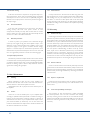
Table of contents
1 Important safety instructions
4
2 Precautions regarding installation
4
4
5
5
2.1 Location
2.2 Wiring
2.3 Speaker damage
3 Mechanical drawings
6
4 Interfaces
7
5 Welcome
9
6 The M Series
9
9
6.1 More sound and less weight
7 Installation
7.1 Unpacking
7.2 Mounting
7.3 Cooling
7.4 Operating precautions
7.5 Grounding
7.6 AC mains connection
8 Connections and Operation
8.1 Front panel air filters access
8.2 Front panel adjustments
8.3 Front panel monitoring
8.4 Connecting audio inputs
8.4.1 MxxD models
8.4.2 MxxQ models
8.5 Connecting audio outputs
8.5.1 Lo-Z and 70V/100V operations
8.5.2 Bridge Mode Connection
9 M Series HDSP+ETH operation
9.1 Rear Panel LEDs
9.2 Ethernet port and remote ID selection
2
9
9
10
10
10
10
10
10
10
11
11
11
11
11
11
11
11
12
12
12
9.3 V Ext
12
9.4 DSP features and operations
12
9.4.1 DSP Features
12
9.4.2Input routing selection and internal signal route13
9.4.3Input section
13
9.4.4 Output section
13
9.5 Internal processing layout
13
9.5.1Input routing 13
9.5.2Input section 13
9.5.3Output section 13
9.6 Locking
14
9.7 On/Off
14
9.8 Preset Management
14
10 Remote control
10.1 Networking
10.1.1 Discovery device
10.1.2 DHCP
10.1.3 AUTOIP
10.1.4 Static IP
10.1.5 Revert from static IP
10.2 Setup device
10.2.1 Virtual device
10.2.2 Configure layout
10.2.3 Real device
10.3 File operations
10.3.1 Binary preset file .preset
10.4 Input/output curves .icp, .ocp
10.5 Channel preset .chp
10.6 Device preset file .pam
10.7 System File .paw
10.8 DSP remote operations
10.8.1 Routing
10.8.2 Input eq
10.8.3 Output eq
14
14
14
14
15
15
15
16
16
16
16
17
17
17
17
18
18
18
18
18
19