1
 ACURA’s
7.3 Connections
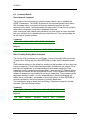
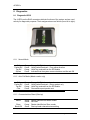
The L-A210 has 2X RJ45 connectors and a 2.5mm Power socket on the back.
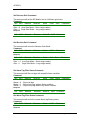
The RJ45’s are configured as follows
L-A210
Left Port
1
2
3
4
5
6
7
8
RS232 – RX
RS232 – TX
Vin
Straight Through
Straight Through
Gnd
RS485 +
RS485 -
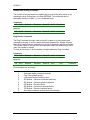
Right Port
1
2
3
4
5
6
7
8
Gnd
NC
Vin
Straight Through
Straight Through
Gnd
RS485 +
RS485 -
Please Note that unless RS232 has been turned ON its default is OFF
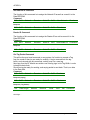
Standard Cat 5 cabling must be used for connecting the L-A210.
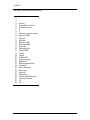
7.4 USB Connection.
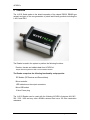
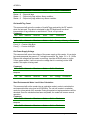
The USB port can be found on the top of the reader, it accepts a standard USB B
micro plug.
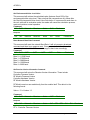
Before accessing the reader via the port the user must pre install the latest FTDI
drivers for their operating system. These can be downloaded from the following URL.
www.ftdichip.com.
RX210 User Manual
Page 33 of 35