1
9.3. TRAINING THE BAYESIAN FILTER
79
CanIt-PRO only trains on items you accept out of the trap display page. You can still explicitly
train spam messages from the Incident Details page.
S-3000
Score below which to auto-learn as non-spam If an incoming mail scores below this threshold, CanIt-PRO automatically trains it as non-spam. If you use this setting, you should enable
Add links to messages to train Bayesian analyzer. This allows you to correct errors if CanItPRO misclassifies a piece of mail.
The default setting of -1000 means CanIt-PRO will practically never auto-learn. We do not
recommend setting the auto-learn threshold above zero.
S-3100
Score above which to auto-learn as spam If an incoming mail scores above this threshold,
CanIt-PRO automatically trains it as spam.
The default setting of 10000 means CanIt-PRO will practically never auto-learn mail as spam.
We do not recommend setting this threshold below 10.
S-3200
9.3
Permit unauthenticated voting If you set this to Yes, then when you click on a training link
to vote an e-mail as spam or non-spam, CanIt-PRO will register the vote even if you are not
logged in (and without prompting you to log in.) Use this setting with care; if S-3200 is Yes,
then anyone who receives a copy of your voting link can vote on the message.
Training the Bayesian Filter
Each time you accept or reject a message, CanIt-PRO’s Bayesian filter is trained on that message. It
is therefore easy to build up a body of trained spam messages.
Because many more messages in the trap are rejected rather than accepted, it takes longer to build up
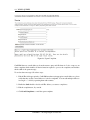
a body of trained non-spam messages. For that reason, you should enable Add links to messages to
train Bayesian analyzer and train the system on non-spam messages until a suitable body has been
built up. You train the system simply by clicking on the appropriate training link.
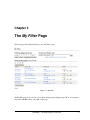
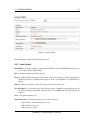
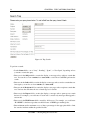
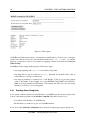
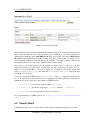
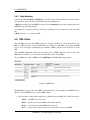
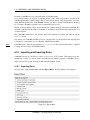
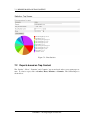
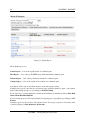
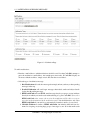
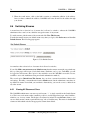
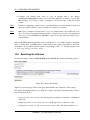
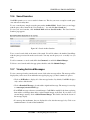
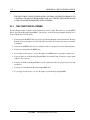
If you click on a training link, you’ll be taken to the Voting screen:
Figure 9.1: Bayes Voting Screen
The screen will reflect the results of your vote by saying that the message was marked as spam or
non-spam.
CanIt-PRO — Roaring Penguin Software Inc.