1
Version 0.2
April 20, 2015
Table of Contents
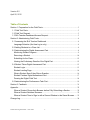
Section 1: Preparation for the Field Tests ................................................................................ 3
1.1 Field Test Parts .................................................................................................................. 3
1.2 Field Test Request ............................................................................................................ 3
1.3 SLA Teacher Dashboard Access Request .................................................................... 3
Section 2: Administering Field Tests ......................................................................................... 4
2.1 Accessing the SLA Teacher Dashboard ........................................................................ 4
Language Selection (first time log in only) ....................................................................... 4
2.2 Adding Students to a Class List ...................................................................................... 4
2.3 Administering the Digital Assessment Part ................................................................... 8
Monitoring Student Progress .............................................................................................. 9
Removing a Student .......................................................................................................... 10
Submitting for the Class .................................................................................................... 12
Viewing the Preliminary Results of the Digital Part ...................................................... 12
2.4 Student Takes Digital Assessment Part ...................................................................... 13
Student Login ...................................................................................................................... 13
Student Landing Page ....................................................................................................... 16
What a Student Sees if they Skip a Question................................................................ 16
Student Finishes Digital Assessment Part ..................................................................... 17
Pausing the Digital Field Test .......................................................................................... 18
2.5 Administering the Performance Task Part ................................................................... 19
Section 3: Feedback .................................................................................................................. 21
Appendix ...................................................................................................................................... 22
When a Student Closes their Browser before Fully Submitting a Section ................ 22
When a Student Switches Browsers ............................................................................... 22
When a Student Tries to Sign in with a Second Window in the Same Browser ...... 23
Change Log ................................................................................................................................. 24
Student Learning Assessment – User Guide
2
Field Test 2015