Transcript
User Guide
TURNING THE RECEIVER ON AND OFF
To turn the receiver ON, press the remote control Power button or press and hold the
receiver front panel Power button (the center of the buttons on the front panel) for a
few seconds. The green power light on the receiver front panel lights up.
To turn the receiver OFF, press the remote control Power button or press and hold the
receiver front panel Power button (the center of the buttons on the front panel) for a
few seconds. The green power light on the receiver front panel turns off.
USING THE ON-SCREEN MENUS
The menus make using the receiver and selecting services quick and easy. The receiver
displays the menus on the TV screen. Use the menus to communicate with the receiver
and to use the receiver features, such as setting security locks, selecting a program, or
defining a Favourites List. See the appropriate sections of this chapter for the procedures
to use these features.
OPENING THE MENUS
You can use either of two methods to open the menus:
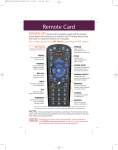
• To immediately open some of the menus, use the buttons on the remote control that
correspond, as follows:
❒
❒
❒
❒
❒
Guide
Info
Opens the Program Guide.
Displays information about a program. For a menu with a Help
option, it displays help information for that menu.
Menu
Opens the Main menu.
Left Arrow Opens Themes categories.
Browse
Displays the Browse Banner.
• Open the Main menu, then open any of the other menus from the Main menu.
CLOSING THE MENUS
You can close a menu and return to watching a program by pressing the remote control
View button, or by repeatedly pressing the remote control Cancel button.
Note: If you do not do anything in a menu for several minutes, the menu automatically
closes. This will discard any changes you made, and display the program you
were watching.
Page 3-20