1
Forward Messages
Lock Messages
1. When viewing a received message, select
Options > Forward.
2. Enter a number or address.
3. Complete your message and select Send.
When viewing a received message, select
Options > Lock Msg to protect it from
accidental deletion. To unlock the message,
select Options > Unlock Msg.
Reply to all Recipients
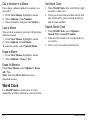
Call a Number in a Message
1. When viewing a received message, select
Options > Reply All to send your reply to
all the message recipients.
2. Complete the message and select Send.
When viewing a received message, press the
Send key to call a valid number in the
message.
Reply with a Copy of the Message
1. From Inbox, select Options > Sort.
2. Select a sort option.
1. When viewing a received message, select
Options > Reply with Copy.
The original message appears in your reply
message.
2. Complete your message and select Send.
Save Received Messages
When viewing a received message, select
Options > Save Message to save it to Saved
Msgs.
View Sender Information
When viewing a received message, select
Options > Sender to view an existing contact,
add to an existing contact, or create a new
contact depending on the sender.
User Guide
Sort Messages in Inbox
Manage Voicemail
Configure your Voicemail
Before your phone can receive voicemail
messages, you need to set up a password and
record a personal greeting with your service
provider.
When you have set up your voicemail, all
unanswered calls to your phone are
automatically transferred to voicemail, even if
your phone is in use or turned off.
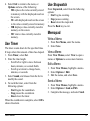
1. Press and hold the 1 key.
2. Follow the system prompts to create a
password and record a greeting.
41