1
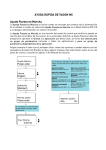
Settings on the Programming Mode
To enter the program mode
To exit
Operation
Loop-CO
(L-CO)
(CO)
Single-CO
(S-CO)
(CO)
0
Direct Station
Selection
(CO)
One-touch
Dialing
Incoming Call
Distribution
Group (ICD
Group)
FWD/DND
- Both calls
(CO)
4
1
CO line no.
FWD/DND
- Outside calls
(CO)
4
2
1
extension
no.
FWD/DND
- Intercom calls
(CO)
4
3
(CO)
2
desired no.
Account
(CO)
4
8
(CO)
3
Conference
(CO)
4
9
Log in/
Log-out
(CO)
5
5
0
ICD Group no.
No line
0
Preferred Line
Assignment-Outgoing
1
9
An idle outside line
1
2
3
+ CO button no.
/
(CO)
/
Intercom
0
Preferred Line
Assignment-Incoming
2
0
1
2
Alternate ReceivingRing/Voice
2
1
+ CO button no.
/
(CO)
0
Ringing (Tone Call)
1
Directly (Voice Call)
2
Ring only
No (No tone)
Call Waiting for
Outside calls
3
0
0
Call Waiting
Selection
3
1
0 No Call
/
1 Tone
Call Waiting Tone
Type Selection
3
2
0
/
1
Tone 1
A CO/ICD Group
button
/
1
No line
The longest
ringing line
An assigned
outside button
Yes (Tone)
/
3
Whisper OHCA
Tone 2
To set an extension PIN
Extension PIN
[Personal Identification
Number]
(PIN-max.10 digits)
9
Station Programming
Data Default Set
#
extension PIN
0
same PIN
To change a stored extension PIN to new one
stored extension PIN
#
—8—
new PIN
same PIN