1
Running Campaigns
Planning Campaigns
Campaigns are containers for all of the information, planning tasks, and campaign activities you need to manage for the
marketing campaigns. You can use campaigns to manage the end-to-end process of a complete marketing campaign.
Campaigns include extensive tracking features, including detailed financial information, reports, and multiple marketing
lists. Campaigns can also include multiple planning tasks and campaign activities required to coordinate all the
resources that are needed for a campaign.
Creating campaigns
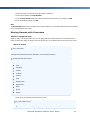
When you create a new campaign or a campaign template, you can add strategic campaign information, such as:
Budgets and expenses
Promotion codes
Target products
Marketing collateral, including sales literature
Target marketing lists
Note
Campaigns and campaign templates include the same features. You can create a completely new campaign template,
or you can copy an existing campaign as a template. To use a campaign template as the basis of a new campaign, you
copy the campaign template.
Campaigns can include whatever planning tasks you want to perform before you launch the campaign, as well as the
campaign activities you want to manage as part of the campaign.
Running campaigns
Because campaigns are primarily containers for tasks and activities, you do not need to "launch" a campaign from
within Microsoft Dynamics CRM. Launching a campaign simply occurs when you perform your first campaign activity.
To have staff in your organization perform the campaign activities you have created, you must distribute the campaign
activity. Distributing activities from a campaign enables the owners of the records to take action on the related activities
(such as making a phone call or personalizing a letter before sending it). During the campaign, you can create a
campaign response whenever a potential customer shows interest as a result of the campaign.
When your campaign is over, you do not need to close the campaign record the way you would close an individual task
or activity. In the same way that a campaign begins with the first campaign activity, a campaign ends when the last
campaign activity has been completed.
Differences between campaigns and quick campaigns
In contrast to campaigns, quick campaigns do not include many of the same tracking and reporting features, and
support only one type of activity for each quick campaign. However, you can use quick campaigns to distribute a single
activity automatically to an ad-hoc selection of marketing lists, accounts, contacts, or leads.
Campaigns can represent an organization's marketing efforts over an extended period of time. The effects of a quick
campaign are immediate.
Another key difference between campaigns and quick campaigns is in how marketing lists work with quick campaigns.
Using quick campaigns, you can still select one or more marketing lists and create activities for all of the records in
those lists. However, Microsoft Dynamics CRM does not associate the marketing list itself with the quick campaign.
320
Microsoft Dynamics CRM 4.0 User’s Guide