1
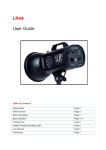
LR7DR & LR12DR User Guide June 01, 2010 Control panel showing default LCD
screen
Dial for flash intensity
Dial for modeling light intensity
The LR7DR and LR12DR are
professional 700 WS and 1200 WS
digital flashes with an option for a
2.4 GHZ remote control system
made up of a transmitter, receiver
and hand-held remote control (all
sold separately).
Flash Controls:
Refer to the control panel on the back of your flash (pictured above) while reviewing the
function of each controller - listed below.
Input
Power Cord Connection with fuse holder for Flash (250V/12A)
Fuse
Fuse holder for Modeling Light (250V/10A)
Sync
Sync socket for sync cord or 3 party radio receiver
Power
rd
ON/OFF Switch
Remote Receiver
Receptacle
Located at the top of the back panel
• Can be used with dedicated Remote Control System or
Flash Trigger System (both sold separately)
o Remove protective cover
o Insert receiver
Dial
for Flash
Rotate dial to set Flash Light Intensity by 0.1 F-stops (7 F-stop
range)…setting displays in LCD
Depress Dial to rotate through Maximum Power, Minimum Power
and last power setting used
Also used with XB button to set flash group (for remote control) and
set up the Aperture Control System
Lightrein 3