1
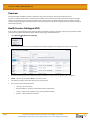
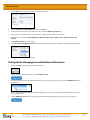
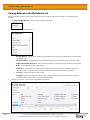
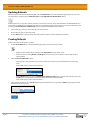
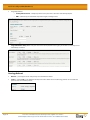
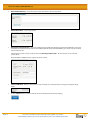
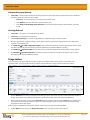
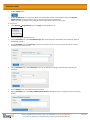
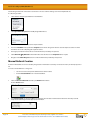
eReferral User Guide For 1 or 2 above, as a Triage user: Select the appropriate referral. Select Workflow Cancel. This will prompt a pop-up window where you must select the most applicable reason for this action. Add an optional comment and click the Apply button. Click the Activity link to view the reason and comment entered at the time the referral was cancelled. For 3 above, only Triage users have the ability to cancel a referral if made on the wrong patient. A referral that has been created against the incorrect patient should be Cancelled with a reason of ‘Referral created against incorrect patient’. A referral that has been Cancelled with a reason of ‘Referral created against incorrect patient’ should be: o Displayed with a strike-through in the CDV Tree (both Limited and All Documents), but still be visible for viewing when clicked on. The status of ‘Cancelled’ and the reason of ‘Referral created against incorrect patient’ should be visible in the CDV Tree tool tip and on the referral itself when viewed. o Displayed in the following referrals lists, but without a strike-through. The Cancelled referral should display the status and the reason in the list as well as on the referral itself when viewed: My Referrals – Cancelled/Declined referral list Triage Referrals – Completed/Cancelled/Declined referral list My Assigned Referrals – Completed/Cancelled/Declined referral list Create Referrals – Completed/Cancelled/Declined referral list If a Source System is able to send a Cancel message for a report that is associated with the wrong patient, this is displayed in the CDV Tree with a strike-through and the report itself is still visible. If a Source System is unable to send a Cancel message for a report that is associated with the wrong patient, the Data Integrity Unit (DIU) manually flags the report in Netcare and the report is displayed with a strike-through in the CDV Tree, however, the report is replaced with a message indicating it has been removed by the DIU team. Since, Referrals is a source system and can send a Cancel message, the referral will be displayed in the CDV Tree with a strike-through with the content of the referral still viewable. Decline Referral A referral is declined by either a Triage user or the Receiving Provider when it is a duplicate of an existing referral, when mandatory information is missing or the referral itself is not appropriate for the Triage Centre to process (e.g. patient’s actual issue is related to their shoulder, but a hip or knee referral has been submitted). As a Triage user: Select the appropriate referral. By accessing Alberta Netcare Portal you agree to be bound by the Terms of Use and Disclaimer as noted on the Alberta Netcare Portal login page, and to comply with all applicable laws. Page 19