1
Table Of Contents
Image Display ...................................................................................................................... 58
Image Mapping ................................................................................................................. 58
Window / Level .................................................................................................................. 60
Lightbox Options ............................................................................................................... 61
Colors ............................................................................................................................... 62
Probe Information .............................................................................................................. 62
Information........................................................................................................................... 64
Volume Information ........................................................................................................... 64
Markers................................................................................................................................ 65
3D Cursor ......................................................................................................................... 65
3D Markers ....................................................................................................................... 65
2D Marker ......................................................................................................................... 66
Views And Lights .................................................................................................................. 67
Projection Type ................................................................................................................. 67
Standard Views ................................................................................................................. 67
Light Controls.................................................................................................................... 68
Volume Display .................................................................................................................... 69
Blending Function.............................................................................................................. 69
Super Sampling................................................................................................................. 70
Level-Of-Detail Options ...................................................................................................... 70
Colors ............................................................................................................................... 71
Saving Results ..................................................................................................................... 73
Saving Sessions ................................................................................................................ 73
Saving Volumes ................................................................................................................ 73
Saving Appearance Settings .............................................................................................. 74
Saving Surfaces ................................................................................................................ 74
Saving Screenshots........................................................................................................... 74
Edit Copy Screenshots ...................................................................................................... 75
Printing Screenshots.......................................................................................................... 75
Connect Sessions ................................................................................................................. 76
Collaboration Overview...................................................................................................... 76
Connecting And Passing Control ........................................................................................ 76
Extending Filters With Plugins ............................................................................................... 78
Extending Filters Overview................................................................................................. 78
Plugin Life Cycle ............................................................................................................ 78
The initialization function ................................................................................................ 79
The ProcessData function............................................................................................... 80
Refreshing the GUI ........................................................................................................ 82
A Detailed Skeleton Example ............................................................................................. 83
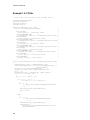
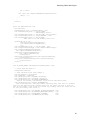
Example1: A C Filter .......................................................................................................... 86
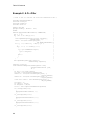
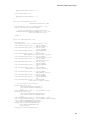
Example 2: A C++ Filter ..................................................................................................... 88
Example 3: A VTK Filter ..................................................................................................... 91
Example 4: An ITK Filter .................................................................................................... 93
Index ................................................................................................................................... 97
ii