1
3. Remote handset lifting functionality
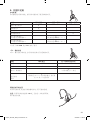
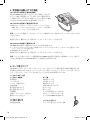
Answering and making telephone calls with GN 1000 RHL
You may purchase a GN 1000 RHL as an accessory, which lets you
answer and end telephone calls while away from your desk. Please
call 1-800-Headsets or visit
www.1800headets.ca for further informa
tion.
-
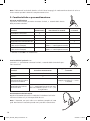
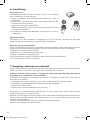
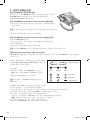
To answer a call using the GN 1000 RHL or electronic hook
switch functionality:
1. Remove the headset from the base unit when you receive a call.
The link will be established and the on-line indicator on the front of the base unit will begin to flash.
Note : If you are already wearing the headset, simply press the multifunction button on the headset
momentarily to answer the incoming call.
To end the call, press the multifunction button momentarily or place the headset in the base unit.
Making telephone calls using the GN 1000 RHL or electronic hook switch functionality:
To make a telephone call using the GN 1000 RHL:
1. Remove the headset from the base unit. The link will be established and the on-line indicator on the
front of the base unit will begin to flash.
2. Dial the desired number.
To end the call, press the multifunction button momentarily or place the headset in the base unit.
Note : The connection cord must be connected to your telephone’s handset port (not the headset port)
in order for the GN 1000 RHL to function.
GN 9120 with Electronic Hook Switch (EHS)
The GN 9120 comes in a special version which enables you to answer and end calls while away from your
desk – without using the GN 1000 RHL. This is, however, only possible on certain telephone systems.
In order to determine which telephones have the EHS feature enabled, please call us at
1-800-Headsets. Please also refer to your telephone’s user manual for clarifica
tion.
-
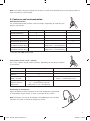
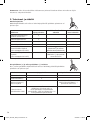
3 modes are available:
• The RHL interface (non-EHS; works with the GN 1000 RHL)
• The DHSG interface (for example, with Siemens and Elmeg desk telephones)
• The AEI interface (for example, with Tenovis desk telephones)
Note : By default, the EHS-version of the GN 9120 is set to the DHSG interface.
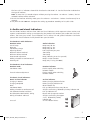
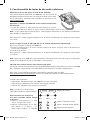
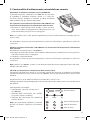
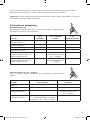
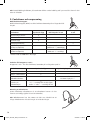
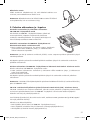
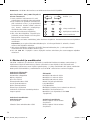
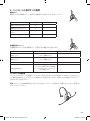
To toggle between DHSG, AEI and RHL interface, complete the following:
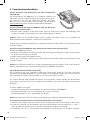
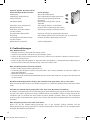
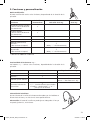
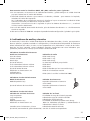
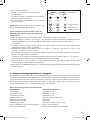
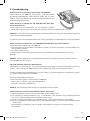
1. Place the headset in the base with its on-line indi
cator facing you.
–
2. Press the volume + and volume – buttons on the
headset simultaneously for 6 seconds while the
headset is in the base, until the headset’s on-line
indicator flashes rapidly.
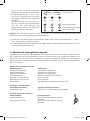
RHL
3. You are now in interface switching mode, and can
set the GN 9120 to work with your telephone’s
interface.
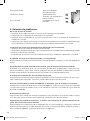
4. Using the volume + button to move right and the
volume – button to move left, select the required
EHS interface.
+
DSHG
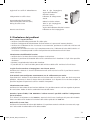
Volume button
AEI
Link icon
Mute icon
Charge icon
4
Repro_GN 9120_RefG_Content.indd 4
23/02/05 11:02:40