1
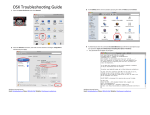
5) Click on Internet Protocol Version 4 (TCP/IPv4) and select Properties and then make sure Obtain an IP
address automatically is selected. Then click OK.
7) To Authenticate you launch the PuTTY program and double click on that saved Authentication session:
You will then be prompted for a login (your CCID) and your password (it will not appear).
6) To setup the PuTTY program that we use
for authentication:
•
•
Go to http://www.ris.ualberta.ca and save PuTTY to
your desktop, so you can find it later.
Open PuTTY by double clicking on it.
o Enter 10.0.0.1 in the Host Name field.
o Type Authentication in the Saved Sessions field.
o Click on Save
Residence Internet Service
Email: [email protected] Phone: (780) 492-7647 Website: http://www.ris.ualberta.ca
Residence Internet Service
Email: [email protected] Phone: (780) 492-7647
7647 Website: http://www.ris.ualberta.ca