1
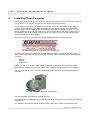
Chapter 3: Installation
22
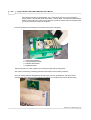
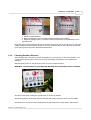
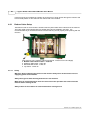
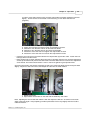
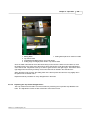
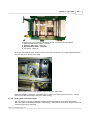
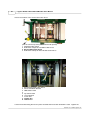
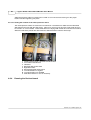
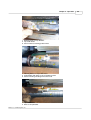
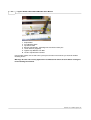
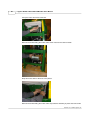
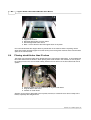
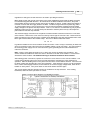
1. Electric 16 Amp Breakers
2. Buss Bar attached to rear of breakers distribute power to the breakers
3. Attach the Voltage leads to connections under the Bus Bar in the first Breakers on the
right side of box.
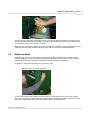
Route the wires in through the access hole on the side of the box and leave enough wire for routing the
voltage supply lines to the breakers located in the cover as shown above. Also, route the ground wire
to the green ground bar found in the Electric Breaker Box.
3.3.2
Checking Rotation Direction
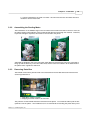
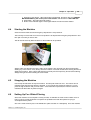
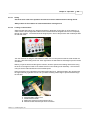
After making power connections, replace the breaker box cover and turn on the source breaker. The
control power indicator light on the control console should light, indicating the unit's readiness for
operation.
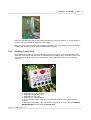
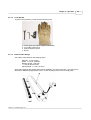
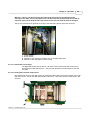
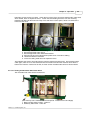
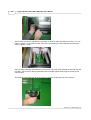
Start the feeding motor on the planer and check for correct rotation direction.
WARNING: DO NOT START CUTTER MOTORS BEFORE ROTATION DIRECTION IS CHECKED!
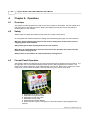
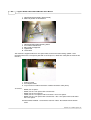
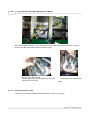
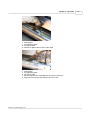
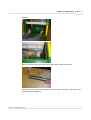
1. Feeding Motor Start Button
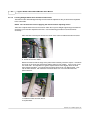
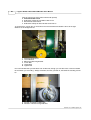
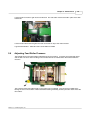
All motors will be either rotating the right direction or the wrong direction.
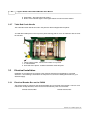
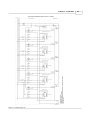
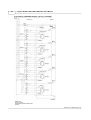
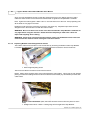
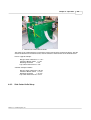
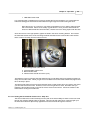
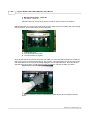
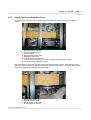
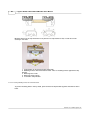
The following picture denotes the direction all heads and feeding rollers should turn on the PH260:
If the direction is wrong, turn off the feeding motor by depressing the red stop button, switch off the
Version 1.0 © 2006 Logosol, Inc.