Transcript
Moodle User Manual for Instructors | 9
How to login to Moodle
MOODLE DOCUMENTATION
To login to Moodle you must have an Osgoode account.
If you don’t have an osgoode.yorku.ca e-mail address, ask your faculty/department
administrator to request an e-mail account on your behalf. Once this is done, Osgoode IT
Services will send you your new username and temporary password, which you can change
later.
Once you have your Osgoode account information:
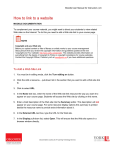
1. Launch your browser and go to: http://courses.osgoode.yorku.ca
2. On the left, enter your Osgoode username and password, and click the Login button. If
you do not know your Osgoode username, it can be found once you login to
MyOsgoode above the Sign Out button.
3.
After logging in to Moodle you will see your name and related links.
What to do if you forget your Moodle password
In the event that you forget your Osgoode user password, send an e-mail to
[email protected] and request a password reset.
Documentation courtesy of UIT Learning Technology Services