1
Table of Contents:
-
-
-
-
-
System requirements
What is a Content Management System (CMS) ?
o A Computing Perspective
o An End-user’s Perspective
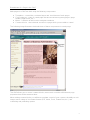
Breakdown of a page in the CMS
Training CMS vs. production CMS
Essential CMS concepts
o Date format in the CMS
o Object locks, or “How can multiple people access the same content?”
o The CMS knows what you should be doing.
o The CMS “Back” button VS. the browser “Back” button
o The “Status” of folders, pages and content in the CMS
Accessing the system
Selecting your group
The control panel
CMS menu options explained
Managing your web pages – an overview
An introduction to page / folder control and status
o Folder functions
§ Add new folder
§ Folder properties
§ Setting folder expiry
§ Setting folder suspensions
o Page functions
§ Add new page
§ Page properties
§ Setting page expiry
§ Setting page suspensions
Adding / managing assets (images and documents)
o Viewing your assets
o Understanding the asset manager
o Adding new assets
o Adding asset folders
o Deleting asset folders
Editing content
o Getting to your content
o The content editor
o Editing and immediately publishing your changes
o Scheduling content to publish at a certain date and time
o Managing pending content
o Saving drafts
o Managing drafts
o Managing content history
Using the content editor
o Standard Text Formatting
o UNBC Styles
o Inserting Images
o Linking to web pages and documents
§ Insert/edit a hyperlink
§ Link to a document
§ Unlink
§ Insert/edit a bookmark
o Creating / Editing tables
2