1
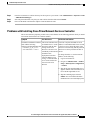
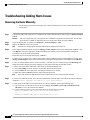
Troubleshooting Installation Issues
Deleting a Database Entry From UCS Director Database Table
#
#
#
#
#
#
#
#
#
#
#
#
#
#
#
Step 3
profile “CiscoTAC-1”
active
anonymous-reporting-only
destination transport-method http
no destination transport-method email
exit
service call-home
license smart enable
license boot level lite
ip domain lookup
ip name-server <yourDNS-IP>
platform hardware lite license enable
exit
write
reload
After the CSR 1000V is online, log in to the CSR 1000V using the SSH application, and execute the following command:
# license smart register idtoken <your-CSR-token-id>
Step 4
After one to three minutes, the CSR 1000V is licensed.
To verify that the CSR 1000V is licensed, from the Cisco UCS Director menu bar, choose Virtual > Network. The
VACS:CSR Licenses screen that appears displays the CSR 1000V license details.
Deleting a Database Entry From UCS Director Database Table
Step 1
Log on to Cisco UCS Director as root user and enter mysql --user=admin --password=<ucsd db password> <db-name>
to access the UCS Director database.
example:
mysql --user=admin --password=cloupia db_private_admin
Step 2
Enter the following SQL query to delete a database entry from the UCS Director database table:
DELETE FROM <table_name>
WHERE <some_column>=<some_value>;
example:
DELETE FROM STINGRAY_AJAX_DATA
WHERE VMNAME = ’vsum_vm’;
Step 3
Enter the following SQL query to examine the entries in the table before or after the deletion:
SELECT ALL <comumn_name> FROM <table_name>;
Example:
SELECT ALL VMNAME FROM STINGRAY_AJAX_DATA;
Cisco Virtual Application Container Services Installation and Upgrade Guide, Release 5.2STV1.1
6