1
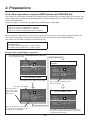
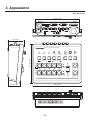
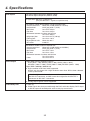
Contents Before use ......................................................... 5 2. Preparations ................................................ 18 Overview ..........................................................................5 2-1. Installation precautions ...........................................18 Concerning the Operating Instructions ............................5 2-2. Connections with other devices...............................19 Trademarks and registered trademarks ...........................5 2-2-1. Block diagram...................................................19 2-2-2. Example of connections ...................................20 About copyright and licence .............................................5 2-3. Turning the unit’s power on and off..........................22 Concerning the ratings display .........................................5 2-4. Checking the video output .......................................22 Disclaimer of warranty ......................................................6 2-4-1. Displaying the OSD menus on a PC monitor ...22 Network security...............................................................6 2-4-2. Displaying the OSD menus on an SDI monitor ............................................23 Characteristics.................................................. 7 2-5. OSD (on-screen display) menu operations .............24 Accessories ...................................................... 9 2-5-1. Displaying and clearing the OSD menus .........24 2-5-2. How to forcibly display the OSD menus ...........24 Required personal computer environment ..... 9 2-5-3. Menu configuration and moving between menus ...................................25 Operating precautions ................................... 10 2-5-4. Operations using the submenus ......................26 1. Parts and their functions ........................... 11 2-5-5. Indications used in this Operating Instructions ......................................27 1-1. Control panel ...........................................................11 2-5-6. Direct operations using the USER buttons and OSD/TIME dial ..........................................28 1-2. Rear panel...............................................................16 2-5-7. Menu delegation function .................................29 2-5-8. Bus status displays ..........................................29 3. Appearance ................................................. 30 4. Specifications ............................................. 31 How the model’s Operating Instructions manuals are configured The manual of this Compact Live Switcher (hereafter, “the unit”) is divided into two manuals: one is the <Basics> (this manual), and the other is the <Operations and Settings> (CD-ROM). Before installing the unit, be sure to read the <Basics> to ensure that the unit is installed correctly. This manual explains how to install the unit, how to check the video outputs and how to perform the OSD menu operations. For details on how to operate the unit and select its settings, refer to the “Operating Instructions <Operations and Settings>” (PDF file) on the CD-ROM supplied with the unit. To read PDF files, you will need Adobe® Reader® which is available from Adobe Systems. 4