1
2.
t-bone hardware
2.1
Sensors
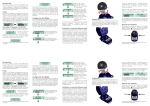
Up to four sensors can be connected to the bottom side of the t-bone box.
The RJ-12 plug sockets are colour-coded. (Sensor1, Sensor2, Sensor3, Sensor4 )
Every sensor can be named individually (factory setting from "Sensor1" to "Sensor4").
2.2
Digital Inputs
Up to four digital inputs – two of them are voltage free inputs – can be connected to the top side of the box.
Every digital input can be named individually (factory setting from " Digital1" to " Digital4").
2.3
LC Display (4 x 20 characters)
The LCD alternately reports the current configuration and the measured values.
● Current values, alarm thresholds and the current state of digital inputs.
● Date and time, GSM signal level, voltage of power supply unit and of battery backup.
2.4
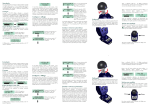
Multifunctional RESET button with LED indicator
Functions of the button: RESET | SWITCH OFF | ERASE CONFIGURATION | SUPPRESS ALARM
●
RESET
Press button until "RES ET " is displayed – then release button.
The t-bone box interrupts surveillance and re-initialises itself. If configured accordingly, the box sends
an info-SMS to the master whenever it is reset.
In order to avoid an unwanted reset the button has to be pressed for at least three seconds.
●
SWITCH OFF
Press the button until "s w i t ch o f f t-bon e? " is displayed; then release the button and
disconnect the power cable.
If you do not release the button and disconnect the power cable within 3 seconds the box automatically
performs a reset.
(The box can be restarted by simply attaching the power supply unit.)
The mere removal of the power supply unit will not make the box switch off but will trigger an alarm.
●
SUPPRESS ALARM
If the power supply is interrupted under controlled conditions the activation of an alarm can be
avoided. Before an alarm is sent, t-bone will ask the question "supp r ess a la r m?" Press the button
within 3 seconds in order to suppress the alarm. If the button is not pressed an alarm will be sent.
●
ERASE CONFIGURATION for a general reset
This procedure implies a completely new setup and is only necessary if the owner of the box changes.
Switch off the t-bone box and restart (see above) with the button pressed.
Keep the button pressed until "e r a se co n f igu ra t io n ?" is displayed. Then release the button within
3 seconds. The entire configuration as well as the stored values will be erased. (If the button is not
released within 3 seconds the box will perform a normal reset.)
Now the box is in a virgin condition and can be registered anew if a new SIM-card is inserted.
A new
2.4.1
owner must use a new SIM-card.
LED indicator (red/green)
green blinking, slow
green blinking, fast
red blinking, very fast
red blinking, slow
t-bone User Manual
.......
.......
.......
.......
surveillance is active
programming mode
alarm
error (detailed description displayed on LCD)
Page 4 / 19
Edition 2005-04-19