1
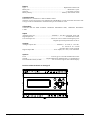
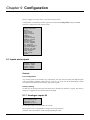
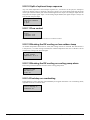
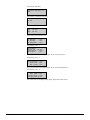
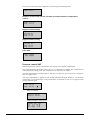
If inputs have been assigned to pressure or flow controlled fans the following menus will appear:
SAF Pressure at
0V: 0.0 Pa
10V:500.0 Pa
Filter factor: 0.2
EAF Pressure at
0V: 0.0 Pa
10V:500.0 Pa
Filter factor: 0.2
If an input has been assigned to CO2 control the following menu appears:
CO2 at
0V: 0.0 ppm
10V: 1000 ppm
Filter factor: 0.2
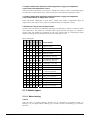
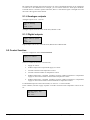
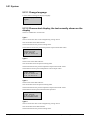
9.1.2 Digital inputs DI
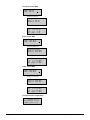
Digital input 1
NO/NC: NO Signal:
Filter alarm
Status: Off
To simplify adaptation to external functions, all digital inputs can be configured to be either
normally open, NO, or normally closed, NC.
The inputs are as standard normally open, i. e. if the input is closed, the function connected to the
input in Corrigo is activated.
Be careful when changing the input from NO to NC since some digital functions can be configured
to either NO or NC themselves. For example, you can choose if the Fire alarm input should be
activated when it is closed or opened. Therefore, there is a risk that the signal is changed twice and
the result is the opposite of the desired.
9.1.3 Universal inputs UI
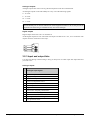
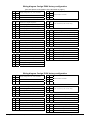
On the largest hardware version, E28 there are universal inputs. These can individually be
configured as either analogue inputs or as digital inputs. When configured as analogue inputs they
can be bound to any of the analogue signals described under Analogue signals.
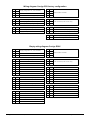
When configured as digital inputs they can be bound to any of the digital signals described under
Digital signals.
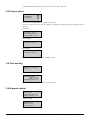
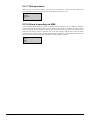
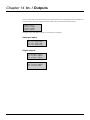
Universal input 1 Æ
Choose AI or DI sign
AI sign: Press. SAF
DI sign: Not active
After choosing AI or DI signal (the unused alternative must be set to Not active) there are submenus with settings. These menus are accessed by pressing RIGHT.
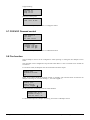
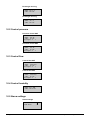
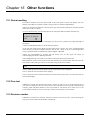
Universal DI1
NO/NC: NO Signal:
Filter alarm
Status: Off
To simplify adaptation to external functions, all universal inputs configured as digital inputs can be
set to be either normally open, NO, or normally closed, NC.
The inputs are as standard normally open, i. e. if the input is closed, the function connected to the
input in Corrigo is activated.
Corrigo E Ventilation manual, revision G
Chapter 9 Configuration
41