1
s
Remote-SAT User's Guide
Confidential / Released
1.5.2.14
mobile
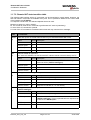
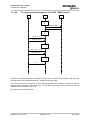
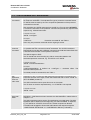
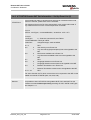
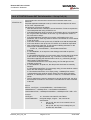
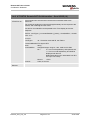
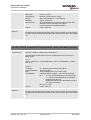
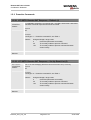
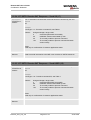
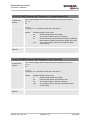
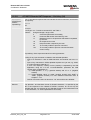
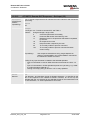
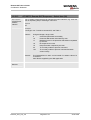
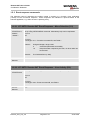
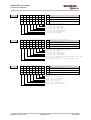
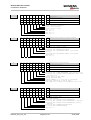
AT^SSTR Remote-SAT Response – Set Up Menu (37)
Write command
AT^SSTR=37,
<status>
Note:
As with every proactive command the TA is expected to acknowledge the
^SSTGI response with AT^SSTR to confirm that the proactive command has
been executed.
The response simply conveys, to the SAT, the information that the main menu
was received and set up on the user interface. It does not transmit any
information about a selected item, like in the case of AT^SSTR=36.
Once this command was executed the user can proceed as described in the
Chapter 1.5.3.1.
Response
OK
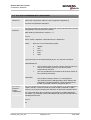
Parameters
<cmdType> 37 – Proactive command ID, see Table 1.
<status>
Reference
Unsigned Integer, range 0-255
0
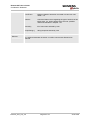
Command performed successfully (proactive session will
end).
32
TA currently unable to process command
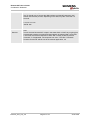
132
TA currently unable to process command because
screen is busy.
Note
Siemens
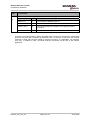
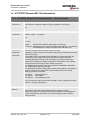
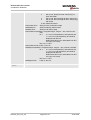
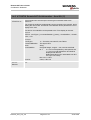
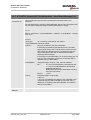
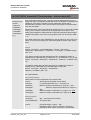
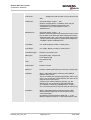
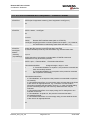
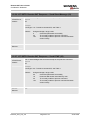
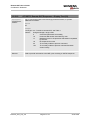
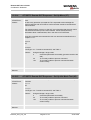
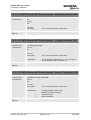
1.5.2.15
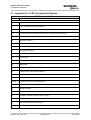
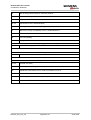
Write command
AT^SSTR=40,
<status>
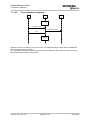
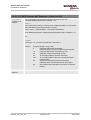
AT^SSTR Remote-SAT Response – Set Up Idle Mode Text (40)
The TA indicates whether the set up Idle mode text command was correctly
executed.
Response
OK
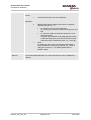
Parameters
<cmdType> 40 – Proactive command ID, see Table 1.
<status>
Reference
Unsigned Integer, range 0-255
0
Command performed successfully
32
TA currently unable to process command
132
TA currently unable to process command because
screen is busy.
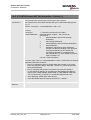
Note
Siemens
Remote_SAT_UG_v07
Page 61 of 72
24.05.2004