1
Genomics Core Facility
1. Introduction
Genomics Core Facility uses a LIMS system to keep track of samples, instruments, users and projects.
To speed up the process we like our users to make project requests and instrument bookings directly
in the system. This will help us to provide better service to our users.
If you have questions about our LIMS system, don’t hesitate to contact the staff.
2. Get a user account
Send an e-mail with the following information to [email protected]
1.
2.
3.
4.
5.
6.
Your name
Your e-mail address
Your phone number
Name of your principal investigator
E-mail to your principal investigator
Phone number to your principal investigator
If we receive this on a week day between 9 am and 4 pm we try to send you your log in information
within an hour.
3. Invoice Address
Before you create a project request you need to have an invoice address connected to your principal
investigator. You only need to do this once for each invoice address you use. If you have used
Genomics Core Facility later than August 2011 your invoice address is probably already in the
system and then you don’t need to do this part. You can see your invoice addresses under the
invoice tab in a project request after you have selected a principal investigator.
Create a new invoice address
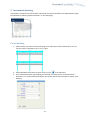
Click on New invoice address under User info.
2