1
Chapter 1: Introduction
The Honeywell Thor VM1 Vehicle Mount Computer (VMC) is a rugged, vehicle mounted computer running a Microsoft
Windows®CE 6 operating system and capable of wireless data communications from a fork-lift truck or any properly configured
vehicle.
The optional Bluetooth® module supports Honeywell Bluetooth printers and scanners. The Thor VM1 provides the power and
functionality of a desktop computer in a vehicle mounted unit, with a wide range of options.
The Thor VM1 is designed for use with a vehicle Quick Mount Smart Dock. The dock installs in the vehicle and connects to
vehicle power. The dock provides conditioned input power for the Thor VM1. Peripheral connections are on the dock. The Thor
VM1 is designed to easily be removed from the dock with a latch on the lower rear of the Thor VM1 housing. Since the dock
remains attached to the vehicle, the Thor VM1 computer can easily be moved from one vehicle equipped with a Quick Mount
Smart Dock to another vehicle equipped with a Quick Mount Smart Dock.
The Thor VM1 contains a UPS battery which, when fully charged, can power the Thor VM1 for a minimum of 30 minutes. This
can be when the Thor VM1 is not attached to a Quick Mount Smart Dock or when the Thor VM1 is attached to a dock but the
vehicle power is interrupted, such as when the vehicle battery is being changed.
About this Guide
This Thor VM1 User's Guide provides instruction for the end-user or system administrator to follow when setting up a new Thor
VM1.
This user's guide has been developed for a Thor VM1 with a Microsoft® Windows® Embedded CE 6 operating system.
End User License Agreement (EULA)
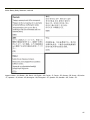
When a new Thor VM1 starts up a EULA is displayed on the touch screen. It remains on the screen until the Accept or Decline
button is tapped with a stylus.
Tap the Accept button to accept the EULA terms and the Thor VM1 continues the startup process. The EULA is not presented
to the user again.
Tap the Decline button to decline the EULA and the Thor VM1 will reboot. It will continue to reboot until the Accept button is
tapped with the stylus.
Note:
The EULA will be presented after any operating system upgrade or re-installation, including language-specific
operating systems.
1-1