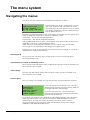
1
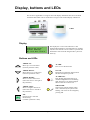
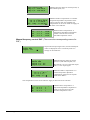
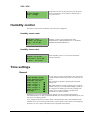
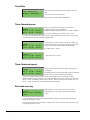
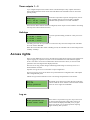
Display, buttons and LEDs This section is applicable to Corrigo E units with display and buttons but also to the hand terminal E-DSP which can be connected to Corrigo E units without display and buttons. E-DSP Display Regulator vent. sys 2008-11-20 13:30 System: Running Sp: 18.0 Act: 18.2°C The display has 4 rows of 20 characters. It has background illumination. The illumination is normally off, but is activated as soon as a button is pressed. The illumination will be turned off again after a period of inactivity. Buttons and LEDs ARROW UP: Move up a row in the menu. (Increase parameter value) ALARM: Press to view the alarm list. ARROW DOWN: Move down a row in the menu. (Decrease parameter value) CLEAR: Reset/Abort a parameter change unless OK has already been pressed. ARROW RIGHT: Move to a lower menu level. (Move the cursor to the right in the parameter) ALARM LED: Red, flashing light when there is an unacknowledged alarm. Non-flashing light when there is an acknowledged alarm which has not been reset. WRITE LED: Some menus contain settable values. This is indicated by the yellow LED flashing. The value can be changed by pressing OK. ARROW LEFT: Move to a higher menu level. (Move the cursor to the left in the parameter) OK: Open/Activate a selected menu/setting. (Confirm a parameter value) Corrigo E Ventilation User Guide, revision C 5