1
Quick Capture Analog Probe System
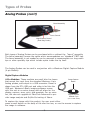
Probe Assembly and Controls
Software Installation
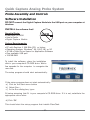
DO NOT connect the Digital Capture Module to the USB port on your computer at
this time.
INSTALL the software first!
Essectial Parts:
• FiberChek CD-ROM
• User’s Guide
• Digital Capture Module
USB
System Requirements:
• PC with Pentium ll 266 MHz CPU or higher.
• Operating System: Windows® 98, 2000, ME, or XP
• 30 MB of Hard Drive Space for Application Software
• One available USB port
• 128 MB RAM
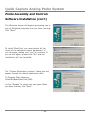
To install the software, place the installation
disk in your computer’s CD-ROM drive. Wait a
few seconds for the computer to recognize the
new disk.
The setup program should start automatically.
If the setup program does not start automatically:
a) Click on the Start menu button
b) Select Run...
c) In the Run dialog box, type:
D:\setup assuming that D: is your computer’s CD-ROM drive. If it is not, substitute the
appropriate drive letter.
d) Click ‘OK’.
This should start the setup program that installs FiberChek.
- 27-