1
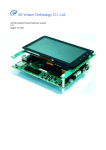
Allwinner Technology CO., Ltd. A10 A10 Development Board User Manual V1.2 2011.9.15 1 Copyright © Allwinner Technology. All Rights Reserved. Allwinner Technology CO., Ltd. A10 Revision History Version Date Description V1.0 2011-6-7 Initial Version V1.1 2011-8-24 Modification and completion in Remarks accordance with EVB-V1-2 V1.2 2011-9-15 Images modification 2 Copyright © Allwinner Technology. All Rights Reserved. Allwinner Technology CO., Ltd. A10 Table of Contents Revision History............................................................................................................................................................. 2 1. A10 Development Board Introduction................................................................................................................ 6 1.1. A10 Overview.......................................................................................................................................................... 6 1.2. Development Board Function Introduction ............................................................................................................. 6 1.3. Development Board Configuration ......................................................................................................................... 8 1.4. Development Board Functional Block Diagram ................................................................................................... 10 1.5. Development Board Power Block Diagram .......................................................................................................... 11 1.6. Typical Application................................................................................................................................................ 12 1.7. Relative Documentations....................................................................................................................................... 12 1.8. Contact Us ............................................................................................................................................................. 13 2. Hardware Resources .......................................................................................................................................... 14 2.1. Dimensions ............................................................................................................................................................ 14 2.2. Top View................................................................................................................................................................ 15 2.3. Bottom View.......................................................................................................................................................... 16 2.4. Hardware Resources.............................................................................................................................................. 17 3. Hardware Details................................................................................................................................................ 19 3.1. CPU ....................................................................................................................................................................... 19 3.2. Power..................................................................................................................................................................... 19 3.2.1.Power Input ......................................................................................................................................................... 19 3.2.2.Power Output....................................................................................................................................................... 20 3.2.3. PMU ................................................................................................................................................................. 21 3.2.4. Power LED D2 ................................................................................................................................................... 22 3.2.5.Charging and Warning LED D1 .......................................................................................................................... 23 3.2.6.Reset Key ............................................................................................................................................................ 23 3.2.7.Power Soft Switch Key........................................................................................................................................ 24 3.3. DRAM ................................................................................................................................................................... 24 3 Copyright © Allwinner Technology. All Rights Reserved. Allwinner Technology CO., Ltd. A10 3.4. Boot Device ........................................................................................................................................................... 25 3.4.1.RECOVER Key................................................................................................................................................... 25 3.4.2.SD/MMC Card Socket ........................................................................................................................................ 26 3.4.3.NAND Flash........................................................................................................................................................ 27 3.5. TF Card Socket...................................................................................................................................................... 28 3.6. SDIO WIFI Interface............................................................................................................................................. 29 3.7. JTAG Interface ...................................................................................................................................................... 29 3.8. Ethernet ................................................................................................................................................................. 30 3.9. EEPROM............................................................................................................................................................... 31 3.10. USB OTG ............................................................................................................................................................ 32 3.11. USB HOST.......................................................................................................................................................... 33 3.12. SATA................................................................................................................................................................... 34 3.13. TV IN .................................................................................................................................................................. 35 3.14. CVBS OUT ......................................................................................................................................................... 35 3.15. VGA OUT ........................................................................................................................................................... 36 3.16. TTL LCD............................................................................................................................................................. 37 3.17. LVDS LCD Interface........................................................................................................................................... 38 3.18. TP Interface ......................................................................................................................................................... 39 3.19. HDMI .................................................................................................................................................................. 40 3.20. Analog Audio Output .......................................................................................................................................... 41 3.21. Analog Audio Input............................................................................................................................................. 42 3.22. Microphone.......................................................................................................................................................... 43 3.23. User Keys & LRADC.......................................................................................................................................... 44 3.24. IR Receiver.......................................................................................................................................................... 45 3.25. UART .................................................................................................................................................................. 45 3.26. Camera Sensor Interface...................................................................................................................................... 46 3.27. Transport Stream Interface .................................................................................................................................. 47 3.28. Two Wire Interface.............................................................................................................................................. 47 4 Copyright © Allwinner Technology. All Rights Reserved. Allwinner Technology CO., Ltd. A10 3.29. Gyroscope Interface............................................................................................................................................. 48 3.30. G-Sensor Interface............................................................................................................................................... 48 3.31. Light-Sensor Interface ......................................................................................................................................... 48 3.32. GPS Interface....................................................................................................................................................... 48 3.33. Bluetooth Interface .............................................................................................................................................. 48 3.34. External Interrupt(EINT)................................................................................................................................ 48 3.35. Extension Socket Signal Definition..................................................................................................................... 49 3.35.1.IDC Socket U11 ................................................................................................................................................ 49 3.35.2.IDC Socket U12 ................................................................................................................................................ 50 3.35.3.IDC Socket U27 ................................................................................................................................................ 51 3.35.4.IDC Socket U29 ................................................................................................................................................ 52 3.35.5.IDC Socket U31 ................................................................................................................................................ 54 4. Declaration .......................................................................................................................................................... 56 5 Copyright © Allwinner Technology. All Rights Reserved. Allwinner Technology CO., Ltd. A10 1. A10 Development Board Introduction 1.1.A10 Overview The connected smart HD SoC processor A10, developed on the basis of ARM Cortex-A8by Allwinner Technology CO., Ltd in Zhuhai, aims to remarkably promote the application of connected HD SoC, which will eventually greatly enhance user experience of consume electronic multimedia products. This new-generation highly integrated processor, boasting of its premium internet video performance, cost-efficiency and low power consumption, is bound to be popular in such applications as MID, family connected smart HD player, auto multimedia controller, safety monitor, as well as various portable multimedia entertainment products. H.264 High Profile 1080P encoding technique is integrated in A10 by Allwinner Tech to facilitate the development of the connected HD video codec application. The multi-channel 1080P decoding application can be achieved with the presence of full-format HD decoding technique. The ARM Mali400 2D/3D processor is introduced into the currently high-efficient image accelerator framework of A10 to better support popular smart OS such as Android 2.3/3.0, and to greatly improve the Android product performance and user experience. Note:Refer to A10 Datasheet for more details. 1.2. Development Board Function Introduction The A10-exclusive development board, which is compact, fully-featured and flexible, is designed to provide enterprises with guidance on product software/hardware development, debugging or product design reference in 6 Copyright © Allwinner Technology. All Rights Reserved. Allwinner Technology CO., Ltd. A10 MID, family connected smart HD player, auto multimedia controller, safety monitor, as well as various portable multimedia entertainment products. Robust Video Codec Support full HD(1920*1080P)video decoding: H.264, H.263, VC-1, MPEG-1/2/4, DIVX-3/4/5/ 6, XVID, WMV7/8, VP8,VP6, AVS jizun Support all popular HD video package formats and almost all HD video formats Support JPEG and H.264 encoding(1080P@60fps/720P@100fps) Powerful Audio Codec Playback of all popular audio formats: MP3,WMA,OGG,FLAC,APE,AAC, ATRA, etc. Strong Image Browsing Support high definition image formats such as JPEG、GIF、BMP Support image size up to 16384x16384(for 4:4:4 color formats) E-Book Support E-Book formats: EPUB,PDF, FB2, PDB, CHM, HTML, TXT, etc; Support encoding formats: ANSI/ASCII, UTF-8, UTF16-BE, UTF16-LE, GB2312, EUC-KR, SHIFT-JIS, Windows-1250/1251, etc; Support language: English, Chinese (Simplified/Traditional), French, Italian, Spanish, Dutch, Japanese, Korean, etc. 7 Copyright © Allwinner Technology. All Rights Reserved. Allwinner Technology CO., Ltd. A10 Memory 1GB 32-bit DDR3, 4GB NAND,expandable to 8GB ECC 64-bit Support NAND of Samsung, Toshiba, Hynix, Microm, Intel… Support NAND of 5xnm, 4xnm, 3xnm, 2xnm… Rich Peripherals USB2.0 OTG、USB2.0 HOST、HDMI1.3/1.4.、LCD、CVBS-OUT、VGA-OUT、SATA,、Line-In、Headphone、 10/100M Ethernet、Camera Sensor Interface (2)、SDIO WIFI、GPS、Gyroscope、Light Sensor、Bluetooth、Compass Multiple Boot Devices Boot mode: NAND FLASH, SD/MMC Card, USB Operation System Support multiple popular OS: Android 2.3.4, Linux2.6, WinCE6.0 1.3. Development Board Configuration Standard Configuration 1. Mother board of A10 development board (1) 2. USB to TTL Cable (1) 3. 1 2V@2A power adaptor (1) 4. 5"LCD with TP (1)(TFT 800*480 HD,4-wire Resistive TP) 8 Copyright © Allwinner Technology. All Rights Reserved. Allwinner Technology CO., Ltd. A10 Development Board USB to TLL Cable A10 Power Adaptor Selectable Configuration 5. Camera Daughter Board 6. SDIO WIFI Daughter Board 7. 7"LCD with Capacitive Touch Panel(TFT 800*480 HD,TTL Interface) SDIO WIFI Daughter Board Camera Daughter Board 9 Copyright © Allwinner Technology. All Rights Reserved. Allwinner Technology CO., Ltd. A10 1.4. Development Board Functional Block Diagram 10 Copyright © Allwinner Technology. All Rights Reserved. Allwinner Technology CO., Ltd. A10 1.5. Development Board Power Block Diagram 11 Copyright © Allwinner Technology. All Rights Reserved. Allwinner Technology CO., Ltd. A10 1.6. Typical Application • MID • Smart Phone • Smart TV • Video Monitor, Driver Camcorder, DV • Smart Player, Sound Bar, Speaker • Video Game Machine, Ad Machine, Industrial PC • GPS, Automobile Entertainment System 1.7. Relative Documentations A10 Development Board Hardware User Manual A10 Development Board Android User Manual A10 Development Board Linux User Manual A10 Development Board WinCE6.0 User Manual A10 Development Board Schematic A10 Brief A10 Datasheet A10 User manual AXP209 Datasheet 12 Copyright © Allwinner Technology. All Rights Reserved. Allwinner Technology CO., Ltd. A10 1.8. Contact Us Allwinner Technology Co., Ltd. Website: http://www.allwinnertech.com Address: Tel: 4th floor, B6 building, Southern Software Park, Zhuhai 0756-3818315 Fax: 0756-3801678 13 Copyright © Allwinner Technology. All Rights Reserved. Allwinner Technology CO., Ltd. A10 2. Hardware Resources 2.1.Dimensions 14 Copyright © Allwinner Technology. All Rights Reserved. Allwinner Technology CO., Ltd. A10 2.2.Top View VGAT USB OTG USB HOST HDMI Audio Input Audio Output CVBS UART VGA SATA RS232 Power Output CPU Extens ion Battery Socket NAND Extens ion PMIC Power Socket DDR3 Ethern et CTP FPC DDR3 Network IC Switch SDIO Charge LED MIC IR LCD IDC LVDS IDC LCD FPC RECO VER RESE T Soft Switch 15 Copyright © Allwinner Technology. All Rights Reserved. Power LED Allwinner Technology CO., Ltd. A10 2.3. Bottom View TF Card SDIO DDR3 DDR3 EEPR OM Reserved NAND 16 Copyright © Allwinner Technology. All Rights Reserved. Allwinner Technology CO., Ltd. A10 2.4. Hardware Resources Name Description Cortex-A8 CPU 32KB I-Cashe, 32KB D-Cache and 256KB L2 Cache Trustzone Technique X-Power AXP209, 1.8A PWM switch charging, Intelligent Power PMU Select (IPS TM ), support 3 channels power input (5V adaptor, battery, USB 5V) and 7 channels power output DRAM Four 2G 16-bit DDR3,forming 32-bit 1024M Bytes DRAM。 Hynix H27UBG8T2A, 4G Bytes MLC 64-bit ECC NAND Flash, NAND Flash two chips up to 8G Bytes expandable; can be used as system boot device TF Card Interface SD/MMC Card Interface SDIO WIFI Card Interface Ethernet Support up to 32G card memory; support card test Support SD/MMC card read and write; Capable of system booting; Support card boot For SDIO WIFI card 10M/100M IEEE802.3; adopt Realtek RTL8201CP; RJ45 interface USB Host 2 USB Host interfaces (EHCI) USB OTG 1 USB2.0 TV-OUT Interface Support CVBS (AV) output VGA Interface VGA output up to 1920*1080 HDMI Output HDMI V.1.3, support up to 1080P@50/60fpts One 50-pin FPC interface, one 44-pin IDC interface for LCD LCD extension ; support screens of all sizes: CPU screen below 3"; 17 Copyright © Allwinner Technology. All Rights Reserved. Allwinner Technology CO., Ltd. A10 RGB screen above 3"; LVDS screen above 8" Touch Panel Camera Sensor Interface Support 4-wire resistive TP and TWI interface capacitive TP Provide two camera sensor interface signals; support NTSC and PAL CCIR656 protocol; support 8-bit data input Microphone Support two MIC input Headphone Support stereo earphone output Line-in Two audio input TWI Provide 2 TWIs UART Provide one UART: TTL level or RS232 level JTAG JTAG debugging Key IR Battery Interface AC Adaptor Interface Provide five definable keys, RESET key and POWER_ON key, etc. Support IR control only Support single cell Li-battery 4.1V/4.15V/4.2V/4.36V, etc.; chargeable Support 12V DC power 18 Copyright © Allwinner Technology. All Rights Reserved. Allwinner Technology CO., Ltd. A10 3. Hardware Details This section will detail every hardware module and interface parameter, pin definition, relative configuration and application notice of A10 development board. 3.1.CPU The CPU adopted is Allwinner Tech’s A10, a connected smart HD SoC processor for video application and general application and featuring cost efficiency, high integration, high performance and low power consumption. Based on Cortex-A8 (32KB instruction caches, 32KB data caches and 256K L2 caches), A10 integrates multiple functions to reduce total system cost and development complexity. Besides, F20 is available in 441-pin 0.8mm pitch BGA package, which boasts of its small size, low power consumption and low heat. 3.2. Power 3.2.1. Power Input A10 development board provides three kinds of power input: 12V adaptor, battery and USB, 19 Copyright © Allwinner Technology. All Rights Reserved. Allwinner Technology CO., Ltd. A10 which can be simultaneously available and be selected by PMU automatically: 1. 12V Adaptor: Input from J1 socket, with current up to 2A Go through one DCDC IC MP1482D to provide 5V@2A for PMU, and provide power to two USB HOST interfaces (USB1, USB2) as well; 2. Battery: Input from J2 socket Support 4.1V/4.15V/4.2/4.36V single cell Li-battery (lithium ion or lithium polymer) Default charge target voltage (Vtrgt) : 4.2V , which can be set in PMU register Automatic recharge voltage: (Vtrgt – 0.1)V 3. USB: Input 5V from USB OTG interface P2; USB Power Socket Battery Socket 12V Power Socket 3.2.2. Power Output To output DC12V/5V/3.3V/GND for user extension from J12 socket. 20 Copyright © Allwinner Technology. All Rights Reserved. Allwinner Technology CO., Ltd. A10 Power Output Socket 3.2.3. PMU The PMU used is the highly integrated power management IC AXP209, which integrates an adaptive and USB-compatible PWM charger, two step-down converters (Buck DC-DC converter), five LDO regulators, multiple voltage/current/temperature 12-bit ADCs, and four configurable GPIOs. It also features protection circuitry such as over/under-voltage protection (OVP/UVP), over-temperature protection (OTP), and over-current protection (OCP) to guarantee the power system security and stability. AXP209 comes with a Two Wire Serial Interface (TWSI), through which the application processor is capable of enabling/disabling some power outputs, setting the voltage, and visiting internal registers and measurement data (including Fuel Gauge).The high accuracy (1%, depending on the 1% accuracy of BIAS resistors) of power measurement enables consumers to know more about the real-time power consumption. Additionally, the Intelligent Power Select (Intelligent Power Select, IPS™) of AXP209 can allocate power safely and transparently among USB, external AC adapter, Li-battery, and application loads. It also enables applications to work normally with the presence of only external power input and no batteries (or battery deeply discharged/damage). 21 Copyright © Allwinner Technology. All Rights Reserved. Allwinner Technology CO., Ltd. A10 AXP209 3.2.4. Power LED D2 When PMU works normally, power LED D2 is on, otherwise, D2 is off. Power LED 22 Copyright © Allwinner Technology. All Rights Reserved. Allwinner Technology CO., Ltd. A10 3.2.5. Charging and Warning LED D1 D1 is used to indicate the four states of charging and warning: on charge, not on charge, battery malfunction warning and external power over-voltage warning, as shown below: LED Status Always On OFF Flicker at 1Hz Indication On Charge Not On Charge The charger enters battery activate mode, or the battery temperature is too high/low. Flicker at 4Hz Over-voltage input by PMU 3.2.6. Reset Key The development board provides a RESET key to allow development board resetting. Charging and Warning LED Reset 23 Copyright © Allwinner Technology. All Rights Reserved. Allwinner Technology CO., Ltd. A10 3.2.7. Power Soft Switch Key The development board provides a power soft switch key, which is connected to the PMU POWON signal. By default, long-press (6s) of the key can disable all power output switches (except RTC power LDO1). Besides, PMU can identify the “long-press” and “short-press” of the key, and then send IRQ to CPU. Therefore, the “long-press” and “short press” of the key are definable by users. See AXP209 Datasheet for details. Power Soft Switch Key 3.3.DRAM Use four 2G Bit 16-bit DDR3 for a 32-bit1024M Bytes DRAM to guarantee the system high speed. 24 Copyright © Allwinner Technology. All Rights Reserved. Allwinner Technology CO., Ltd. A10 Front two 2GBit DDR3 Bottom two 2GBit DDR3 3.4.Boot Device 3.4.1. RECOVER Key A10 development board provides RECOVER key for system boot or one-key upgrade. A10 development board supports multiple devices booting: After the system is powered or reset, if the RECOVER is checked to be pressed, system will skip all booting devices and directly download firmware from USB0; if the RECOVER is checked to be released, system will sequentially boot from SD/MMC card (U26), NAND Flash, and USB0 till the system boot success. 25 Copyright © Allwinner Technology. All Rights Reserved. Allwinner Technology CO., Ltd. A10 RECOVER Key 3.4.2. SD/MMC Card Socket The development board provide one SD/MMC card interface and A10 SD CARD0 interface is used. It features: Support SD/MMC card read and write; compatible with Secure Digital memory (up to SD3.0), Secure Digital I/O and Multimedia Card (up to MMC4.3) Card capacity up to 32G Support 3.3V voltage and card testing(Interrupt IO) 26 Copyright © Allwinner Technology. All Rights Reserved. Allwinner Technology CO., Ltd. A10 SD/MMC Card Socket (Card0) 3.4.3. NAND Flash The board provides one Hynix H27UBG8T2ATB,4G Bytes MLC, and 64bit ECC NAND Flash。 Four CE signals and two RB signals are used. The board reserves one NAND Flash, supporting at most two single chip-select or two double chip-select NAND, with capacity up to 16G. 27 Copyright © Allwinner Technology. All Rights Reserved. Allwinner Technology CO., Ltd. A10 Reserved NAND Flash 4G NAND Flash 3.5.TF Card Socket The board provides one TF card interface, and A10 SD CARD1 interface is used. It features: Support TF card read and write, and compatible with Secure Digital memory (up to SD3.0) Support card capacity up to 32G Provide 3.3V voltage and card testing(Interrupt IO) TF card socket (Card1) 28 Copyright © Allwinner Technology. All Rights Reserved. Allwinner Technology CO., Ltd. A10 3.6.SDIO WIFI Interface The board provides one SDIO WIFI card interface and A10 SD CARD3 interface is used. It features: Mainly used for SDIO WIFI card development, supporting SDIO 1-bit and 4-bit interrupt module; support suspension and recovery; support read wait; Usable by SD/MMC card, compatible with Secure Digital memory (up to SD3.0), Secure Digital I/O , and Multimedia Card (up to MMC4.3) Support card capacity up to 32G Provide 3.3V voltage and card testing(Interrupt IO) SDIO WIFI Socket (Card3) 3.7.JTAG Interface The JTAG interface provides 14-pin 2.0mm IDC socket to facilitate the system debugging. 29 Copyright © Allwinner Technology. All Rights Reserved. Allwinner Technology CO., Ltd. A10 JTAG interface 3.8.Ethernet The board provides network function and REALTEK RTL8201CP is adopted. It features: Adopt RJ45, which features Link/Active indicator and insulating transformer Compatible with IEEE802.3 standard,and support full duplex and half duplex Support 10/100M data rate 30 Copyright © Allwinner Technology. All Rights Reserved. Allwinner Technology CO., Ltd. A10 Network IC Ethernet RJ45 3.9.EEPROM An on-board 2Mbytes EEPROM AT24C16B, which communicates via the TWI1 interface, is provided for MAC address save and other applications. 2M Bytes EEPROM 31 Copyright © Allwinner Technology. All Rights Reserved. Allwinner Technology CO., Ltd. A10 3.10.USB OTG The board provides one USB OTG interface, and A10 USB0 interface is used. It features: Completely compatible with USB OTG 2.0 Can be configured as standalone USB HOST or USB DEVICE ,which is fully compatible with USB 2.0 Host mode: support high-speed (480-Mbps),full-speed (12-Mbps) and low-speed (1.5-Mbps) data transfer Device mode: support high-speed (480-Mbps) and full-speed (12-Mbps) data transfer VBUS insert detection and ID testing VBUS output enabling,and VBUS output is limited to1A Adopt standard MINI-USB socket Socket No. P2 Interface Signal DM0/DP0(USB0) VBUS Output Enable GPIOB9 VBUS Detection GPIOH5 ID Testing GPIOH4 32 Copyright © Allwinner Technology. All Rights Reserved. Allwinner Technology CO., Ltd. A10 USB OTG (USB0) 3.11.USB HOST The board provides two USB HOST interfaces, and A10 USB1 and USB2 are used. They feature: Completely compatible with USB 2.0 standard Support high-speed (480-Mbps) Provide VBUS output enabling separately Adopt standard A-type USB socket Socket No. Interface Signal VBUS Output Enabling P3 DM1/DP1(USB1) GPIOH6 P4 DM2/DP2(USB2) GPIOH3 33 Copyright © Allwinner Technology. All Rights Reserved. Allwinner Technology CO., Ltd. USB HOST (USB1) A10 USB HOST (USB2) 3.12.SATA The board provides one SATA interface, which features: Support SATA 1.5Gb/s, and SATA 3.0Gb/s Compliant to SATA Spec. 2.6, and AHCI Revision 1.3 Specifications Support industry-standard AMBA High-Performance Bus (AHB) and fully compliant to the AMBA Specification, Revision 2.0; Support 32-bit Little Endian OOB signaling detection and generation SATA 1.5Gb/s and SATA 3.0Gb/s speed negotiation when Tx OOB signaling is selected Support device hot-plugging Support power management features including automatic Partial to Slumber transition Internal DMA Engine for Command and Data Transactions Support hardware-assisted Native Command Queuing (NCQ) for up to 32-entries Support external SATA (eSATA) 34 Copyright © Allwinner Technology. All Rights Reserved. Allwinner Technology CO., Ltd. A10 SATA Socket 3.13.TV IN Support three TV-In Support CCIR-656 4:2:2 8-bit parallel input format Adopt RCA 3.14.CVBS OUT Support one CVBS output Support 4 X12-bit DAC data output Adopt RCA 35 Copyright © Allwinner Technology. All Rights Reserved. Allwinner Technology CO., Ltd. A10 CVBS Output 3.15.VGA OUT Support RGB Support 4 X12-bit DAC data output Adopt DB15 socket,which can directly output to PC monitor, and thus facilitates video exploration via monitors 36 Copyright © Allwinner Technology. All Rights Reserved. Allwinner Technology CO., Ltd. A10 VGA Output 3.16.TTL LCD A10 LCD controller features: Support HV-DE-Sync(digital parallel RGB) input LCD panels(Max 1024*1024 resolution, 24-bit color) Support HV-DE-Sync(digital serial RGB,both delta and stripe panel) input LCD panels (Max 680*1024 resolution, up to true color) Support TTL(digital RGB) input LCD panels(Max 1024*1024 resolution,18-bit color) Support Analog RGB input LCD panels(Max 1024*1024 resolution,3 channel 6-bit DAC output ) Support 18/16/9/8bit 8080 CPU I/F panels (Max 1024*1024 resolution) CCIR-656 output interface One on-board 50-pin FPC socket, supporting direct insertion of matching 5” 800*480 HD TP LCD,or other TTL LCDs for exploration Provide one 44-pin 2.0mm IDC socket for LCD extension,which can be used to develop LCDs of other sizes Support 3 GPIOs for LCD control and one PWM for backlight control Support 3.3V/5V power output, and the 3.3V power can be disabled/enabled via GPIO 37 Copyright © Allwinner Technology. All Rights Reserved. Allwinner Technology CO., Ltd. A10 50pin LCD FPC 44pin 2.0mm IDC 3.17.LVDS LCD Interface Provide 4 LVDS output: 3 data signals and 1 clock signal Provide 3 GPIO for LCD control and 1 PWM for backlight control 3.3V/5V power output, and the 3.3V power can be enabled/disabled via GPIO Provide 4-wire resistive TP interface signal Provide one 44-pin 2.0mm IDC interface, which supports exploration by inserting LVDS LCD module Note: Since FPC socket J9, IDC socket U7 and IDC socket U8 multiplex one set of signal, only one interface is usable each time. VGA and TTL LCD share the HSYNC and VSYNC signals, so VGA and TTL LCD cannot be used at the same time. 38 Copyright © Allwinner Technology. All Rights Reserved. Allwinner Technology CO., Ltd. A10 44pin 2.0mm LVDS LCD IDC 3.18.TP Interface A10 Touch Panel ADC features: Support interrupt 12-bit ADC Voltage input range: 0V~3V Sampling rate: up to 128K Support 4-wire resistive TP, two-point touch The board supports TWI-interface capacitive TP, and A10 TWI2 interface signal is used. It also provides a 4-pin FPC TP interface. Besides, TTL LCD IDC and LVDS LCD IDC can be used for capacitive TP extension as well. 39 Copyright © Allwinner Technology. All Rights Reserved. Allwinner Technology CO., Ltd. A10 4-pin FPC Capacitive TP Interface 3.19.HDMI A10 has built-in HDMI interface, which features: HDMI V1.3 Support Max 4K*4K resolution Support up to 165M pixel/second Support 480I/576I/480P/576P/720P/1080I/1080P at 24/25/30/50/50.9Hz Support 24/30/36/48-bit RGB data format, with 2X/4X repeater Support up to 8 channel,24-bit PCM Support IEC61937 compress audio formats Support 1-bit audio Support HD audio Hardware Receiver active sense and Hot plug detect Interrupts for programmers 40 Copyright © Allwinner Technology. All Rights Reserved. Allwinner Technology CO., Ltd. A10 HDMI Socket 3.20.Analog Audio Output The development board provides two channels analog audio output, and 3.5mm stereo earphone interface is used. Adopt DC coupling. 24-bit DAC Support 48K, 44.1K sample rate Support 192K,96K sample frequency 41 Copyright © Allwinner Technology. All Rights Reserved. Allwinner Technology CO., Ltd. Audio Socket A10 Output 3.21.Analog Audio Input The development board provides two channels analog audio input, and 3.5mm stereo earphone interface is used. Adopt AC coupling. 24-bit DAC Support 48K, 44.1K sample recoding 42 Copyright © Allwinner Technology. All Rights Reserved. Allwinner Technology CO., Ltd. A10 Audio Input Socket 3.22.Microphone Support two Microphones,which can be used for stereo recoding exploration 24-bit ADC Support 48K, 44.1K sample recoding Left Mic Right Mic 43 Copyright © Allwinner Technology. All Rights Reserved. Allwinner Technology CO., Ltd. A10 3.23.User Keys & LRADC A10 provides two Low Resolution ADC input (LRADC0、LRADC1) for key application. It features: Support interrupt 6-bit resolution Voltage input range: 0~2V Sampling rate: up to 250Hz LRADC0 has been connected to the board, and defined as 7 common keys of Android: VOL+, VOL-, MENU, SEARCH, HOME, ESC, ENTER, which can also be defined by users. A10 provides RECOVER key for system booting or one-key upgrading. See Boot Device for details. LRADC1, in the form of IDC socket, is there for user extension. See Extension socket signal definition for details. 44 Copyright © Allwinner Technology. All Rights Reserved. Allwinner Technology CO., Ltd. A10 3.24.IR Receiver A10 supports one IR-RX, which features: Support CIR remote control or wireless keyboard IR-RX has been connected to on-board IR receiver, thus can be directly used for remote receiving application IR-TX, in the form of IDC socket, is there for user extension. See Extension socket signal definition for details. IR Receiver 3.25.UART The board provides one UART interface: UART0 UART0 is standard RX, TX two-wire serial interface, which is used as default debug print interface, with default baud rate 115200. 45 Copyright © Allwinner Technology. All Rights Reserved. Allwinner Technology CO., Ltd. A10 UART0 supports TTL level output, to which matching USB-To-Serial Interface (TTL) cable can be connected for the convenience of debugging and printing on PCs without RS232 interface. Additionally, UART0 supports RS232 level output via the DB9 receptacle socket. RS232 DB9 TTL UART0 3.26.Camera Sensor Interface The board provides two Camera Sensor Interface signals, which feature: Support NTSC and PAL CCIR656 protocols Support 8-bit data input Provide one TWI signal and two GPIO signal for camera control Provide 2.8V/5V power CSI, in the form of IDC socket, support user extension. See Extension socket signal definition for details. 46 Copyright © Allwinner Technology. All Rights Reserved. Allwinner Technology CO., Ltd. A10 3.27.Transport Stream Interface A10 Transport Stream controller features: One external Synchronous Parallel Interface (SPI) or one external Synchronous Serial Interface (SSI) 32 channels PID filter Support multiple transport stream packet (188,192, 204) formats Configurable SPI and SSI timing parameters Hardware packet synchronous byte error detecting Hardware PCR packet detecting Configurable SPI transport stream generator for streams in DRAM memory Support DMA for data transfer Support Interrupt Support DVB-CSA V1.1 Descrambler The development board provides two TS signals for mobile TV. TS interface, in the form of IDC socket, can be used for user extension. See Extension socket signal definition for details. 3.28.Two Wire Interface A10 TWI features: Software-programmable for Slave or Master Support Repeated START signal Support multi-master systems Allow 10-bit addressing with 2-Wire bus Perform arbitration and clock synchronization Own address and General Call address detection Interrupt on address detection Support speed up to 400Kbits/s (‘fast mode’) 47 Copyright © Allwinner Technology. All Rights Reserved. Allwinner Technology CO., Ltd. A10 Allow operation from a wide range of input clock frequencies The board provides two TWI interfaces for user extension in the form of IDC socket. See Extension socket signal definition for details. 3.29. Gyroscope Interface The board provides gyroscope interface for user extension in the form of IDC socket. See Extension socket signal definition for details. 3.30.G-Sensor Interface The board provides G-sensor interface for user extension in the form of IDC socket. See Extension socket signal definition for details. 3.31.Light-Sensor Interface The board provides light-sensor interface for user extension in the form of IDC socket. See Extension socket signal definition for details. 3.32.GPS Interface The board provides GPS interface for user extension in the form of IDC socket. See Extension socket signal definition for details. 3.33.Bluetooth Interface The board provides Bluetooth interface for user extension in the form of IDC socket. See Extension socket signal definition for details. 3.34.External Interrupt(EINT) A10 supports up to 32 external interrupts, among which 20 are used for user extension in the form of IDC socket. See Extension Socket Signal Definition for details. 48 Copyright © Allwinner Technology. All Rights Reserved. Allwinner Technology CO., Ltd. A10 3.35.Extension Socket Signal Definition The board supports five 2.0mm IDC-20 sockets for user extension based on our matching function daughter boards or other customized daughter boards. This section will describe the PIN signal definition and function of each extension socket in the form of tables. Application Notice: The function of a pin must be identical each time it’s used. The recommended functions are better software-supported, which brings less development complexity and workload. Since the default state of GPIO is GPIO input, a pull-up or pull-down resistance (determined by the signal polarity) should be connected to external circuit if the GPIO is used for output. 3.35.1. IDC Socket U11 Socket No. PIN No. U11 Function 1 Function 2(Recommended) Function 3 Function 4 49 Copyright © Allwinner Technology. All Rights Reserved. Allwinner Technology CO., Ltd. A10 GPIO Camera Sensor 0 Transport Stream 0 External interrupt 1 VCC-5V VCC-5V VCC-5V 2 GPIOH16 CSI0-PWR 3 VCC-5V EINT16 CSI-IO-2.8V 4 GPIOH13 CSI0-RST# EINT13 5 GPIOE0 CSI0-PCK 6 GPIOB18 TWI1-SCK 7 GPIOB19 TWI1-SDA 8 GPIOE3 CSI0_VSYNC TS0_DVLD 9 GPIOE2 CSI0_HSYNC TS0_SYNC 10 GPIOE1 CSI0_CK TS0_ERR 11 GPIOE4 CSI0_D0 TS0_D0 12 GPIOE5 CSI0_D1 TS0_D1 13 GPIOE6 CSI0_D2 TS0_D2 14 GPIOE7 CSI0_D3 TS0_D3 15 GPIOE8 CSI0_D4 TS0_D4 16 GPIOE9 CSI0_D5 TS0_D5 17 GPIOE10 CSI0_D6 TS0_D6 18 GPIOE11 CSI0_D7 TS0_D7 19 GND GND GND GND 20 GND GND GND GND TS0-CLK 3.35.2. IDC Socket U12 Socket No. U12 Function1 PIN No. Function2 (Recommended) GPIO Camera Sensor 1 1 VCC-5V VCC-5V 2 GPIOH17 CSI1-PWR 3 Function3 Transport Stream 1 VCC-5V Function4 Function5 SD Card 1 UART3/4 VCC-5V VCC-5V Function6 External interrupt VCC-5V EINT17 CSI-IO-2.8V 50 Copyright © Allwinner Technology. All Rights Reserved. Allwinner Technology CO., Ltd. 4 GPIOH14 CSI1-RST# 5 GPIOG0 CSI1-PCK 6 GPIOB18 TWI1-SCK 7 GPIOB19 TWI1-SDA 8 GPIOG3 9 A10 EINT14 TS1_CLK SDC1_CMD CSI1-VSYNC TS1_DVLD SDC1_D1 GPIOG2 CSI1-HSYNC TS1_SYNC SDC1_D0 10 GPIOG1 CSI1-CK TS1_ERR SDC1_CLK 11 GPIOG4 CSI1-D0 TS1_D0 SDC1_D2 12 GPIOG5 CSI1-D1 TS1_D1 SDC1_D3 13 GPIOG6 CSI1-D2 TS1_D2 UART3_TX 14 GPIOG7 CSI1-D3 TS1_D3 UART3_RX 15 GPIOG8 CSI1-D4 TS1_D4 UART3_RTS 16 GPIOG9 CSI1-D5 TS1_D5 UART3_CTS 17 GPIOG10 CSI1-D6 TS1_D6 UART4_TX 18 GPIOG11 CSI1-D7 TS1_D7 UART4_RX 19 GND GND GND GND GND GND 20 GND GND GND GND GND GND 3.35.3. IDC Socket U27 Socket No. U27 Function 1 Function 2 (Recommended) Function 3 GPIO WIFI/PA/LS/GS/CP/TWI1/GY IR0 PIN No. Function 4 External interrupt 1 VCC-5V 2 GPIOH9 VCC-5V VCC-5V VCC-5V WIFI-SHDN# EINT9 (SDIO WIFI standby control) 3 VCC-3.3V 4 GPIOH12 VCC-3.3V VCC-3.3V VCC-3.3V WIFI-PWR EINT12 (SDIO WIFI power control) 5 GPIOI3 6 GPIOH10 WIFI-WAKEUP EINT10 (SDIO WIFI wakeup) 7 8 GPIOH15 PA-SHDN# EINT15 51 Copyright © Allwinner Technology. All Rights Reserved. Allwinner Technology CO., Ltd. A10 (Audio PA shutdown control signal) LS-INT 9 GPIOH20 EINT20 (Light sensor interrupt input) GS-INT1 10 GPIOH0 EINT0 (External G-sensor interrupt input signal) CP-RST# 11 GPIOB3 IR0-TX (Compass reset signal) CP-INT 12 GPIOI13 EITN25 (Compass interrupt input) 13 GND GND GND GND 14 GND GND GND GND 15 GPIOB18 TWI1-SCK 16 GPIOB19 TWI1-SDA 17 GPIOH18 GY-INT1 EINT18 (Gyroscope interrupt input) GY-INT2 18 GPIOH19 EINT19 (Gyroscope interrupt input) 19 GND GND GND GND 20 GND GND GND GND 3.35.4. IDC Socket U29 Socket No. U29 Function 1 Function2 (Recommended) Function 3 Function 4 GPIO GPS/TWI1/LRADC1/TP PS2-1 External interrupt 1 VCC-5V VCC-5V VCC-5V VCC-5V 2 GPIOI0 VCC-3.3V VCC-3.3V PIN No. GPS-CLK (GPS clock signal) 3 VCC-3.3V VCC-3.3V 4 GPIOI1 GPS-SIGN 52 Copyright © Allwinner Technology. All Rights Reserved. Allwinner Technology CO., Ltd. A10 (GPS data0) GPS-OSC-EN 5 GPIOI14 PS2-SCK1 EINT26 PS2-SDA1 EINT27 (GPS clock control) GPS-MAG 6 GPIOI2 (GPS data1) GPS-VCC-EN 7 GPIOC22 (GPS power control) GPS-SCS 8 GPIOC19 (GPS SPI chip select) GPS-RX-EN 9 GPIOI15 (GPS RX enable) GPS-SCLK 10 GPIOC20 (GPS SPI serial clock) LRADC1 11 (Low Resolution ADC input) GPS-MOSI 12 GPIOC21 (GPS SPI data output) 13 GND GND GND GND 14 GND GND GND GND 15 GPIOB20 TWI2-SCK 16 GPIOB21 TWI2-SDA 17 GPIOH21 TP-INT EINT21 (External TP interrupt input) TP-WAKEUP 18 GPIOB13 (External TP wake up) 19 GND GND GND GND 20 GND GND GND GND 53 Copyright © Allwinner Technology. All Rights Reserved. Allwinner Technology CO., Ltd. A10 3.35.5. IDC Socket U31 Socket No. U31 Function2 Function1 Function5 Function 3 Function 4 (Recommended) PIN No. GPIO Bluetooth UART2 1 VCC-5V VCC-5V VCC-5V 2 GPIOB5 PS2-0 External interrupt BT-RST# (Bluetooth reset) 3 VCC-3.3V 4 GPIOB6 5 GPIOB12 6 GPIOB7 VCC-3.3V VCC-3.3V BT-PCM-CLK(Bluetooth PCM clock signal) BT-PCM-IN(Bluetooth PCM data input) BT-PCM-SYNC (Bluetooth PCM sync) BT-UART-RTS 7 GPIOI16 EINT28 UART2-RTS (Bluetooth UART RTS) 8 GPIOB8 9 GPIOI18 BT-PCM-OUT(Bluetooth PCM data out) BT-UART-TX EINT30 UART2-TX (Bluetooth UART TX) BT-UART-CTS 10 GPIOI17 EINT29 UART2-CTS (Bluetooth UART CTS) BT-GPIO0 11 PS2-SCK0 GPIOI20 (Bluetooth GPIO) BT-UART-RX 12 GPIOI19 EINT31 UART2-RX (Bluetooth UART RX) 13 GND GND 14 GND GND 15 GPIOI21 BT-GPIO1 PS2-SDA0 54 Copyright © Allwinner Technology. All Rights Reserved. Allwinner Technology CO., Ltd. A10 (Bluetooth GPIO) 16 GPIOI12 17 GPIOI10 18 GPIOI11 19 GND GND GND 20 GND GND GND GS-INT2 55 Copyright © Allwinner Technology. All Rights Reserved. Allwinner Technology CO., Ltd. 4. Declaration A10 This A10 development board hardware user manual is the original work and copyrighted property of Allwinner Technology (“Allwinner”). Reproduction in whole or in part must obtain the written approval of Allwinner and give clear acknowledgement to the copyright owner. The information furnished by Allwinner is believed to be accurate and reliable. Allwinner reserves the right to make changes in circuit design and/or specifications at any time without notice. Allwinner does not assume any responsibility and liability for its use. Nor for any infringements of patents or other rights of the third parties which may result from its use. No license is granted by implication or otherwise under any patent or patent rights of Allwinner. This development board user manual neither states nor implies warranty of any kind, including fitness for any particular application. 56 Copyright © Allwinner Technology. All Rights Reserved.