1
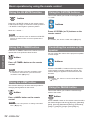
Setting
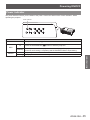
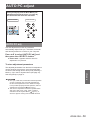
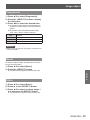
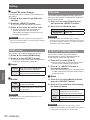
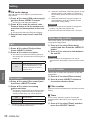
Auto
Always works and corrects keystone
distortion according to the projector's tilt.
Manual
Works only when pressing the <AUTO
SET> button on the remote control or the
<AUTO SETUP> button on the control
panel.
Off
Disables Auto Keystone.
Note
zz Input search, Auto PC adj. and Auto Keystone cannot be
set Off at the same time.
zz The Auto Keystone function cannot work when the
Ceiling feature is set On in the Setting menu.
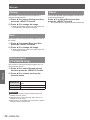
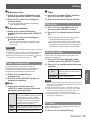
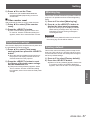
Background
Select the background screen for when no input signal
is detected.
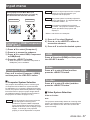
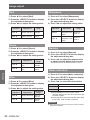
1111 Press ▲▼ to select [Background].
2222 Press the <SELECT> button.
3333 Press ▲▼ to switch between each
option as below.
Blue
Blue colored background.
User
The logo transferred by "Logo
Transfer Software *1 " is projected.
Black
Black colored background.
*1"Logo Transfer Software" is included on the
supplied CD-ROM.
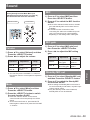
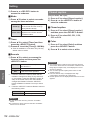
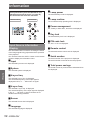
Display
This function decides whether to display On-Screen
Displays.
1111 Press ▲▼ to select [Display].
2222 Press the <SELECT> button.
3333 Press ▲▼ to switch between each
option as below.
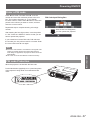
On
Show all the On-Screen
displays *1
Countdown Show the input image instead
off
of the countdown when turning
on the projector *2
Off
Hide the On-Screen Displays *3
***** Use this function when you want to project the
image as early as possible even when the lamp
is not bright enough.
***** Hide the On-Screen Displays except;
● On-Screen Menu.
● Power off?
● P-Timer display.
● No signal for Power management
● Please wait ...
● Arrows for the True function in the Screen
Menu.
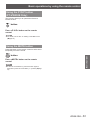
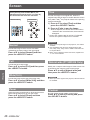
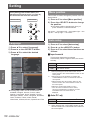
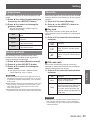
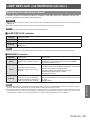
Logo
This function allows you to customize the screen logo
with Logo select, Logo PIN code lock and Logo PIN
code change functions.
1111 Press ▲▼ to select [Logo].
2222 Press ► or the <SELECT> button.
3333 Press ▲▼ to choose the desired item.
JJLogo select
This function decides on the starting-up display from
among following options.
Off
Default
User
Show the countdown display only.
Show the factory-set logo.
The logo transferred by "Logo
Transfer Software *1 " is projected.
*1 "Logo Transfer Software" is included on the
supplied CD-ROM.
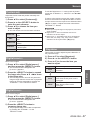
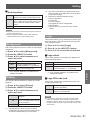
JJLogo PIN code lock
This function prevents an unauthorized person from
changing the screen logo.
Off
The screen logo can be changed freely
from the Logo Menu.
ON
The screen logo cannot be changed
without a Logo PIN code.
Note
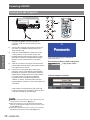
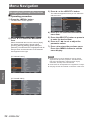
zz If you want to change the Logo PIN code lock setting,
press the <SELECT> button and the Logo PIN code
dialog box appears. Enter a Logo PIN code by following
the steps below. The initial Logo PIN code is set to “4321”
at the factory.
***** Use this function when you want to project
images after the lamp becomes bright enough.
The factory default setting is in this option.
ENGLISH - 51
Settings
JJAuto keystone