1
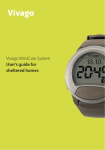
User manual
Contents
Good and sufficient sleep
Good and sufficient sleep
A person needs sleep to stay healthy. . . . . . . . . . . . . . . . . . . . . . . . . . . . . . . . . . . . . . . . . 3
Vivago Sleep – the easy way to monitor sleep. . . . . . . . . . . . . . . . . . . . . . . . . . . . . . . . . . . 3
Using the Vivago® Sleep
Fastening the watch . . . . . . . . . . . . . . . . . . . . . . . . . . . . . . . . . . . . . . . . . . . . . . . . . . 4
The buttons function . . . . . . . . . . . . . . . . . . . . . . . . . . . . . . . . . . . . . . . . . . . . . . . . . 4
Setting mode
1. Setting time and date
1.1 Setting the time. . . . . . . . . . . . . . . . . . . . . . . . . . . . . . . . . . . . . . . . . . . . . . . . . . 5
1.2 24/12h display. . . . . . . . . . . . . . . . . . . . . . . . . . . . . . . . . . . . . . . . . . . . . . . . . . . 5
1.3 setting the year. . . . . . . . . . . . . . . . . . . . . . . . . . . . . . . . . . . . . . . . . . . . . . . . . . . 5
1.4 Setting the month . . . . . . . . . . . . . . . . . . . . . . . . . . . . . . . . . . . . . . . . . . . . . . . . . 5
1.5 Setting the day. . . . . . . . . . . . . . . . . . . . . . . . . . . . . . . . . . . . . . . . . . . . . . . . . . . 5
1.6 Type of date field. . . . . . . . . . . . . . . . . . . . . . . . . . . . . . . . . . . . . . . . . . . . . . . . . . 5
2. Setting the alarm
2.1 Alarm on/off/automatic snooze. . . . . . . . . . . . . . . . . . . . . . . . . . . . . . . . . . . . . . . . . 6
2.2 Setting the wake-up time . . . . . . . . . . . . . . . . . . . . . . . . . . . . . . . . . . . . . . . . . . . . 6
3. Other settings
3.1 Setting the limit value for sleep . . . . . . . . . . . . . . . . . . . . . . . . . . . . . . . . . . . . . . . . . 6
3.2 Resetting the memory . . . . . . . . . . . . . . . . . . . . . . . . . . . . . . . . . . . . . . . . . . . . . . 6
What does Vivago Sleep tell you?
1. Watch. . . . . . . . . . . . . . . . . . . . . . . . . . . . . . . . . . . . . . . . . . . . . . . . . . . . . . . . . 7
2. Alarm (WAKE). . . . . . . . . . . . . . . . . . . . . . . . . . . . . . . . . . . . . . . . . . . . . . . . . . . . 7
3. SLEEP. . . . . . . . . . . . . . . . . . . . . . . . . . . . . . . . . . . . . . . . . . . . . . . . . . . . . . . . . 7
3.1 Cumulative sleep time . . . . . . . . . . . . . . . . . . . . . . . . . . . . . . . . . . . . . . . . . . . . . . 7
3.2 Last nights sleep time. . . . . . . . . . . . . . . . . . . . . . . . . . . . . . . . . . . . . . . . . . . . . . . 7
3.3 Average sleep time (ST 7d, Sleep Time 7days) . . . . . . . . . . . . . . . . . . . . . . . . . . . . . . . . . 8
3.4 Average sleep time (ST 4w, Sleep Time 4 weeks). . . . . . . . . . . . . . . . . . . . . . . . . . . . . . . . 8
3.5 The shortest sleep time, 7 days (ST 7d, Sleep Time 7 days, MIN) . . . . . . . . . . . . . . . . . . . . . . . 8
3.6 The longest sleep time, 7 days (ST 7d, Sleep Time 7 days, MAX). . . . . . . . . . . . . . . . . . . . . . . 8
Using the Vivago Sleep
Using water when doing housework . . . . . . . . . . . . . . . . . . . . . . . . . . . . . . . . . . . . . . . . 9
Shower, bath and sauna . . . . . . . . . . . . . . . . . . . . . . . . . . . . . . . . . . . . . . . . . . . . . . . . 9
Removing and storing the watch . . . . . . . . . . . . . . . . . . . . . . . . . . . . . . . . . . . . . . . . . . . 9
Cleaning the watch . . . . . . . . . . . . . . . . . . . . . . . . . . . . . . . . . . . . . . . . . . . . . . . . . . 9
Charging the watch . . . . . . . . . . . . . . . . . . . . . . . . . . . . . . . . . . . . . . . . . . . . . . . . . . 9
Maintenance . . . . . . . . . . . . . . . . . . . . . . . . . . . . . . . . . . . . . . . . . . . . . . . . . . . . . . 9
Liability . . . . . . . . . . . . . . . . . . . . . . . . . . . . . . . . . . . . . . . . . . . . . . . . . . . . . . . . . 9
Warranty . . . . . . . . . . . . . . . . . . . . . . . . . . . . . . . . . . . . . . . . . . . . . . . . . . . . . . . 10
These days the significance of sleep for well-being is emphasized more and more, and gradually the
importance of sleep for health is becoming clear too. Humans need regular sleep. A person needs sleep
to learn, remember things, maintain his or her health, grow up and rest, among other things. Regular
and sufficient sleep recharges a person’s body and mind and restocks energy reserves, which are required
in the challenges of the next day. Naturally, lack of sleep affects a person’s capability to manage with
everyday chores. Adults need an average of 7–9 hours of sleep every night.
2 – The Vivago Sleep Manual
A person needs sleep to stay healthy
Those who stay awake long consume glucose, the fuel of the brain, at a high rate. During sleep they then
restock their fuel reserves. Even minor daily sleep deprivation reduces a person’s daily performance. Condition
of the brain after a person has been up all night can be compared with intoxication level of 1 per mille:
performance has deteriorated from the normal level, a person becomes irritable and is prone to accidents.
Continued sleep deprivation reduces performance, weakens learning results, lowers the ability to concentrate
and increases restlessness. Sleep deprivation that has accumulated over a couple of days is easily corrected,
when one sleeps in.
Sleep is important for learning, because sleep stores what has been learned during the day into memory.
The importance of sleep is underlined in learning of new things, because during sleep material that has been
learned becomes stronger and sinks in. That is also when the brain moves things from working memory to
active and long term memory.
You might think that staying awake helps you lose weight, but that is not the case. Insufficient sleep makes
you fat in two ways. Sleep is connected to the balance of hormones called leptin and ghrelin, which regulate
appetite. When a person sleeps too little, leptin level in the blood falls. Leptin tells you the situation of the fat
reserve. A low leptin level sends the body a message about energy deficiency: a person will eat even though
there is no need for it. The appetite for fat and carbohydrates, in particular, will grow. Ghrelin level, on the other
hand, goes up when a person sleeps too little. Ghrelin is secreted in the stomach. A high ghrelin level also
tells the brain that you must start eating. Therefore, sleep deprivation can make you fat due to changes in the
hormone balance.
The whole body needs sleep, because sleep is crucial for your health and constitution. Indeed, in medical
studies prolonged lack of sleep has been linked to several diseases. Sleep deprivation changes the hormone
balance and thus exposes you to disorders in blood pressure and sugar metabolism. A person who sleeps too
little runs the risk of being stricken with heart and vascular diseases or adult diabetes. During sleep, the human
body secretes many agents that are connected to immunity. Lack of sleep weakens the body’s defense system
and thus exposes a person to various diseases, such as infections and inflammations. If you sleep too little, your
immunity deteriorates and you have a higher risk of inflammations.
Vivago Sleep – the easy way to monitor sleep
With the Vivago Sleep monitor it is very easy to follow the sleep times and make sure you get enough sleep to
stay healthy and to wake up refreshed to the challenges of the next day. Vivago sleep tells you how much you
have slept pervious night, the average sleep time for 7 days and 4 weeks and also the minimum and maximum
sleep times for last 7 days. The trend indicator arrow shows you, at a glance, if you last night have slept more or
less than you in average do.
Using the Vivago® Sleep
The Vivago Sleep monitor collects information of your activity level. The collecting of data begins when you start
using the watch. The first information is ready to be studied after one night’s use but the full benefit of your
watch you get after one months use, when it has collected enough data.
The Vivago Sleep Manual – 3
Fastening the watch
Fasten the watch on your wrist so that it feels comfortable and does not restrict your wrist movements. However, please note that it should be tight enough to ensure that the bottom face of the watch is in close contact
with your skin, even when you move your arm around. This is important, because your watch can only monitor
the activity level and physiological signals when it is in direct contact with your skin. The Watch is too loose if it
can be rotated. Do not insert pads or other materials between the watch and the wrist.
The watch knows if it is on the wrist or not. If the watch is removed from the wrist or it is too loose on the wrist,
it stops measuring activity. From this time there will not be measurement data available.
The buttons function
The watch has three buttons: MODE, VIVAGO and LIGHT. With the MODE and VIVAGO buttons you can browse
through the different menus, see figure below. By Pressing the LIGHT button the background light will switch
on. The light will automatically switch off after 12 seconds.
Setting mode
By a long push on LIGHT and MODE buttons simultaneously you enter
the setting mode. The setting mode depends on in which display
mode you enter the settings. The chart below shows how to enter
different setting modes. Not pushing any button for 60 seconds will,
from all modes, return the watch to the basic watch mode.
In the set up mode the buttons work as follows:
• LIGHT: Changes settings.
• MODE: Changes the numbers, for instance from hours to
minutes when setting the time.
• VIVAGO: Confirms the setting and moves you to next
set-up mode.
MODE
1. Watch
Settings:
LIGHT
LIGHT + MODE
Setting the time
24/12h display
Setting the year
Setting the month
Setting the day
Type of date field (d.m / day / empty)
MODE
2. Alarm
Next
value
Confim/
next setting
LIGHT
MODE
VIVAGO
LIGHT
VIVAGO
MODE
LIGHT + MODE
VIVAGO
LIGHT
VIVAGO
LIGHT
VIVAGO
LIGHT
Settings:
MODE
Change
value
LIGHT
Alarm (off / automatic snooze / on)
Setting the wake-up time
MODE
VIVAGO
Change
value
VIVAGO
Next
value
LIGHT
Confim/
next setting
VIVAGO
LIGHT
MODE
VIVAGO
LIGHT + MODE
Change
value
Next
value
Confim/
next setting
Limit value for sleep 1-10 (1=sensitive, 10=ins., default=4)
Clearing the memory (no / yes)
LIGHT
VIVAGO
LIGHT
VIVAGO
3. Sleep
4 – The Vivago Sleep Manual
Settings:
1. Setting time and date
Make sure the watch shows time, in other words is in watch mode.
1.1 Setting the time
• Push LIGHT and MODE buttons simultaneously until the text: TIME appears on the display. In this mode you
can set the time.
• The hour starts blinking.
• Set the right time by pushing the LIGHT button.
• Proceed to setting the minutes by pushing MODE button. The minute starts to blink.
• Set the minutes by pushing the LIGHT button.
• When the time is correct push the VIVAGO button. The watch will move to next settings.
1.2 24/12h display
• The text: CLOCK appears on the display. In this mode you can choose if you watch sows the time in 24 or
12h.
• On the display the text 24H or 12H starts blinking, depending on which time mode the watch has been in.
• By pushing LIGHT button you can change the setting.
• When you have chosen the time mode you prefer, push VIVAGO button and the watch moves on to next set
up.
1.3 setting the year
• The text: YEAR appears on the display. In this mode you set the right year.
• The last digits of the year that has been set starts blinking.
• By pushing LIGHT button you can change to the correct year.
• When you have chosen the year, push VIVAGO button and the watch moves on to next set up
1.4 Setting the month
• The text: MO. appears on the display. In this mode you set the right month.
• The month that has been set to the watch starts blinking.
• By pushing LIGHT button you can set the right month.
• When you have chosen the month, push VIVAGO button and the watch moves on to next set up.
1.5 Setting the day
• The text: DAY appears on the display. In this mode you set the right day of the month.
• The day that earlier has been set to the watch starts blinking.
• By pushing LIGHT button you can set the right day.
• When you have chosen the day, push VIVAGO button and the watch moves on to next set up.
1.6 Type of date field
• The text: VIEW appears on the display. In this mode you define what is shown in the field above the date
when the watch is in time mode.
• Depending on the mode the watch has been in one of the texts below starts blinking in the display.
• By pushing LIGHT button you can determine which of following options is shown:
- 14.6. (day. month) date - MON or TUE, WED, THU, FRI, SAT, SUN, weekday - Empty field
• When you have chosen the type of date field you prefer, push VIVAGO button and the watch goes back to
time mode
The Vivago Sleep Manual – 5
2. Setting the alarm
What does Vivago Sleep tell you?
Move to the Alarm menu by pushing MODE. (Menu 2, see menu structure). On the display is the text WAKE.
If the Alarm is activated, the display shows the wake-up time, if not two lines (-:-) appear on the display.
In the following chapter the different menus and features of the Vivago Sleep are described.
2.1 Alarm on/off/automatic snooze
• Push LIGHT and MODE buttons simultaneously, until the time or -:-disappears from the display. The text:
WAKE is still shown on the display. In this mode you can activate or deactivate the alarm and the automatic
snooze.
• Depending on the mode the watch last has been in one of the texts below starts blinking in the display.
• By pushing LIGHT button you can determine which of following alarm options you prefer:
- OFF, alarm off
- AUTO, snooze activated
- ON, normal alarm on
• When you have activated or deactivated preferred alarm, push VIVAGO button. If you have chosen OFF, the
watch automatically returns to alarm menu where two lines are shown -:-. If you chose ON or AUTO, the
watch moves to alarm settings.
In the basic display mode the watch shows the time and the date or alternatively the day of the week. On the
displays right side there is a watch symbol.
2.2 Setting the wake-up time
• The text: WAKE appears on the display. In this mode you can set the wake-up time.
• The hour on the watch starts blinking.
• Set the right hour by pushing LIGHT button.
• Proceed to setting the minutes by pushing MODE button. The minute starts to blink.
• Set the minutes by pushing the LIGHT button.
• When the wake-up time is set push the VIVAGO button. The watch moves back to wake menu, where the
text: WAKE and the time you just set appears.
3. Other settings
Move to sleep menu by pushing MODE button. (menu 3, see menu structure).
3.1 Setting the limit value for sleep
• Push LIGHT and MODE buttons simultaneously, until the text SLEEP appears on the display. In this mode you
can set the limit values for sleep, in other words at which activity level the watch assumes you sleep.
• The limit value starts blinking on the display. The limit blinking is the same as the last set sleep limit value.
• By pushing LIGHT button you can determine which limit value from 1-10 suits you. The default value is 4.
Choose a low limit value if the watch counts too long sleep times for you. Choose a high limit value if you
know your sleep is restless or the watch counts too short sleep times for you.
• When you have chosen the limit value for sleep, push VIVAGO button. The watch returns to the next menu.
3.2 Resetting the memory
• The text: CLEAR appears on the display. In this mode you can clear the watch’s measurement data and
memory.
• The text: NO starts blinking.
• You can cancel the clear operation by pushing the VIVAGO button.
• To clear the memory choose YES by pushing the LIGHT button and confirm by pushing the VIVAGO button.
• Please note that this will reset all settings.
6 – The Vivago Sleep Manual
1. Watch
The watch can be in either 12 or 24 hours mode. When using the 12 hours mode am/pm will be shown on the
display. The date is shown in either day.month or just in weekday (mon, tue, wed, thu, fri, sat, sun). The field
can also be empty. See watch settings, if you like to set the time and date or change the watch or date layout.
The watch will always, from all menus, return to the basic watch mode in 30 seconds if no buttons have been
pushed. By a long push of MODE button you can always immediately return to watch mode.
2. Alarm (WAKE)
By once pushing the MODE button you will see the time of wake up alarm. The watch symbol is still on the right
side of the display. If the display shows two lines on the place of the time the alarm is not activated. To set the
alarm time, see watch settings.
The wake-up beep starts on the chosen time and stops by pushing any button. The beep will also automatically
end after one minute.
It is possible to set an automatic snooze (see watch setting). When the snooze is activated the watch will
wake you up only when it notices that you have moved after the set wake-up time. The wake-up will at the
latest start half an hour after set wake-up time. This way, if you sleep peacefully and do not move, the snooze
automatically gives you 30 min of extra sleeping time. If you activate the snooze and for example set your alarm
on 7:00 the watch wakes you up between 7:00 and 7:30 when you start to move but at the latest at 7:30.
3. SLEEP
By pushing the VIVAGO button in this menu you enter the sleep displays (3.1 – 3.6). You can browse these
submenus by pushing MODE button. By again pushing VIVAGO button in any submenu you get back to the
upper menu. The sleep times are calculated from 20.00 to 12.00
3.1 Cumulative sleep time
This mode shows the cumulative sleep time (at 20.00 - 12.00) for the night. On the right side of the display
there’s a symbol of sleep. The number is updated once an hour and will show you the cumulative sleep time
during the night. In the daytime, after 12.00, the number will represent your total sleep time for the previous
night.
The sleep time is shown in hours and minutes. If there is not enough data collected, if you have not worn the
watch continuously, two lines (- : -) appears on the display.
3.2 Last nights sleep time
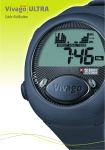
This mode, graphically shows, the movement activity (activity histogram) measured by the watch and the
calculated sleep time (on the picture it is 7 hours 46 minutes) from the present night. On the right side of the
display there is a symbol of sleep.
One column of the histogram describes the average of one hour of movement activity. The picture is being
drawn to the display one column at a time and shows movement activity from the present night between
20:00-12:00 o’clock. During the drawing the display shows which hours activity it concerns. When the entire
picture has been drawn the display shows the total time of sleep last night. From noon onwards you can see the
complete histogram and your sleep hours from the previous night.
The watch measures your wrist movements. It will detect that you sleep when there is only very little movements for long enough time. Because of this it is possible to count an estimate of your sleep time. The height
The Vivago Sleep Manual – 7
of the columns on the display describes your sleep. If you have slept for an entire hour there will not be a
visible column. Therefore a continuous good sleep of 8 hours will show as blank period in the histogram. Short
awakenings might not show in the display, because the column height describes the average movement.
Using the Vivago Sleep
The arrow on the right side of the histogram indicates if your sleep time is longer (arrow up), shorter (arrow
down) or about same (arrow linear) than your average sleep time during the last four weeks.
The Vivago Sleep watch is waterproof. You do not need to take the watch off while for example cleaning, washing your hands or doing the dishes. Chemicals and detergents that contents solvents like alcohol might damage
your watch.
Because the sleep time calculation is based on the movement measurement, the displayed sleep length might
not totally reflect your own observation of sleep. If you in the evening for instance very peacefully watch TV, the
watch might count this as sleep time even though you are awake.
If there is not enough data collected, if you have not worn the watch continuously, two lines (- : -) appears on
the display.
3.3 Average sleep time (ST 7d, Sleep Time 7days)
In this mode the display shows the average sleep time for the last 7 days (on the picture it is 8 hours 20 minutes. The symbol for sleep is shown on the right side of the display. The data up-dates at noon every day.
Using water when doing housework
Shower, bath and sauna
You can wear the watch in the shower and bath. The watch cannot be used in warm conditions as in a sauna.
Do not wear the watch in the sauna.
Removing and storing the watch
If you take off the watch do not leave it in direct sunlight. High temperatures might damage the watch. Keep
the watch out of reach of children and pets.
If there is not enough data from the last 7 days collected to measure the average, if you have not worn the
watch continuously, two lines (- : -) appears on the display.
The watch automatically identifies if it is on wrist. In the field of date on the display the text: WRIST and date
will alternate when the watch is removed from wrist. When the watch is off wrist the measurement of activity
will not function. If needed it is possible to adjust the sensitivity of the watch’s on wrist identification.
3.4 Average sleep time (ST 4w, Sleep Time 4 weeks)
Cleaning the watch
In this mode the display shows the average sleep time for the last 4 weeks (on the picture it is 8 hours 5
minutes). The symbol for sleep is shown on the right side of the display. The data up-dates at noon every day.
Regular cleaning of the watch is of utmost importance to ensure that the measurement function works
properly. If the watch is in constant use, it is good to clean it once a week. Clean the bottom face of the watch
and then inside of the straps with a damp, soft, non-fluffy cloth. You can use mild soap or washing liquid. Dry
thoroughly with a dry cloth.
If there is not enough data from the last 4 weeks collected to measure the average, if you have not worn the
watch continuously, two lines (- : -) appears on the display.
3.5 The shortest sleep time, 7 days (ST 7d, Sleep Time 7 days, MIN)
In this mode the display shows the shortest sleep time for the last 7 days (on the picture it is 6 hours 5 minutes). The symbol for sleep is shown on the right side of the display. The data up-dates at noon every day.
3.6 The longest sleep time, 7 days (ST 7d, Sleep Time 7 days, MAX)
In this mode the display shows the longest sleep time for the last 7 days (on the picture it is 8 hours 50 minutes). The symbol for sleep is shown on the right side of the display. The data up-dates at noon every day.
Do not use washing liquids that contain solvents like alcohol. These might damage the plastic parts of the
watch. Do not scrape or scratch your watch.
Charging the watch
The watch has a rechargeable battery, which needs to be charged every six moths using the charger included in
the package. A symbol of a battery appears on the right side of the display when the battery is getting empty.
The text BATT will also blink the display.
Place the charger on the watch as shown on the picture and plug the charger in the power socket. Make sure
the charger is correctly placed on the watch. Place the charger on the same side as the MODE button.
When the charger is correctly attached and it starts to charge the watch, a symbol of the charging process
appears on the display. When the battery is full the display shows a picture of a full battery. You can detach the
charger from the watch and the socket.
Maintenance
Regular cleaning of the watch is essential to assure that the product works correctly. The battery must be
charged with about 6 months intervals.
IST Oy is responsible for the service of damaged products.
Liability
The watch is not a medical appliance, and it is not intended for diagnosing or monitoring medical conditions.
The manufacturer is not responsible for malfunctions of the system, which are caused by the system being used
and maintained against the manner described in the operating instructions.
8 – The Vivago Sleep Manual
The Vivago Sleep Manual – 9
Warranty
The Vivago Sleep, manufactured by IST International Security Technology Oy, has a warranty of 12 months from
purchase date. The warranty covers the cost of repairing any defect in the system caused by faults in assembly,
manufacture or raw materials.
The warranty does not cover any damage that is caused or occasioned by improper use or user’s negligence. It
does not cover any damage caused by the system not being used and maintained in the manner described in
the operating instructions, nor by an external factor outside the manufacturer’s reasonable control or normal
wear and tear.
Important!
• The watch monitors your general well-being. It should not be used to monitor a specific medical condition.
• The watch is manufactured of non-irritant components.
• Keep the product dry and clean. Rain, humidity and various fluids may contain chemical compounds that
can corrode the product materials.
• Do not open the product, this damages the product. Opening the product should only be done by IST Oy.
• Do not drop, hit or shake the watch. Rough handling may damage the electrical circuits inside the product.
• Do not paint the product. Paint may inhibit its proper function.
10 – The Vivago Sleep Manual
IST International Security Technology Oy • Melkonkatu 16 A • FIN-00210 Helsinki • Finland • www.ist.fi
IST is an ISO 9001:2000 and ISO 13485:1996 certified company.