1
USER MANUAL
TM
IMPORTANT!
THIS PRODUCT IS WATERPROOF ONLY IF THE INSTRUCTIONS ARE
FOLLOWED. AVOID SUBMERGING THE PRODUCT AND ALWAYS
ENSURE THAT THE CHARGING CAP IS SCREWED ON TIGHTLY BEFORE USE.
1.
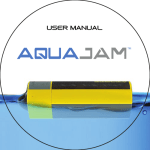
The AQUAJAM is an extreme climate, floating,
waterproof, full range wireless speaker system with built-in
rechargeable battery. Stream & Play your music from your
Bluetooth enabled devices such as Smartphone, Tablet or Laptop.
Take and make phone calls thanks to the built-in microphone.
The design and floatation of the speaker will keep it positioned
upright when floating so you can enjoy your music in the pool, bath,
lake or sea. Clip on your bike, back-pack or other gear and you
have portable all weather music.
What’s included:
AquaJam
Carabiner
Bike Mount
3M Tape Mount USB Charging Cable
Hand strap
2.
TM
3.
Quick Start
(pairing)
Power on: Press and hold Power ON/OFF button for 4
seconds a sound prompt will indicate
the AQUAJAM is powered on.
1. The AQUAJAM will automatically enter pairing mode and begin
searching for other Bluetooth wireless enabled devices.
2. In the Bluetooth settings of your Smartphone, tablet, or media player
switch Bluetooth ON and select the option to “Search for Devices”.
3. Find & select (tap) “AQUAJAM” on your Smartphone/Tablet to complete a
successful pairing. (If prompted for a passcode use 0000.)
4. Once the pairing is complete and the Bluetooth connection made you will
hear a “beep” tone from the speaker.
5. Now navigate to your music player or music app, press play and enjoy
your music wirelessly.
6. For reconnection ensure Bluetooth is enabled and then press the ON/OF
buttonto power the speaker on and it will look for the last paired
device first.
The speaker performance and sound may vary when wet.
**For optimal performance the battery should be
fully charged before first use.
4.
POWER ON/OFF
Power On/Off
Play / Pause &
Answer call button
1. Long press the button approx. 4 seconds a sound prompt will
indicate that the unit is powered on.
2. Long press the button approx. 4 seconds, a sound prompt will
indicate that the unit is powering down. the LED will turn off.
The unit is powered off.
3. Light press to PLAY or PAUSE the music.
4. Light press to answer incoming calls. (see page 7.)
5.
VOLUME/TRACK SELECTION
Volume - &
Previous track
selection button
Volume + &
Next track
selection button
Long press to decrease
the Volume level
Long press to increase
the Volume level,
two short beep tones will
sound when max vol.
setting is reached
Light press to select
Previous song track
Light press to select
Next song track
NOTE: You can also control the track and volume on your
Bluetooth enabled device.
6.
ANSWERING CALL/LED INDICATOR
Hidden LED
Microphone
Answer Call Button
Microphone for answering calls:
- To answer a call press the button
- Talk over the built in microphone on the side of the unit
- For best results, speak within 50cm (20”) of the Microphone
during call
Hidden LED:
- Red LED will light up during charging, the LED will turn
off when charging is completed
- Blue LED will flash when the unit is powered on and is under
pairing mode
- Blue LED will flash twice intermittently once pairing is
completed and the AQUAJAM is connected to the device
7.
Cap & USB Charging Connection
Micro USB
Charging Socket
Rubber Gasket
Ring
Top of the Unit
Protective Cap
The Micro USB charging port is located under the Protective Cap. Unscrew
the Protective Cap in a counter clockwise motion to gain access.
Warning: If the Protective Cap is off or loosely secured then the speaker is
NOT watertight and can cause damage to the speaker. To maintain a
watertight seal, make sure the Protective Cap is attached firmly to the
top of the speaker and screwed on tight.
Charging the Battery: Playtime lasts up to 10 hours on a full charge.
The built-in Lithium Ion battery uses the included USB cable to recharge for
optimal charging connect the USB cable to your computer or any
USB wall or car adapter that outputs a minimum of 5V @1Amp
or higher. The red LED will be solid during charging and turn off when
charging is complete. When battery energy is low, a sound prompt will
indicate with 30 minutes of approximate playtime remaining.
Audio quality may be effected when the battery is drained.
8.
Accessory Mounts
The AQUAJAM comes with a 3M multipurpose mount and a
Bike Mount.
Accessory Mount
Bike
Mount
Mounting
Hole Cover
Bike Handlebar
Mount
Back of the Unit
3M Multipurpose
Mount
9.
Installing the 3M
Multipurpose Mount
THE 3M MOUNT IS AN INDUSTRIAL STRENGTH WATERPROOOF
MOUNT. It can be used on a variety of surfaces and in outdoor
environments.
1. To install a mount remove the mounting hole cover,
unscrew it from the speaker using a counter anticlockwise motion.
2. Once the cover is removed take the Mount and twist it 90 degrees in
a anticlockwise motion into the accessories mounting hole. Make sure
the mount is securely attached to the speaker.
3. Apply the mount to a smooth, and fully cleaned surface.
A textured surface or any imperfections to a smooth surface can
keep the adhesive from making a strong bond.
4. Firmly press the mount into place ensuring full
contact over the entire surface area.
5. Be sure to apply the mount at room temp, and also allow at least
24 hours for the mount to properly adhere to the surface.
To remove the adhesive mounts, you can use a hairdryer or
heat gun to soften the adhesive and slowly peel it back.
Please note that you will not be able to reuse an adhesive
mount once you remove it.
10.
Notes
- If you are mounting the speaker onto a surboard don't
mount to soft-top boards as they are porous and the mount will
not adhere properly.
- It is typically not recommended to use adhesive mounts on skis or
snowboards as the flex and vibration caused can sometimes lead to
the mount coming loose. Failure to follow these guidelines may result in
loss or damage of your speaker, which is not covered under warranty.
Instaling the Bike Mount
1. Use a (Philips) screwdriver to fasten the bike mount onto the handlebar
of the bicycle. Depending on the size of your handlebar frame you can
insert the pads provided to ensure a tight fit.
2. Fasten the speaker onto the mount by rotating 90 degrees
anticlockwise.
11.
Tips To Get The Best Reception
And Audio Quality
Bluetooth Wireless Range In A Dry Environment
The AQUAJAM has a wireless range of up to 10 meteres. To get the
best reception ensure there is a clear line of sight between your
AQUAJAM and your bluetooth enabled device. Obstructing objects
between your AQUAJAM and your device may compromise the range
and cause interefrence with your connection. For best results ensure
that your phone is pointed directly at the AQUAJAM logo on the front
face of the unit. To get the best audio quality, ensure the speaker grill
is facing you and The unit is either positioned on its side grips or upright
on the base grip.
Bluetooth Wireless Range In A Wet Environment
As water absorbs bluetooth signals the wireless range will
lessen when the AQUAJAM comes into contact with water. To
maximise the range ensure that there is a clear line of sight
between your Bluetooth enabled device and the AQUAJAM.
Avoid submersing the AQUAJAM.
12.
Audio Quality In A Wet Environment
If water enters the speaker grill the audio quality will be
temporarily compromised. To resume normal sound hold
the speaker upright allowing for the water to drain out of the
grill. The speaker should dry up quickly and normal audio
quality will be restored.
Care & precautions
1. Do not install near any heat sources such as radiators, heat registers,
stoves, or other apparatus that produce heat.
2. For protection during lightning storm, unplug the speakers from
the electrical outlet and turn off the computer.
3. Unplug this apparatus when unused for long periods of time.
4. Place the AQUAJAM in a stable location so that it will not fall
causing damage to the speakers or bodily harm.
5. Though the unit is waterproof and it floats when the CAP is
properly closed, the unit is NOT designed for underwater
use. Do not intentionally submerge the unit in water.
13.
Care & precautions
6. Close the CAP properly before use, tightly screw in the CAP
anticlockwise. If the unit is placed in water without the cap
the warranty will be invalid.
7. Dry unit completely before opening the cap. Do NOT open the
cap if wet or in a wet environment. Do NOT use or store the unit in
places with high temperature.
8. Avoid direct exposure to sunlight and strong magnetic fields.
9. Periodically check the rubber gasket ring on the unit for premature
wear.
10. Periodically clean the rubber gasket ring with a soft moist
cloth. Do not use any oily solvent or chemi-cals for cleaning.
11. Rinse off the unit with tap water after use in salt water or
swimming pool.
12. Audio distortion may occur when the batteries are nearing
end of charge.
13. Avoid hard impact of the handle bar when a speaker is
attached on the bike mount; the speaker may be detached
& damaged.
14.
WWW.AQUAJAM.COM
HOTLINE: 1300 730 370