1
34
MT 7.12 Software User's Guide
The changes are "#include" directives that add MT 7.12 components to your target
system.
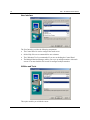
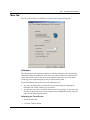
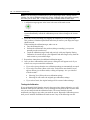
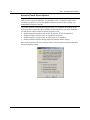
With the Installer, you may choose to customize your installation. This allows you to
select which components to install. The following components are selectable.
•
•
•
The Touch Screen Driver is mandatory to operate the touch screen.
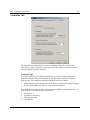
The Calibration Tool is recommended.
The Control Panel includes calibration support and is recommended if additional
settings are needed.
The Installer produces a file, TwTouch.bib that reflects the components you selected.
For the touch screen driver to work, you must include USB support in your Windows CE
image, regardless of the type of touch screen you use.
Instructions For Platform Builder For Microsoft Windows CE 4.0
As installed, MT 7.12 should operate under the Platform Builder for Windows CE 4.1
and above without any user changes.
The MT 7.12 Installer places an "#include" directive in Platform.reg and Platform.bib to
include the files TwTouch.reg and TwTouch.bib. In Platform Builder 4.0 this directive
does not work. Therefore you need to replace this "#include" directive with the contents
of the MT 7.12 files.
Edit Platform.bib and locate the include directive for TwTouch.bib. Open TwTouch.bib
in another editor, copy its contents to the clipboard and paste the clipboard into
Platform.bib, replacing the include directive. Save Platform.bib.
Repeat the editing with Platform.reg, replacing the include directive with the contents of
TwTouch.reg.
If you installed MT 7.12 into a project instead of a platform, the files you need to edit are
Project.bib and Project.reg.
Supporting Multiple Windows CE Versions
The MT 7.12 Installer provides a different version of the driver for each version of CE
starting with 4.0 and later. Even though version 4.0 of the driver appears to work on later
versions of CE, you may want to replace the default 4.0 selection with the matching
version of CE.
Inside TwTouch.bib, locate the line that includes TwTouch.dll and replace the "\400" in
the path with "\410,” "\420" or "\500,” depending on the Platform Builder you are using
(4.1, 4.2 or 5.0).
Save TwTouch.bib and exit the editor.
3M Touch Systems Proprietary Information