1
PS-600G Series User Manual
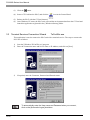
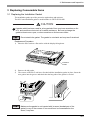
(3) Click the
button.
(4) Insert a CF Card into the PS-G, and click the
icon in the Control Panel.
(5) Reboot the PS-G with the CF Card inserted.
(6) Once Windows CE starts, the PS-G unit will read the environment data from the CF Card and
launch the application registered in the [\Windows\Startup] folder.
3.3 Terminal Services Connection Wizard
TsConWiz.exe
This application is used to connect the PS-G unit with a terminal service. The steps to connect the
PS-G are as follows:
1)
2)
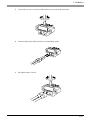
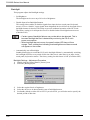
Start the [\Windows\TsConWiz.exe] program.
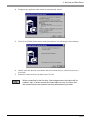
Enter the Connection name and Server name or IP Address, and click on [Next].
3)
If required, enter the Username, Password and Domain name.
To automatically enter the User name and Password when you connect,
click on the [Automatic Logon] checkbox.
3-12