1
11
TROUBLESHOOTING
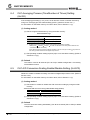
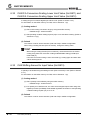
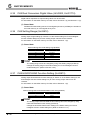
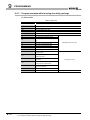
11.2.5
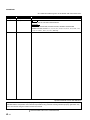
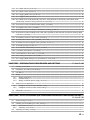
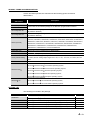
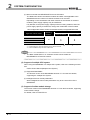
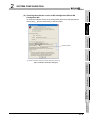
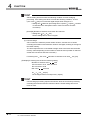
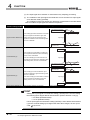
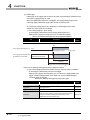
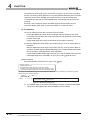
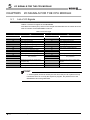
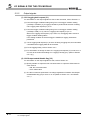
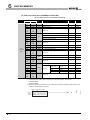
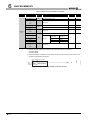
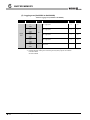
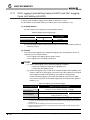
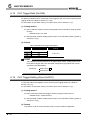
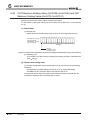
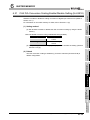
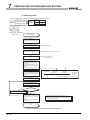
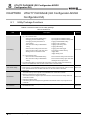
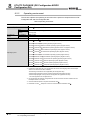
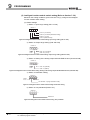
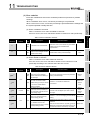
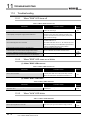
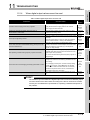
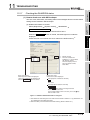
When A/D conversion completed flag does not turn on during use
in normal mode
Table 11.9 When A/D conversion completed flag does not turn on during use in normal mode
Check item
Corrective action
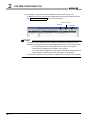
Is an input signal error being generated?
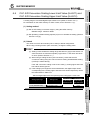
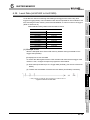
11.2.6
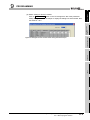
Check CH1 Input signal error detection flag (Un\G114).
Reference
section
Section
6.23
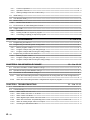
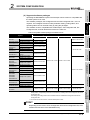
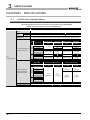
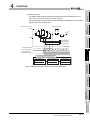
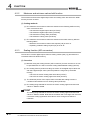
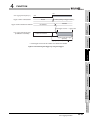
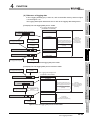
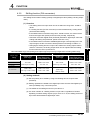
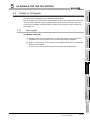
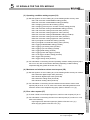
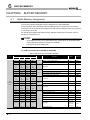
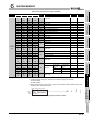
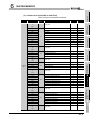
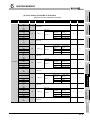
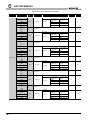
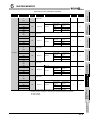
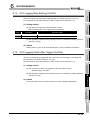
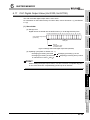
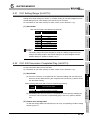
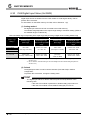
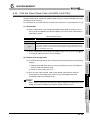
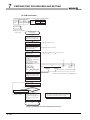
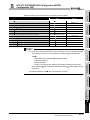
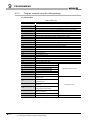
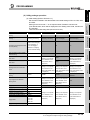
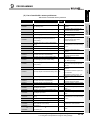
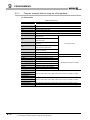
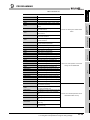
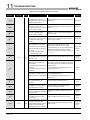
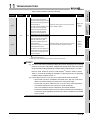
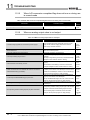
When an analog output value is not output
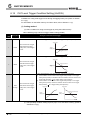
Table 11.10 When an analog output value is not output
Check item
Corrective action
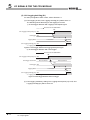
Check that External power off flag (X6) is set to on and
Is 24VDC being supplied from the external power supply?
supply 24VDC external supply power to the external
power supply connector terminal.
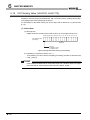
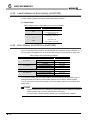
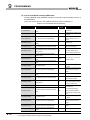
Is there any fault with the analog signal lines such as broken or
Check for any abnormality on the signal lines by a visual
disconnected line?
check and a continuity check.
Is the CPU module in the STOP status?
Set the CPU module to the RUN status.
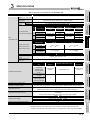
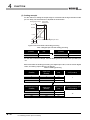
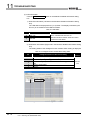
Check CH5 Setting range (Un\G912) in the monitor of GX
Is the output setting range correct?
Developer.
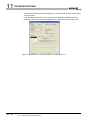
If the output range setting is incorrect, redo GX Developer
intelligent function module "Switch 2" setting.
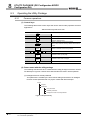
Check the on or off status of High resolution mode status
Is the resolution mode setting correct?
flag (X8).
If the resolution mode setting is incorrect, redo the GX
Developer intelligent function module "Switch 4" setting.
Reference
section
Section
5.2.1
Section
7.4.3
CHAPTER
7
Section
6.36
Section
7.5.2
Section
5.2.1
Section
7.5.2
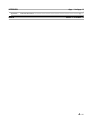
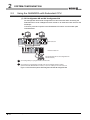
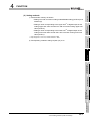
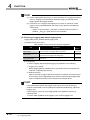
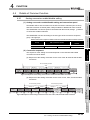
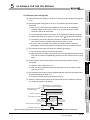
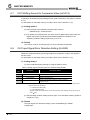
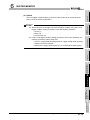
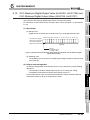
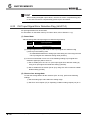
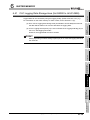
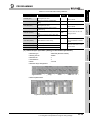
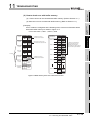
Check CH5 D/A conversion enable/disable setting
Is D/A conversion set to be disabled with CH5 D/A conversion
(Un\G800) in the monitor of GX Developer and set it to be
Section
enable/disable setting (Un\G800)?
enabled with the Developer monitor or set it to Enable (0)
6.29
using the sequence program or utility package.
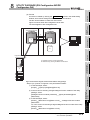
Check the on or off status of CH5 Output enable/disable
Is CH5 Output enable/disable flag (Y5) set to off?
flag (Y5) in the monitor of GX Developer.
If Output enable/disable flag is set to off, review the initial
Section
5.2.2
setting for the sequence program or utility package.
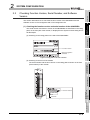
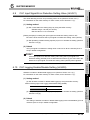
Is the digital value being written to the channel to be output?
Check CH5 Digital input value (Un\G802) in the monitor of
GX Developer.
Section
6.30
Section
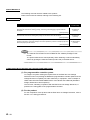
Set Operating condition setting request (Y9) to off with GX
Has Operating condition setting request (Y9) been executed?
Developer and check that the analog output is normal.
5.2.2
Section
If normal analog output is obtained, review the initial
8.4
setting for the sequence program or utility package.
CHAPTER
9
11 - 7
11.2 Troubleshooting
11.2.5 When A/D conversion completed flag does not turn on during use in normal mode