1
6. Demo Software
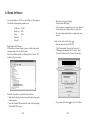
Connect the display to COM 1 or the USB port of the computer.
The default communication parameters are:
COM port:
Baud rate:
Parity:
Data bits:
Stop bit:
COM 1
9600
None
8
1
Note: Identify the USB port
USB interface customer display assigns a virtual serial port for
communications. Execute Start\Control
Panel\System\Hardware\Device Manager\Ports (Com & LPT)
to identify the port number.
Follow the steps below to install the demo software.
· Make sure the display is powered on and connected properly
to the computer.
· Insert the bundled CD and install the demo software through
Utilities\BD-202\setup.exe
-22-
· Run the demo software through
Start\Programs\BDConfig.
· Test the software commands, such as Cursor Position,
Screen Display, and Display Mode, by each index.
· Close the configuration utility to complete the setup
process.
Note: Set the symbol of the Euro ( )
· Run the demo software of BD-202.
· Click "International Character Set" and select
"Multingual international font". Press the "Send
Command" bottom on the Character Set window.
· The position of the Euro ( ) is Font: E, D5 (Hex).
-23-