1
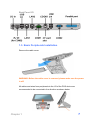
Back Panel I/O
1.3. Basic Peripherals Installation
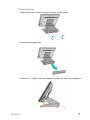
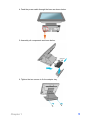
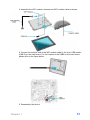
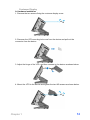
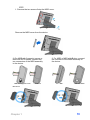
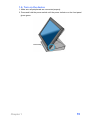
Remove the cable cover.
WARNING: Before the cable cover is removed, please make sure the power
is off!
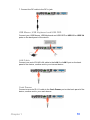
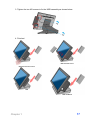
All cables and wires from peripherals to the I/O of the POS device are
recommended to be connected in the direction as shown below.
Chapter 1
7