1
Alert
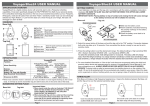
If the Master makes a high frequency beeping tone and starts vibrating, it means the distance between the Master
and the Slave is over the set alert distance. (Check the specification for Alarm distance settings.)
Alarm from Master
and Slave
Over
25±10m(short distance)
.
Distance Alert will sound!
50±10m(long distance)
Stop alarm (beep) if both devices
comes within safe range again.
Mute
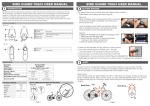
Press the Mute button on the Master for short range detection by way of listening to the Slave’s alarm sound.
Wake up / Standby
a.) Switch the Master’s power on, and pull the plastic power strip off the Slave to start the synchronizing process.
The Signal indicator on the Master will start blinking simultaneously which will take 8~15 seconds to pair up provided
the Slave is within range of the Master and NOT being blocked. After the pair up, the Master will enter search
mode so press the Search button to go back to Standby mode.
b.) Under Standby mode, the Master’s LEDs will blink every second. However if the Master gets turned off and on again,
it will enter Search mode automatically. If the Master cannot pair up with the Slave within 50 seconds, due to
blocked or out of range signals, it will enter Standby mode and beep to indicate pairing failure due to loss of signal.
The search button can be pressed every 50 seconds for retrying pairings.
c.) Slave will beep when it’s being tracked or when out of range. Under Standby mode, the Slave’s LED will blink
every second to indicate its battery is still healthy.
Important: Please turn off the Master when not in use to save battery life, the Slave will automatically go into
sleep mode to save battery until the Master tries to pair up again.
Out of range or Loss signal
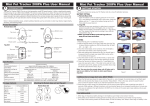
a.) The Master will beep, vibrate and blink it’s LED for 20 seconds when out of range or loss of signal is detected, the
Master will then go into sleep mode automatically if it cannot detect the Slave.
b.) The Master will then beep once every two minutes to notify the user no Slave has been paired.
c.) To pair up or find the Slave with the Master, press the search button to go to wake-up process.
d.) The Slave’s LED blinks for 20 seconds and goes into sleep mode when not paired.
Low battery
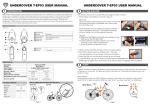
When the Master and Slave unit is under low battery mode, it will beep in a interval of every 2 minutes interval,
please change the battery.
Important: Under low battery mode, abnormal function will occur and the units may not function properly.
Please Note
a. The connection range is based on a clear line of sight. Actual range will vary depending on usage, environment
and location.
b. When the Master and Slave units are turned ON, it takes 8 to 15 seconds for the synchronization.
c. The disconnection alarm from the Master unit will sound every 2 minutes after disconnection of 30 seconds for
power-saving purposes.
Care and Maintenance
a). Keep the device dry. Precipitation, humidity, and all types of liquids/moisture can contain minerals that may corrode
electronic circuits. If your device gets wet, remove the battery, and allow the device to dry completely before
replacing.
b). Do not use or store the device in dusty, dirty areas as its moving parts and electronic components can be damaged.
c). Do not store the device in hot areas. High temperatures can shorten the life of electronic device, damage Batteries,
and warp or melt certain plastics.
d). Do not store the device in cold areas. When the device returns to its normal temperature, moisture can from inside
the device and damage electronic circuit boards.
e). Do not attempt to open the device other than as instructed in this guide.
f). Do not drop ,knock or shake the device. Rough handling can break internal circuit boards and fine mechanics.
g). Do not use harsh chemicals, cleaning solvents,or strong detergents to clean the device.
h). Do not paint the device. paint can clog the moving parts and prevent proper operation.
i). Do not put the Master and Slave away as it’s made to stay with your loved Pets.
j). Search, detection, and alarm range will depend on the terrain environment.
k). If the beeping sound is not loud enough, the batteries may be getting flat. Change to new batteries for louder alarm
sounding.
l). This product only assists in providing a warning alarm to remind the user. It does not guarantee to prevent theft or
robbery of personal property.
m). If you want to use the device during flight trips, please comply with the flight safety law according to each country.
n). We reserve the right in changing the specification of the hardware and software designs to manuals at any time and
without prior notice. Information in this document is subject to change without notice.
o). This product operational temperature is between 32℉ ~131℉(0˚C~50˚C). Storage Temperature is between
-4℉~185℉(-20˚C~85˚C) .
Recycle: The Batteries provided in this product should be recycled to protect the local environment. Please contact
your local recycle department for detail.
Warning: Do not put the batteries into the fire or heat sources. It may cause danger or even explosion.
FCC Certifications
Federal Communication Commission Interference Statement
This equipment has been tested and improved to comply with the limits of a Class B digital device, pursuant to Part
15 of the FCC Rules. These limits are designed to provide reasonable protection against harmful interference in a
residential installation. This FCC Certifications equipment generates, uses and can radiate radio frequency energy,
if installed and used not in accordance with the instructions, may cause harmful interference to radio communications.
However, there is no guarantee that interference will not occur in a particular installation. If this equipment does cause
harmful interference to radio or television reception, which can be determinedly turning the equipment off and on, the
user is encouraged to try to correct the interference by one of the following measures:
■Reorient or relocate the receiving antenna.
■Increase the separation between the equipment and receiver.
■Connect the equipment into an outlet on a circuit different from that to which the receiver is connected.
■Consult the dealer or an experienced radio/TV technician for help.
This device complies with Part 15 of the FCC Rules. Operation is subject to the following two conditions:
(1) This device may not cause harmful interference, and (2) this device must accept an interference received, including
interference that may cause undesired operation.
FCC Caution: Any changes or modifications are not expressly approved by the party responsible for compliance which
could void the user's authority to operate this equipment.
EU Declaration Conformity
This product is carrying the CE-Mark in accordance with the related European Directives.
91E-02B1-U50G12