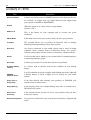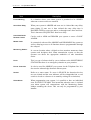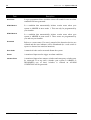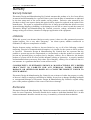
1
Solution-16 Operators Manual
51
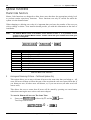
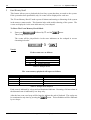
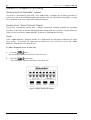
After all digits in the first phone number have been entered, press the
button. This
indicates the end of the first phone number. You may now enter a second, third and fourth phone
number if required by following the above procedure.
Phone numbers should be entered in order of priority (ie. The phone number that you want the
control panel to call first should be entered first and so on).
Note: If there is more than one phone number programmed and you wish to change one of
them, you will need to re-program all of the stored phone numbers as well as the new
number.
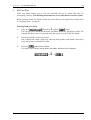
When all required phone numbers have been programmed, exit the programming mode by
pressing the
button.
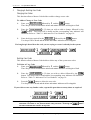
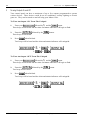
If at any time you wish to view the stored numbers enter the
followed by 2 and
the
button. Three beeps will be heard and the numbers will be displayed. When finished,
the first digit of the first number will be displayed. If no buttons are pressed within 10 seconds the
mode will terminate automatically or you can press the
button to manually terminate.
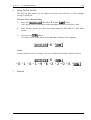
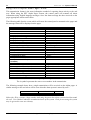
Note: When viewing the numbers via the codepad, the number 9 is represented by the 1 and the
8 indicators illuminating together. A zero in the phone number is represented by the
MAINS indicator. The end of the number is represented by the MAINS and zone 4
indicators. Refer to “Table 12: Indicators For Programming Domestic Phone Numbers”
on page 31 for more information.
Pager Reporting
Pager reporting has been introduced so that alarms and system information can be transferred to a
pocket pager allowing you to receive information from your alarm system at any time.
There are two pager formats available, Basic Pager and Alpha Pager. Basic Pager Format
requires some interpretation of the numbers that appear on the display. The Alpha Pager Format
requires no interpretation as the information is supplied to the pager in text format. Refer to
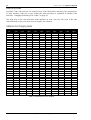
“Table 17: Alpha Pager Messages” on page 52 for more information.
Both formats make it possible to differentiate between 1000 different systems when a number of
alarm systems are reporting to the one pager.
Alpha Pager Reporting
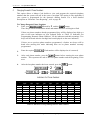
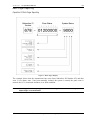
Your control panel is capable of sending Alpha characters to a pocket pager using the PET
Protocol (Page Entry Terminal). Using this method of reporting will allow individuals who are on
the move to monitor burglary alarms, medical alarms, refrigeration alarms and virtually any other
event which can be used to trigger an alarm situation.
Requirements
To use this reporting format the following hardware options are required.
Telecom and Hutchinson only.
The control panel must have a modem module fitted.
Electronics Design & Manufacturing Pty Limited
ISSUE140.DOC