1
A.B.N 31 057 851 304
A.C.N 057 851 304
Unit 9, 85 – 91 Keilor Park Drive
P.O Box 479
Tullamarine VIC 3043
Telephone: 03 9335 4000
Fax: 03 9335 3864
E: [email protected]
Your Extension Number is:……..….
Your Direct Number is:…………
PANASONIC BASIC USER GUIDE
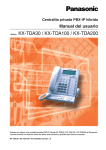
(Handsets KX-T7636AL, KX-T7633AL, KX-T7630AL, KX-T7667, KX-T7665)
Making a call
Internal calls
Pick up handpiece (Off Hook) and dial extension number or
Press pre-programmed Flexi-Key (one-touch key)
External calls
Pick up handpiece (Off Hook), dial ‘0’ then dial number
Press pre-programmed Flexi-Key (one-touch key)
or
Use ‘MENU’ to access Personal or System Directory
Handsfree calls
Press ‘SP-PHONE’ and complete with either of the above.
Placing a call on Hold
Press ‘HOLD’ then hang up
Retrieving a call
To retrieve a call placed on hold or attempted to transfer,
press flashing GREEN Flexi-key (line key)
Transferring a call
Press pre-programmed Flexi-key OR
Press ‘TRANSFER’ then dial extension number,
Announce the call (optional) OR
Hang up for call to go direct without announcement
Conference call
Ask first caller to hold
Press ‘CONF’ key (without placing the caller on ‘HOLD’)
Make the 2nd call using internal or external instructions above
Once 2nd call has been answered, press ‘CONF’ to connect
all parties
Top Performance Communications
1
03 93354000
Forward a call with the FWD/DND Button
To set
Go ‘Off Hook’, Press the ‘FWD/DND’ button
Press ‘2’ for all calls, ‘5’ for busy/no answer
Dial the Extension number you wish calls to be forwarded
internally to OR
Dial ‘0’ for an outside line and then the telephone number
Press ‘#’ then hang up.
To cancel
Press the FWD/DND’ button
Press the ‘ENTER’ button, Press ‘SEL’ button until ‘Fwd/DND Off’
is displayed. Press the ‘ENTER’ button
Forwarding a call using codes
To set
Go ‘Off Hook, dial *7105 (busy/answer) enter the destination number
then press the # key.
Go ‘Off Hook, dial *7102 (all calls) enter the destination number then
press the # key.
To cancel
Go ‘Off Hook, dial *7100-this cancels all call forwarding.
System Speed Dial
Pick up handpiece (Off Hook) or press ‘sp-phone’ key
Press the ‘Autodial’ button then dial the 3 digit code or
Press ‘Menu’ key. Press down arrow to System Directory.
Press ‘Enter’ Then either type in the first letter of the name
and press
Enter’, scroll down until the required name appears with the arrow
beside it.
Lift the handset or press speakerphone.
Note System Speed Dial numbers can only be set from the main handset.
Personal Speed Dial
To Store
To Use
Up to 10 Personal Speed Dial numbers can be programmed for each
handset.
Press ‘PROG’ key (You will find ‘PROG’ on your display, use the key
allocated under the display or on the top row of fixed keys.)
Press ‘10’ then the ‘Enter’ or ‘Store’ key.
Enter the 2-digit location number between 00 and 09
Enter the phone number including ‘0’ for the outside line.
Press ‘Store’
Pick up handpiece or press Sp-phone
Dial ‘***’ then the 2 digit personal speed dial number
Top Performance Communications Pty Ltd
Unit 9/85-91 Keilor Park Drive
Tullamarine VIC 3043
2
Tel: +61 3 9335 4000
Fax: +61 3 9335 3864
Email: [email protected]
Setting your phone for Headset mode (not available on 7665 handset)
To answer calls
Press ‘PROG’ key
Press ‘61’
Press ‘Store’/Enter
Press ‘Auto Ans’ to toggle headset on/off
Press ‘Store’/Enter
Lift handset to get out of program mode
Press ‘SP-PHONE’ to pick up and hang up
Background Music
To Turn on
Pick up handpiece or press Sp-phone
Dial ‘*7511’
To Turn off
Pick up handpiece or press Sp-phone
Dial ‘*7510’
System All Page
Pick up handpiece or press Sp-phone
Dial ‘*3301’
Handset Programming Guide
Program Flexi-Keys
Please ensure you do NOT go ‘Off Hook’ when programming.
Program Mode
Press ‘PROG’ key (You will find ‘PROG’ on your display, use the key
allocated under the display or on the top row of fixed keys.)
Press the Flexi-key you wish to be programmed (Ensure you check
the display so that you do not program over a Flexi-key that has
already been programmed as a ‘Line’ or ‘Loop’ Key or you may not
be able to dial out. Display should read ‘NOT STORED’)
Use the following instructions for Internal Extensions and External/Speed dial numbers
Extension Numbers
Follow above Program Mode procedure (if not already in Program
Mode)
Press ‘1’ then the extension number
Press ‘STORE’ to confirm
For KX-T74XX Series Handsets, Press PROG, 99, Flexi-Key, 1,
Extension Number, then STORE
External Numbers
Follow above Program Mode procedure (if not already in Program
Mode)
Press ‘2’ then ‘0’ to get a line out, then the telephone number
(can be mobile and landline)
Press ‘STORE’ to confirm
Press ‘PROG’ or ‘EXIT’
Top Performance Communications Pty Ltd
Unit 9/85-91 Keilor Park Drive
Tullamarine VIC 3043
3
Tel: +61 3 9335 4000
Fax: +61 3 9335 3864
Email: [email protected]
System Programming
Panasonic TDA30/100/200
To enter programming mode the handset must be ON HOOK. Note this can only be done from the main
handset.
Press ‘Program **1 2 3 4’ before doing any of the below programming.
Date and Time Setting
1. Enter 000
2. Press Enter
3. Using dial pad enter the year; Press ⇒; Enter the Month; Press ⇒; Enter Day
4. Press NEXT
5. Enter the hour and minute
6. Press SELECT for ‘am’ or ‘pm’
7. Press STORE (ENTER)
8. To continue, Press END (HOLD KEY) then enter new program number
9. To Finish Programming lift and replace handpiece.
System Speed Dial Number Set
1. Enter 001
2. Press ENTER
3. Enter Speed Dial code (000-999) or press NEXT to scroll through list
4. Enter ‘0’ (for an outside line) then the required telephone number
5. Press STORE (ENTER)
6. Press NEXT (brings up the next Speed Dial location)
7. Repeat steps 4 through to 6 to add more speed dial numbers
8. To continue, Press END (Hold Key) then enter new program number
9. To Finish programming lift and replace handpiece.
System Speed Dial Name Set
1. Enter 002
2. Press ENTER
3. Enter Speed Dial code
4. Enter the new name using the numeric keypad and selecting the letter from the screen
5. Press STORE
6. Press NEXT
7. Repeat steps 4 through to 6 to add more names
8. To continue, Press END (Hold Key) then enter new program number
9. To Finish Programming lift and replace handpiece
Extension Name Change
1. Enter 004
2. Press ENTER twice
3. Scroll through existing names using the NEXT key until you find the required name
4. Enter the new name using the numeric keypad and selecting the letter from the screen
5. Press STORE (Enter)
6. Press NEXT to continue to change extension names or
7. To Continue Press END (Hold Key) then enter new program number
8. To finish Programming lift and replace handset.
Top Performance Communications Pty Ltd
Unit 9/85-91 Keilor Park Drive
Tullamarine VIC 3043
4
Tel: +61 3 9335 4000
Fax: +61 3 9335 3864
Email: [email protected]