1
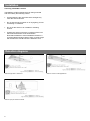
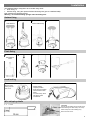
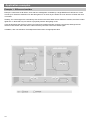
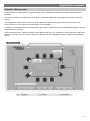
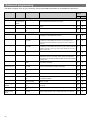
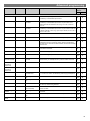
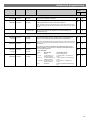
Power-up test procedure When power is applied to the unit, the load will turn on immediately. Vacate the room or remain very still and wait for the load to switch off (this should take around 10 minutes). Check that the load switches on when movement is detected. The unit is now ready for programming. Fault finding What if the load does not turn ON? Check that the live supply to the circuit is good. Check that the load is functioning by bypassing the sensor (e.g. link terminals L and L/ Out on Channel1). Check that the unit is correctly addressed, see ‘Step 1: Set channel addresses and channel load type’ on page 7. If the detection range is smaller than expected, check the diagrams in page 2. Rotating the sensor slightly may improve the detection range. HINT: The Walk Test LED function can be used to check that the unit is detecting movement in the required area (see page 8 for further details). What if the load does not turn OFF? Ensure that the area is left unoccupied for longer than the Time Adjustment Period (default is 10 minutes). Ensure that the sensor is not adjacent to circulating air, heaters or lamps. HINT: The Walk Test LED function can be used to check that the unit is detecting movement in the required area (see page 8 for further details). 5