1
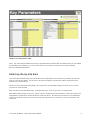
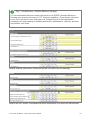
Image 3: Key Parameters Page
Note: The TTC Financial Model has been pre-populated with standard VET and SRP rates as per the 2009
Student Resource Package. For future years, users are advised to reference the relevant Student
Resource Package publication.
Entering site-by-site data
The TTC Financial Model supports Consortium level summarisation and analysis by building up financial
data on a site-by-site bases. For each site, the Financial Model considers the capital, funding and cost
dimensions of TTC finances.
Having set the relevant Key Parameters, and returned to the Navigation Page, the next step is to enter
site specific financial data.
Each Site has its own Site Data Page. To begin data entry, click on the ‘Site 1’ worksheet tab.
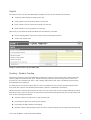
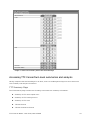
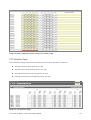
Each Data Page prompts the user for specific capital, funding and cost information. Data entry points are
highlighted in yellow while locked calculation areas are white. All data entry fields have a corresponding
notes section where the user can record a supporting annotation or reference ‘off line’ calculations and
resources.
TTC Financial Model: User Guide, March 2009
4