1
Further Assistance
Further Assistance
For any additional help visit our customer web site at www.xerox.com or contact the Xerox Support
Center quoting the machine serial number.
Xerox Support Center
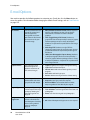
If a fault cannot be resolved by following the display instructions, check Error Messages on page 169. If
the difficulty persists, contact the Xerox Support Center. The Xerox Support Center will want to know
the nature of the problem, the machine serial number, the fault code (if any) plus the name and
location of your company.
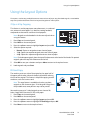
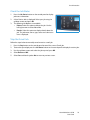
For information about locating the serial number, please refer to Locating the Serial Number on
page 190.
Documentation
Most answers to your questions will be provided by the documentation that is supplied on CD with the
WorkCentre 3550. Alternatively you can access the documents from www.xerox.com/support.
• Quick Use Guide - contains information about installing the machine and initial setups.
• User Guide (this document) - contains instructions and information about all the features on the
machine.
• System Administration Guide - provides detailed instructions and information about connecting
your machine to the network and installing optional features.
24
Xerox WorkCentre 3550
User Guide