1
Table of Contents
2.1
2.2
2.3
2.4
3.1
4.1
5.1
5.2
5.3
6.1
6.2
7.1
7.2
7.3
8.1
8.2
9.1
10.1
10.2
10.3
12.1
12.2
12.3
2 4
4
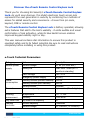
e-Touch Technical Parameters
1 Preface - Guidelines Before Use
2 e-Touch Electronic Lock Features/ Systems
Panic Exit Function
Tamper Alert Alarm
Automatic Locking
Low Voltage alarm
3 Installation Guide
Lineation
4 Drilling
Lock Installation
5 Management Instructions
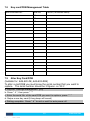
Factory Reset
Program Management Pin Code
Log into “Settings Management”
6 Pin Code
Program User Pin Code
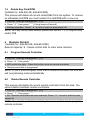
Delete Pin Code
7 Key Card/FOB
Program Key Card/FOB
Alter Key Card/FOB
Delete Key Card/FOB
8 Remote Control
Program Remote Controller
Delete Remote Controller
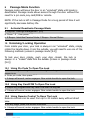
9 Passage Mode Function
Activate/ Deactivate Passage Mode
10 Unlocking/ Locking Operation
Using Pin Code To Open The Lock
Using Key Card/FOB To Open The Lock
Using Remote Control To Open The Lock
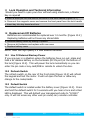
11 Lock Operation and Technical Information
12 Replacement Of Batteries
Use Of External Backup Power
Refresh Switch
Default Switch
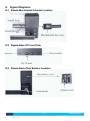
13 Figure Diagrams
3
Verison: UG_V002
5
5
8
9
9
11
12
12
13
13
14
kas.com.au