1
Updating the firmware of the 'Station'
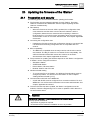
Preparation and security
20
20 Updating the firmware of the 'Station'
20.1
Preparation and security
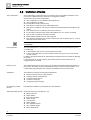
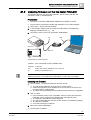
The following points must be observed before updating the firmware.
The firmware must be updated individually for each 'Station'. Exception:
'Stations' networked via C-WEB/LAN. See the chapter 'Updating several
'Stations' simultaneously'.
Data backup
–
When the firmware of the main CPU is updated, the configuration data,
event memories and the alarm counter value are deleted. Load the
configuration data and event memories before updating in CerberusEngineering-Tool. You will find more information about the event memory
and the alarm counter in document A6V10210424. See chapter 'Applicable
documents'.
Converting the configuration data
–
Updating the firmware requires the configuration data to be converted if the
new firmware and existing configuration are not compatible with one
another.
BDV compatibility
–
The BDVs are compatible when the major version and the minor version
are identical. The Bug fix version is not relevant for the compatibility. You
will find Information about BDV names and versions in document
A6V10210424. See chapter 'Applicable documents'.
The procedure for updating the firmware depends on the 'Station' configuration.
A 'Station' can be configured as follows:
– Standalone Station
–
–
SAFEDLINK Station
Router Station, Ethernet Station
– Modular 'Station' with CPU card
Windows firewall setting
–
To connect the PC to the 'Station', the Windows firewall settings must be
changed if possible. You will find more information on this in chapter
'Setting Windows firewall [ 77]'.
Communication with GAP via C-WEB/LAN
–
A GAP with DHCP must be configured for a connection with the PC via CWEB/LAN. You will find more information in document A6V10210424. See
chapter 'Applicable documents'.
Once the firmware has been updated, the 'Station' configuration must be
loaded to 'Cerberus-Engineering-Tool' in order to update the LRC data to the
current firmware status.
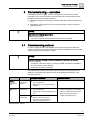
WARNING
Fire detection installation is deactivated during the firmware update
Fire may spread unhindered.
Supervision by people is required.
Re-activate the fire detection installation as soon as possible.
71
Building Technologies
Fire Safety
A6V10210416_f_en_-14.01.2013