1
DELTACOM
Your D200S System has been installed by:
Intercom System
Your D200S System has been manufactured by:
D200S
INTERCOMS – DUCTED VACCUMS – SECURITY ALARMS
Hampshire Way Pty Ltd ITF the Dowel Trust T/AS Deltacom
24 ALFRED STREET BLACKBURN VIC AUSTRALIA 3130
Tel: (03) 98944099
ABN: 22 818 910 108
Fax: (03) 98943331
Operating
Instructions
Manufacturer’s Warranty
Hampshire Way Pty Ltd (herein referred to as Deltacom) hereby warrants, subject to
the conditions specified herein, to repair or at their option, replace:
1. Any part of the intercom which proves to be defective by reason of faulty
workmanship or materials without charge for labour or parts for a period of
ninety (90) days from the date of original retail purchase.
2. Any part of the intercom which proves to be defective by reason of faulty
workmanship or materials for a period of twenty four months limiting its charges
to labour.
This warranty only applies provided that the intercom system:
• Has been operated in accordance with the operating instructions
• Has not been subject to misuse, abuse, improper installation, negligence or
accident
• Has not been repaired, modified or tampered with by anyone other than an
authorised agent
This warranty does not cover:
• Travelling costs to the location of the intercom
• Damage to other parts of the installation such as cable, connectors and
removal or reinstallation costs
• Ingress or damage including corrosion caused by water, moisture, humidity or
other liquid substance to the intercom
• Interference caused by external electrical fields such as dimmers, electrical
appliances, radio transmitters, electricity authority cables, mobile phones and
the like
• Freight to and from the premises of Deltacom
• Damage caused by lightning strike or application of over voltage
• Radio reception
Instructions for the 200S
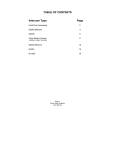
Table of Contents
The Master Station ............................................................ 2
Clock Set Button ................................................................. 2
Alarm Set Button ................................................................. 3
Display Button .....................................................................3
Radio Button ....................................................................... 3
Selective Calling.................................................................. 4
The Volume Control ............................................................ 4
The Status Lights ................................................................ 4
How to Use the Intercom.................................................. 5
The Talk Button................................................................... 5
The Cancel Button .............................................................. 5
The Privacy Button.............................................................. 6
The Music Button ................................................................ 6
The Monitor Button.............................................................. 6
The Door Button.................................................................. 6
The Unlock Button............................................................... 6
Options................................................................................7
Sleep Function ....................................................................7
Manufacturer's Warranty.....................................................8
1
The Master Station
Note: It is not necessary to include a Master station in the system. When the system
is run without a Master station, it is called a 200S Minicom.
■ Options
Each Unit may be programmed to enable / disable features of the system.
These features include: • A Unit will / will not receive the Door Chime
• A Unit will / will not be able to operate the Unlock function
• A Unit will / will not be able to select Privacy
■ Sleep Function
Music may be turned on for approximately one hour by pressing and holding the
Music button for more than two (2) seconds.
When the button is released, a short beep will be heard to signify the Sleep Function
has been successfully activated.
Note: This feature applies to the Room Units only.
Master Unit
The Clock Radio Controls on the Master Unit are located on the top right hand side
of the Unit. A protective lens covers the Clock adjustment buttons.
■ Clock Set Button
To adjust the time, hold the Clock Set button while pressing either the hour or
minute button. The time must be displayed before the time is adjusted.
The PM Light will illuminate to indicate that the clock is showing PM and will not be
lit when it is AM.
While the time is displayed the Dot will flash every second.
When the Alarm Time is displayed the dot will not flash.
2
7
■ The Privacy Button
■ Alarm Set Button
The Privacy button, when pressed, will prevent others from listening to your Unit.
The privacy light will be illuminated if privacy has been selected. If you wish to
respond to a call and privacy is selected you can de-select privacy by pressing the
Privacy Button.
To adjust the alarm time, hold the Alarm Set button while pressing either the hour
or minute button.
■ The Music Button
To activate the alarm press the Alarm button. The alarm light will illuminate to
indicate that the Alarm has been turned on. To turn off the Alarm, press the Alarm
button again.
The Music button will allow music to be heard, if the Radio is turned on, at that Unit
(with Master or Music Interface).
The Alarm will turn the Radio on and music will be heard for approximately one hour
at the Room Units.
To select Music press the Music button and to de-select Music press the Music
button again. If a music interface is used the stereo MUST be turned on before
pressing the Music button or you may hear a hissing noise. This means there is no
audible music to be heard. Check the stereo.
If the alarm is not required at a Room Unit, press and hold the Privacy button for
more than two (2) seconds. When the button is released, a short beep will be heard
to signify the Alarm function at that Unit has been successfully de-activated.
■ The Monitor Button
If you want to monitor a Unit, press the Monitor button at the Unit to be monitored.
To show that the Unit is being monitored, the In Use and Monitor lights will
illuminate. The Unit will be able to be heard at all other Units in the system, except
the Door Unit.
Some of the other Units may choose not to listen to the monitored Unit and may
press their Cancel button to prevent listening to the noise from the monitored Unit.
To stop monitoring, press the Monitor button again. The Monitor light will turn off.
■ The Door Button
If you want to talk to the Door Unit you must first press the Door button. After
pressing the Door button then use the Talk button as you would for normal
conversations.
■ The Unlock Button
In the case where an electric latch is fitted to the system, the Unlock button may be
used to operate such a device. To operate the electric latch first press the door
button and then the Unlock button. The electric latch will be activated for five (5)
seconds.
To re-activate the Alarm Function, press and hold the Unlock button. Once again, a
short beep will be heard to signify the successful re-activation of the Alarm Function
at that Unit.
■ Display Button
The Display button will change the display to show the time, Alarm time and the
Radio frequency each time it is pressed. The Display will automatically revert back
to the time.
■ Radio Button
The Radio controls are located below the Clock controls. The Radio On/Off button
turns the Radio on or off. When the Radio is turned on the Radio On/Off light will be
illuminated. (Note: Music button must be turned on to hear the Radio.)
To tune the Radio press one of the Tuning buttons either up or down. The Radio will
automatically search for a station. If you wish to manually tune the Radio press one
of the Tuning Buttons briefly and it will step through the channel bank each time the
Tuning Button is pressed. To switch from the AM Band to the FM Band press the
AM/FM button.
To store stations in the memory press the MEM button and then press the Channel
button you want to store the Station in. There are 5 preset stations for both AM and
FM.
3
6
■ Selective Calling
How to Use the Intercom
If you wish to communicate with one or more Units press their location button(s)
before you press the Talk Button. For example, if you choose to talk to Rooms 3 and
6, press Location Button 3, then press Location Button 6 and then press the Talk
Button. This may be done from the Master Unit ONLY.
■ The Volume Control
The Volume Control will adjust the volume of music, intercom and chime at that
Unit.
■ The Status Lights
The In Use light shows when the system is in use. The On light shows when a Unit
is included in an Intercom call. The Privacy light shows when privacy is selected.
Room Unit
■ The Talk Button
Pressing and holding the Talk button will enable you to communicate with the rest of
the system except the Door Unit. When the Talk button is released you will hear all
other Units and they can reply hands-free.
Units with Privacy selected will not be heard.
When you have pressed the Talk button, the In Use light will indicate the Unit is in
use.
■ The Cancel Button
The Cancel button will cancel a call you have made. You may only use the Cancel
function if you initiated the call. If you do not cancel a call, the Unit will automatically
cancel thirty (30) seconds after the Talk button was released.
4
5
■ Selective Calling
How to Use the Intercom
If you wish to communicate with one or more Units press their location button(s)
before you press the Talk Button. For example, if you choose to talk to Rooms 3 and
6, press Location Button 3, then press Location Button 6 and then press the Talk
Button. This may be done from the Master Unit ONLY.
■ The Volume Control
The Volume Control will adjust the volume of music, intercom and chime at that
Unit.
■ The Status Lights
The In Use light shows when the system is in use. The On light shows when a Unit
is included in an Intercom call. The Privacy light shows when privacy is selected.
Room Unit
■ The Talk Button
Pressing and holding the Talk button will enable you to communicate with the rest of
the system except the Door Unit. When the Talk button is released you will hear all
other Units and they can reply hands-free.
Units with Privacy selected will not be heard.
When you have pressed the Talk button, the In Use light will indicate the Unit is in
use.
■ The Cancel Button
The Cancel button will cancel a call you have made. You may only use the Cancel
function if you initiated the call. If you do not cancel a call, the Unit will automatically
cancel thirty (30) seconds after the Talk button was released.
4
5
■ The Privacy Button
■ Alarm Set Button
The Privacy button, when pressed, will prevent others from listening to your Unit.
The privacy light will be illuminated if privacy has been selected. If you wish to
respond to a call and privacy is selected you can de-select privacy by pressing the
Privacy Button.
To adjust the alarm time, hold the Alarm Set button while pressing either the hour
or minute button.
■ The Music Button
To activate the alarm press the Alarm button. The alarm light will illuminate to
indicate that the Alarm has been turned on. To turn off the Alarm, press the Alarm
button again.
The Music button will allow music to be heard, if the Radio is turned on, at that Unit
(with Master or Music Interface).
The Alarm will turn the Radio on and music will be heard for approximately one hour
at the Room Units.
To select Music press the Music button and to de-select Music press the Music
button again. If a music interface is used the stereo MUST be turned on before
pressing the Music button or you may hear a hissing noise. This means there is no
audible music to be heard. Check the stereo.
If the alarm is not required at a Room Unit, press and hold the Privacy button for
more than two (2) seconds. When the button is released, a short beep will be heard
to signify the Alarm function at that Unit has been successfully de-activated.
■ The Monitor Button
If you want to monitor a Unit, press the Monitor button at the Unit to be monitored.
To show that the Unit is being monitored, the In Use and Monitor lights will
illuminate. The Unit will be able to be heard at all other Units in the system, except
the Door Unit.
Some of the other Units may choose not to listen to the monitored Unit and may
press their Cancel button to prevent listening to the noise from the monitored Unit.
To stop monitoring, press the Monitor button again. The Monitor light will turn off.
■ The Door Button
If you want to talk to the Door Unit you must first press the Door button. After
pressing the Door button then use the Talk button as you would for normal
conversations.
■ The Unlock Button
In the case where an electric latch is fitted to the system, the Unlock button may be
used to operate such a device. To operate the electric latch first press the door
button and then the Unlock button. The electric latch will be activated for five (5)
seconds.
To re-activate the Alarm Function, press and hold the Unlock button. Once again, a
short beep will be heard to signify the successful re-activation of the Alarm Function
at that Unit.
■ Display Button
The Display button will change the display to show the time, Alarm time and the
Radio frequency each time it is pressed. The Display will automatically revert back
to the time.
■ Radio Button
The Radio controls are located below the Clock controls. The Radio On/Off button
turns the Radio on or off. When the Radio is turned on the Radio On/Off light will be
illuminated. (Note: Music button must be turned on to hear the Radio.)
To tune the Radio press one of the Tuning buttons either up or down. The Radio will
automatically search for a station. If you wish to manually tune the Radio press one
of the Tuning Buttons briefly and it will step through the channel bank each time the
Tuning Button is pressed. To switch from the AM Band to the FM Band press the
AM/FM button.
To store stations in the memory press the MEM button and then press the Channel
button you want to store the Station in. There are 5 preset stations for both AM and
FM.
3
6
The Master Station
Note: It is not necessary to include a Master station in the system. When the system
is run without a Master station, it is called a 200S Minicom.
■ Options
Each Unit may be programmed to enable / disable features of the system.
These features include: • A Unit will / will not receive the Door Chime
• A Unit will / will not be able to operate the Unlock function
• A Unit will / will not be able to select Privacy
■ Sleep Function
Music may be turned on for approximately one hour by pressing and holding the
Music button for more than two (2) seconds.
When the button is released, a short beep will be heard to signify the Sleep Function
has been successfully activated.
Note: This feature applies to the Room Units only.
Master Unit
The Clock Radio Controls on the Master Unit are located on the top right hand side
of the Unit. A protective lens covers the Clock adjustment buttons.
■ Clock Set Button
To adjust the time, hold the Clock Set button while pressing either the hour or
minute button. The time must be displayed before the time is adjusted.
The PM Light will illuminate to indicate that the clock is showing PM and will not be
lit when it is AM.
While the time is displayed the Dot will flash every second.
When the Alarm Time is displayed the dot will not flash.
2
7
Manufacturer’s Warranty
Hampshire Way Pty Ltd (herein referred to as Deltacom) hereby warrants, subject to
the conditions specified herein, to repair or at their option, replace:
1. Any part of the intercom which proves to be defective by reason of faulty
workmanship or materials without charge for labour or parts for a period of
ninety (90) days from the date of original retail purchase.
2. Any part of the intercom which proves to be defective by reason of faulty
workmanship or materials for a period of twenty four months limiting its charges
to labour.
This warranty only applies provided that the intercom system:
• Has been operated in accordance with the operating instructions
• Has not been subject to misuse, abuse, improper installation, negligence or
accident
• Has not been repaired, modified or tampered with by anyone other than an
authorised agent
This warranty does not cover:
• Travelling costs to the location of the intercom
• Damage to other parts of the installation such as cable, connectors and
removal or reinstallation costs
• Ingress or damage including corrosion caused by water, moisture, humidity or
other liquid substance to the intercom
• Interference caused by external electrical fields such as dimmers, electrical
appliances, radio transmitters, electricity authority cables, mobile phones and
the like
• Freight to and from the premises of Deltacom
• Damage caused by lightning strike or application of over voltage
• Radio reception
Instructions for the 200S
Table of Contents
The Master Station ............................................................ 2
Clock Set Button ................................................................. 2
Alarm Set Button ................................................................. 3
Display Button .....................................................................3
Radio Button ....................................................................... 3
Selective Calling.................................................................. 4
The Volume Control ............................................................ 4
The Status Lights ................................................................ 4
How to Use the Intercom.................................................. 5
The Talk Button................................................................... 5
The Cancel Button .............................................................. 5
The Privacy Button.............................................................. 6
The Music Button ................................................................ 6
The Monitor Button.............................................................. 6
The Door Button.................................................................. 6
The Unlock Button............................................................... 6
Options................................................................................7
Sleep Function ....................................................................7
Manufacturer's Warranty.....................................................8
1
DELTACOM
Your D200S System has been installed by:
Intercom System
Your D200S System has been manufactured by:
D200S
INTERCOMS – DUCTED VACCUMS – SECURITY ALARMS
Hampshire Way Pty Ltd ITF the Dowel Trust T/AS Deltacom
24 ALFRED STREET BLACKBURN VIC AUSTRALIA 3130
Tel: (03) 98944099
ABN: 22 818 910 108
Fax: (03) 98943331
Operating
Instructions