1
Introduction
The Acupuncture Point Injection Therapy (APIT) website at
www.acupuncturepointinjection.com.au features an easy to use, easy to
navigate online Content Manager to update the core content of the website on
an ongoing basis.
The following pages outline how to access the APIT Content Manager and how to
use various functions of the Content Manager.
Logging in to APIT’s Content Manager
1.
Go to www.acupuncturepointinjection.com.au/admin
2.
Enter the username and password in the fields provided
USERNAME:
PASSWORK:
admin
admin123
Editing Pages
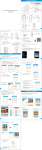
Once logged in, you will have access to all pages in the site to modify
content. The majority of the pages can be found under the ‘Edit Pages’
menu.
To view editable versions of the website pages, click on ‘Edit Pages’ and
click on the page you wish to edit.
Within each page, there is an editable text box containing content for
each page. Text within this area is edited in a similar fashion to a Word
document, with tool bars similar to that in Word.
pg. 2