1
AutoMode and Full Manual Mode
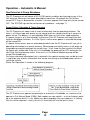
Full Manual Mode (FMM)
FMM is used in situations where an external timer is required to run the PC Premium. FMM
is a setting which starts the pump immediately on the application of power to the unit. A
unit in FMM mode can have the pump turned OFF. This will mean that the pump will not
turn back ON unless it is manually turned ON by the ON pad or a long power failure
occurs.
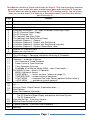
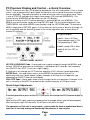
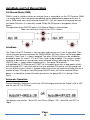
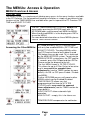
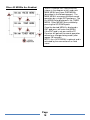
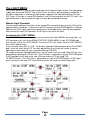
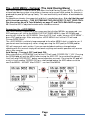
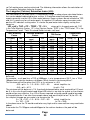
The operation of the ON/OFF-pads in Full Manual Mode is shown below:
(Note: for clarity only Line2 of the LCD is shown)
AutoMode
The Timer in the PC Premium is very versatile and easy to use. It has 4 adjustable Filter
Cycles that can be accessed from the TIMER MENU. All Filter Cycles can be overridden
manually. Filter Cycle 1 is always enabled. The other 3 Filter Cycles can be enabled or
disabled in order (ie select 1, 2, 3 or 4 Filter Cycles to be enabled). This allows a simple
increase or decrease in running times to be achieved without adjusting the Filter Cycle
ON/OFF times – simply add or remove cycles ! See page 20 for details.
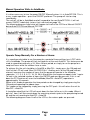
In AutoMode the PC Premium will START (at first power-up or after a long power failure)
with the pump OFF. It will then wait for the next available ON-time to start the pump and
the rest of the system. If there is a power failure the system will continue to keep time for a
number of days. During this time the pump ON/OFF-times will still be checked. When
power is restored the system will wake up and turn the pump ON if it is during a Filter
Cycle.
Automatic Operation:
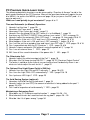
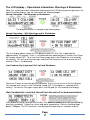
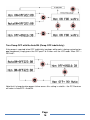
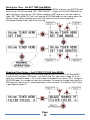
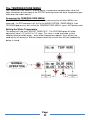
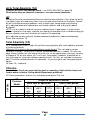
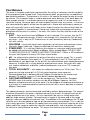
During Automatic Operation Line2 of the LCD will display whether the Pump is ON or OFF
and the next OFF or ON time:
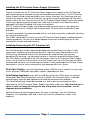
The displays are read as: “Auto OFF next ON at 4:30pm” OR “Auto ON next OFF at
10pm”
Page
14