1
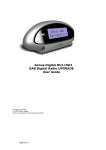
Location of controls
1. UP
Press the button to select the
different DAB station under DAB
mode or press and hold to quick
scan the FM station in upward
frequency under FM mode.
2. DOWN
Press the button to select the
different DAB station under DAB
mode or press and hold to quick
scan the FM station in downward
frequency under FM mode.
3. SNOOZE/SLEEP
Press the button to set the sleep
timer, or press the button to snooze
the alarm when alarm is active.
4. PRESET
Long press the button to store the
preset, short press the button to do
preset recall.
5. ALARM
Press to set Alarm 1 and Alarm 2.
6. INFO/MENU
Long press the button to enter main
menu, press briefly to see the
information under the station.
7. STANDBY
Press to go to standby or turn the
radio on.
8. SPEAKER
9. LCD
10. ROTARY KNOB
Rotate the knob to adjust the
volume level; or press the knob as
selection.
11. ANTENNA
12. Earphone jack
13. DC IN jack (7.5V 800mA)
2